
Your Browsing History


Nolan T.
Joined on 12/03/04
0
0
product reviews
- 6
Upgraded
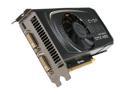
EVGA SuperClocked 01G-P3-1367-TR GeForce GTX 460 SE (Fermi) 1GB 256-bit GDDR5 PCI Express 2.0 x16 HDCP Ready SLI Support Video Card
Pros: Runs everything at a very high frame rate, stays pretty cool, and takes a good load off the cpu.
Cons: If your PSU doesnt have the 2 6 pin connectors, and you have to use the adaptors, you might as well get a new psu because its going to make a mess of cables leading to the GPU.
Overall Review: 4gb of patriot ram, amd 6400x 3.2 processor, this GPU, and i can run SC2 on high at 60 some fps, about 30 something when the 200/200 battles start.
7/3/2011See more detail
Meh
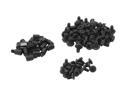
APEVIA CS-01 Multi-Purpose Case Screws 90 in 1 pack
Pros: Cheap, 90 screws.
Cons: Screws dont fit motherboard spacers.
7/29/2013See more detail
they are thumb screws
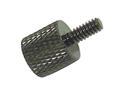
Link Depot SCW-10-BK 10 Pack of Black Anodized Thumbscrews
Pros: They fit, they are cheap, they are black. They are just thumb screws
Cons: none
Overall Review: If your fingers are too weak to unscrew thumb screws, maybe you should take some time off from computers.
7/29/2013See more detail
Oh, it works.
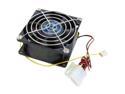
Vantec Tornado 80mm Double Ball Bearing High Air Flow Case Fan - Model TD8038H
Pros: This thing is definitely moving some air, I've got 'speedfan' on and this thing is at 6000 rpms. For a 80mm fan, this thing is moving more air than its plug in wall counterpart (those fist sized fans).
Cons: I wear head phones, and i usually had a box fan on my computer to keep it cooled down, but this fan has a bit of noise. You can turn down the rpms if you need to, but if your system is getting too hot, you need a big fan.
Overall Review: Worth the $12, now i don't have to rock a ghetto rig with a box fan.
7/7/2011See more detail
$1.50 each
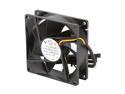
MASSCOOL FD08025S1M4 80mm Case Cooling Fan
Pros: its a $1.50 fan. You can feel it moving air, comes with mounting screws, and a 12 inch or so sleeved cable.
Cons: The pins are a little loose in the 4pin, but once they are connected they aren't going anywhere.
7/7/2011See more detail
Great motherboard
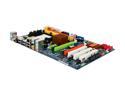
ASRock A770DE+ AM3/AM2+/AM2 AMD 770 ATX AMD Motherboard
Pros: Easy install, fair amount of space. Nice instant boot software, easy overclocking bios.
Cons: It could be real close, but the 2 PCI express slots are kind of close to each other. If i could fit two of my geforce GTX 460 will be able to fit to crossfire, the top ones fan would be blocked for sure, and it would be a snug fit.
Overall Review: 6 sata connections? alright.
7/3/2011See more detail