
Your Browsing History


CHRISTOPHER M.
Joined on 04/01/02
0
0
product reviews
- 6
Seems to run Linux fine.
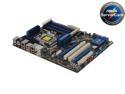
ASUS P6T WS PRO LGA 1366 Intel X58 ATX Intel Core i7 / Xeon Intel Motherboard
Pros: Linux 2.6.28 up and running as-is. Fan and temp support via bleeding-edge lm-sensors. No driver issues. 12G, a 920 with eight virtual cores, this is the no-brainer Linux workstation combo to buy this year.
Cons: "Legacy USB Support" must be turned off as recent Linux refuses to boot with it on or you need to boot with iommu=off [The linux IOMMU/DMAR engine reports a memory range setup error in the BIOS and halts the boot with an error. Perhaps we'll see a firmware fix]. Earlier kernels (eg, 2.6.17) don't seem to care because they didn't go looking for the problem. LGA1366 seems easy to mis-seat without any way to tell. I had a mystery 'bad' DIMM slot and weird driver errors the first boot; it was all due to a mis-seated CPU that looked perfect. Been gold since reinserting it. Can't blame that on ASUS.
Overall Review: Just for fun, I briefly played with the overclock and had it running Linux rather nicely at DDR3-1666 and 3.2GHz with both the Zalman and the BIOS set to 'silent mode' without a hiccup but decided I wanted reliable/quiet way more than speed. It delivers on either side!
1/18/2009See more detail
These cables are a joke. Not HA HA funny.
![Nippon Labs DP-6-MM DisplayPort Cable, DP Cable 6ft. [4K@60Hz, 2K@165Hz, 2K@144Hz], Display Port Cable 1.2 High Speed DisplayPort to DisplayPort Cable Compatible 3D, Laptop, PC, Gaming Monitor](https://c1.neweggimages.com/ProductImageCompressAll125/12-816-071-09.jpg)
Nippon Labs DP-6-MM DisplayPort Cable, DP Cable 6ft. [4K@60Hz, 2K@165Hz, 2K@144Hz], Display Port Cable 1.2 High Speed DisplayPort to DisplayPort Cable Compatible 3D, Laptop, PC, Gaming Monitor
Pros: Cheap. I wonder why....
Cons: The connectors are too big to fit at least my card and my monitor. The connectors are too shallow; they don't insert fully enough for the latches to engage. I'd have tried pulling the connector out further with pliers like another reviewer suggested, except one fell apart completely just from trying to insert it. Which revealed... They're HAND SOLDERED and HOT GLUED inside... BADLY. Gobs of solder everywhere, bare wires just hanging around and a huge snotball of hot glue trying to hold it together. All inside a SNAP TOGETHER generic connector shell that's been glued shut. Srsly. Of the other two cables that didn't disintegrate on first insertion, one suffers constant dropouts and the other instantly BSODs my Win7 box the second I plug it in--- even if there is no monitor connected to the other end. Gee, an internal short from all the bare wires in the connector maybe?
Overall Review: You paid premium money for a monitor and a gfx card that have displayport--- don't screw it up by buying this $7 joke of a cable. I have no freaking clue what I was thinking. Your Eizo will hate you if you get this cable for it. AWFUL, AWFUL, AWFUL. I am trying to destroy this vendor with the power of my mind RIGHT NOW.
10/17/2011See more detail
Excellent for TN, but spotty color consistency
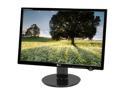
LG L227WTG-PF Black 22" 2ms Widescreen LCD Monitor 300 cd/m2 10000:1DCR with HDCP Support
Pros: You won't mistake this for a PVA panel, but it is excellent for plain old TN. The wide gamut is real, and colors are very vibrant without being gaudy/overdriven. If you get one of the good ones (see cons) it's almost good enough for real photo editing and professional calibration--- but not quite. The real contrast at 1000:1 is very good with only slight light bleed along the very top and bottom. Seven panels so far, no bad pixels. The physical panels are very light; 2/3rds the weight of the 17" panels they're replacing.
Cons: The worst thing is that the panel-to-panel color consistency is poor. Some panels are noticably pinkish, some oddly greenish with a seemingly greater color shift across the panel. If you're planning to build a multihead setup, expect that you won't be able to get them to match whatever you do unless you get consecutive serial numbers. Of the seven I've bought, three were spot on (consecutive #s), two were dimmer and more greenish than the others, and two were oddly way brighter and very pink. Although the panels have seperate R/G/B adjustments, if you get the whites to agree, grays don't (and vice versa). Shoot the middle and then the colors don't quite match. Due to the way the panels are driven, adjusting the color biases also cause more severe off angle shifting. In short, these are not professional color-calibrated panels, and it's foolish to expect them to be. PVA panels are more expensive for a reason. What's odd is that they're so inconsistent from batch to batch.
Overall Review: For a TN panel, these are great. 10,000:1 is a lie, but the real contrast that's closer to 1000:1 is still pretty good. The 170/170 viewing angle is also pure fantasy, but again it's great for a TN panel in reality. If only they were more consistent panel to panel, they'd be the perfect TN offering.
3/17/2009See more detail
Should be great, but Zalman botched one thing
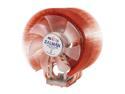
ZALMAN CNPS9700 LED 110mm 2 Ball CPU Cooler
Pros: Aside from the one big flaw, this is a nicely designed, nicely made piece of hardware.
Cons: The bottom surface of the heatsink is *nowhere* near flat. It's higher around the edges and sunken in the middle and makes poor contact with a i7 920. Taking the HS off the processor, it's clear the center wasn't making good contact; the heatsink compound was still in a thick, mostly unspread glob in the center.
Overall Review: An expert can lap this to perfection to get a very good heatsink (and I did just that). But no one should have to. Others complain about the fan blades touching the HS fins; I agree it's possible as the fan mount is a small bendable piece of metal. Again, an expert would use a pair of pliers and fix it for good in 30 seconds... but he shouldn't have to. I expect a little more from Zalman and they almost delivered.
1/20/2009See more detail
For this money I expected alot
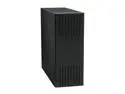
LIAN LI PC-A20B Black Aluminum ATX Full Tower Computer Case
Pros: I had high expectations and this case delivered. The layout is near perfect and very thoughtful. The basic box is riveted together but almost every other piece is bolted together, even the individual pieces of the front grilles. Very moddable. Swallowed ten spindles, two removable SATA bays, a few DVD ROMs, an EATX mobo, Dual GFX, a Zalman cooler the size of my head, PSU and the full sheaf of cables with ease. Everything is easy to get to. Lots of extra hardware included. Plenty of cooling. And let's be vain-- it's beautiful. No neon, no chrome, no fancy. It looks expensive because it is, and doen't bother with any flash. The pieces fit together with precision, the finish is spotless.
Cons: Two minor flaws: PSUs that put a 14cm fan in the bottom of the box instead of a fan in the front or back will be mounted 'backwards' with the fan facing the case side and very little clearance. Oddly, even the instructions show such a PSU mounted this way. Drill new holes in the removable backplate to flip it if you care. PCI card mounting screw holes are tiny little pressed in, threaded collars; if one starts spinning, it's annoying to actually get the card tightened down.
1/18/2009See more detail
firmware 1.08 has trouble with burned discs: 1.09 fixes it
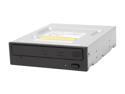
Pioneer 20X DVD±R DVD Burner 20X DVD+R 8X DVD+RW 12X DVD+R DL 20X DVD-R 6X DVD-RW 16X DVD-ROM 40X CD-R 32X CD-RW 40X CD-ROM Black SATA Model DVR-216DBK
Pros: So far, a very good drive. Benches faster than its rating would imply. The extra $20 over the bargain basement seems to well spent.
Cons: currently ships with a firmware 'bug'; firmware upgrade fixes the issue. See below. Still gets 5 eggs as the problem is easy to fix completely and the result is a great drive.
Overall Review: Firmware 1.08 (the version it arrived with) hands back a READ CAPACITY result that is exactly at the last burned sector on a burned disc, which is almost always a borderline unreadable padding sector. Eg, on Linux you get: Jan 19 00:24:16 fishcore kernel: [13700.211167] sr 1:0:1:0: [sr0] Result: hostbyte=DID_OK driverbyte=DRIVER_SENSE,SUGGEST_OK Jan 19 00:24:16 fishcore kernel: [13700.211171] sr 1:0:1:0: [sr0] Sense Key : Medium Error [current] Jan 19 00:24:16 fishcore kernel: [13700.211174] Info fld=0x1ffafc Jan 19 00:24:16 fishcore kernel: [13700.211175] sr 1:0:1:0: [sr0] Add. Sense: L-EC uncorrectable error Jan 19 00:24:16 fishcore kernel: [13700.211178] end_request: I/O error, dev sr0, sector 8383472 Jan 19 00:24:16 fishcore kernel: [13700.211180] Buffer I/O error on device sr0, logical block 1047934 etc, etc. Firmware 1.09 completely fixes this problem. Pioneer's firmware update is an EXE, but runs fine in Wine for linux folks [like me].
1/18/2009See more detail