
Your Browsing History


Rodney K.
Joined on 03/05/03
0
0
product reviews
- 10
Excellent Sleek And Well Designed Keyboard & Mouse
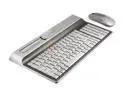
Kensington - Wireless Desktop Set - Titanium (Ci70)
Pros: Wow, I was impressed when I took it out of the box. It is even more stylish than in the pictures, a more muted gray, very sleek, very retro and probably the thinnest desktop keyboard I have seen to date. The mouse is also well-designed and simple...which is what I was looking for in both. I was so tired of clunky and over-sized Microsoft keyboards.
Cons: None so far.
Overall Review: The keyboard has a nice feel, much like a laptop..and both being wireless connecting to the same USB transmitter is ...sweet. The mouse is fast and accurate..no skipping or weird glitches to report. I use Sidux Linux (Debian-based) and you can use a handy little app called xbindkeys to program the multimedia keys. Get it, you won't be disappointed!
8/18/2007See more detail
DOA
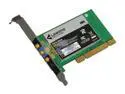
Linksys WMP300N-RM Wireless Adapter IEEE 802.11b/g, IEEE 802.11n Draft PCI
Pros: none.
Cons: Took a chance on buying this one, but the adapter was DOA. Tried it in two different computers and got nothing in windows 7 or Debian Linux.
Overall Review: Pass on this one.
3/17/2010See more detail
Comparable if not better than a 30” Apple Cinema Display
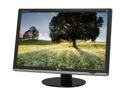
LG W3000H-Bn Black 30" 5ms Widescreen LCD Monitor w/ HDCP Support 370 cd/m2 3000:1 w/ 4 USB ports
Pros: Excellent monitor, especially for the price. I am a web developer and work on a 30” Apple Cinema Display at work, and this monitor is equivalent or better in picture and color with resolutions of 2560x1600. You will need a color calibrator. I used a Spyder2 and the before and after had quite a difference. Once calibrated, the colors were amazing. I also love the stand which allows you to raise and lower with ease. The monitor can swivel from side to side.This monitor blew my home Hanns 28” display out of the water.
Cons: None so far.
Overall Review: I love the fact it has 4 extra USB ports, two of which are on the side of the monitor. Just buy it.
3/12/2009See more detail
Linux Users Beware TLB Bug Hits Home
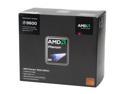
AMD Phenom 9600 Agena 2.3GHz 4 x 512KB L2 Cache 2MB L3 Cache Socket AM2+ 95W Quad-Core Processor
Pros: When it ran without error or freezes, it was very fast, enough said.
Cons: I caution all Linux users to stay far away from this line of processors. I tried two distributions and after three minutes of use the freezes would hit. I swapped out the process for a dual core to see if it was my system, but all ran fine. I then installed tried this processor with Vista (reluctantly) and this processor ran ok for the most part, except for one BSOD during an upgrade. The BSOD error message mentioned something about one of the cores not responding or something, so I assume the TLB errata bug hit again. Not worth my time or money...severely flawed.
Overall Review: I was a big AMD fanboy but they really dropped the ball on this. What happened to their Quality Control dept and why is this still being sold? As a side for Linux users, there is an unofficial fix floating around the web, but it is only good for certain distributions and only a few kernels. Kernels in Linux are upgraded all the time, so this is basically useless unless you never want to upgrade your system. Why buy a defective processor? I with I had done my research beforehand.
2/11/2008See more detail
Excellent Monitor, Excellent Price
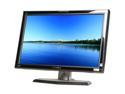
Hanns·G HG-281DPB Black 28" 3ms Widescreen LCD HDMI Monitor 500 cd/m2 800:1 Built-in Speakers
Pros: I am very pleased with this monitor. After a bit of tweaking the colors, the display is incredible. Fonts and icons are sharp and crisp at all resolutions. No Dead pixels! Well worth it.
Cons: I do see some ghosting when the screen is black, but not enough to cause concern or notice in use. This could be because I have changed the contrast/brightness levels (which are corrected inside the OS with my color preset saves.) The factory color presets out of the box are off in color and contrast, so you will need to calibrate the monitor if exact color is a concern, which is an easy task. It is not a 32" monitor, but large nonetheless.
Overall Review: Don't hesitate to buy this. I was lucky because new egg dropped the price for a few days by a hundred with no rebate needed, an excellent deal IMO. I use Sidux linux and I highly recommend a free program called Monica (google it) for monitor calibration.Also, I do not find the blue "G" in the corner distracting at all, actually the opposite.
12/28/2007See more detail
Response to Linux
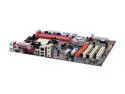
ECS NFORCE4M-A (V3.0) AM2 NVIDIA nForce4 4X ATX AMD Motherboard
Pros: This is a response to the buyer who said this motherboard does not run using Linux. I have tested it with many Linux distributions and it runs perfectly, with APIC enabled. Currently running with Kubuntu, and soon to be Sidux Linux.
Cons: None...good, cheap board which will run either Microcr*p or Linux.
Overall Review: Problems reported with linux are most likely due to the users lack of knowledge.
2/17/2007See more detail