




 here!
here!
I’m your shopping assistant for PC builds, upgrades, and everything tech.
Got questions? Ask away!
Start a conversation
here!
I’m your shopping assistant for PC builds, upgrades, and everything tech.
Got questions? Ask away!
Start a conversation

Joined on 11/05/02
Upgrade the firmware.
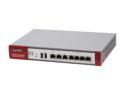
Pros: Insane feature list for the price. Easy to understand web-based configuration. You can designate routing and firewall rules between any of the 7 ports.
Cons: Shipped with a firmware from October of 2010 (2.2.3). This caused the performance between the LAN1 and WAN zones to hover around 1-2 MB/second -- even with the WAN1 port plugged into a GB switch in my lab, transferring data to a server connected to the same GB switch, from a workstation connected to the LAN1 (P3) port on the firewall via GB adapter. I called their support number, and the tech was very helpful, suggesting a two-phase upgrade of the firmware. First to the 2.2.6 version, then the 3.0 version. I did this, and the performance of that same file transfer increased to 21MB/second, which is excellent for a firewall (especially in this price range).
Overall Review: Upgrade the firmware, and you should be in good shape. Impossible to find a better value, in terms of features, performance (once you upgrade the firmware), and price.
Decent netbook, too weak for laptop
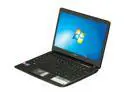
Pros: It's small, has good battery life, comes with 4GB RAM, and 500GB HDD. It works passably for browsing the web. Keyboard is easy to get used to (I owned a prior version of this same 11.6" Acer, with an Intel Celeron CPU). The place I bought it from has a great return policy.
Cons: GPU (or drivers) too slow to play MP4 videos captured with my digital camera without massive frame drops, but works OK for some of my DVD rips (H.264/MKV). Feels laggy when typing in web browser forms, or in MS Word 2010. Just slow and sluggish to respond. WiFi is really pathetic. It registers "Excellent" 54g connection, but transfer speed is terrible. Moving over to within about 10ft of the router, it speeds up to where it should be (speeds enjoyed by my other laptop, from the same location that give this Acer trouble).
Overall Review: Bought for my wife to use as a kitchen computer and to take to meetings and what-not. We had the prior model of this unit that used a Celeron CPU (two-years ago), and it worked much better than this one. Looks like I'll be returning this and getting something a bit more powerful/capable to get over the quality problem here.
Received unit with HD (1366x768) screen?
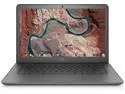
Pros: - Initial update during setup worked fine, - signed into my WiFi without issue. - signed into my Google account just fine. - Seemed to work.
Cons: - Screen resolution is not the FHD (1920x1080) as advertised. - I checked the sticker on the bottom, it is indeed a 14-ca003cl, which everything I can find online says should be a FHD unit. - I went to the HP support site and put in the serial number, and it says it should be a FHD unit. - Yet, it is an HD (1366x768) unit... frustrating.
Overall Review: - I don't know if this unit may've been "repaired" by a 3rd party before being refurbished, and screen-swapped with a lower-resolution panel, or if it has some other reason for having the wrong resolution screen. Within Settings/Device/Displays, the "Screen Size" says 1366x768 is "Native", and it lets me bump it to 1518x853 calling it 90% scale... but I specifically ordered this unit for the FHD (1920x1080) display for using Remote Desktop/editing and other real-estate sensitive issues. - Seemed nice, if it had the right screen, I would've kept it. - Instead, I returned it.
Excellent Dev Workstation
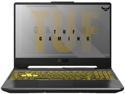
Pros: - Extremely potent CPU - Easily Upgradable (RAM/SSD/WiFi) - Great GPU that I may use more if I start playing with VR/AR at some point. - Great battery life for such a potent laptop (though I don't game on battery) ------ CAUTION: This same laptop is available with a much smaller battery, using the saved space for a 2.5" internal drive. If you're good with the dual NVMe drives and want the extra battery run-time, be careful to look for these with 90Whr battery. - The best feeling keyboard of any laptop I've ever owned (see CON about combined Home/End though) - Available 2nd NVMe SSD slot for future expansion (this is a BIG DEAL). - Runs Hyper-V virtual machines fantastically, especially after I upgraded the RAM to 64GB.
Cons: - I upgraded to Win 10 Pro, since I wanted to have RDP capability into the box, and may setup a domain on my home server at some point, easy enough to do, just put in the upgrade product code and a "Pro" license from Windows 7 - 10... - The biggest CON from a developer perspective is the combined HOME/END key. Having to use FN+Home/End to get END is too cumbersome. Very easy to use the free utility SharpKeys to re-map the minus key on the num-pad to be the END key (it gets persisted to registry, so no need to do it more than once). - Inconsistent product descriptions between product listings and even the ASUS web page for it. Max RAM and CPU Cores on the Ryzen 7 4800h being the obvious ones... - When the fans kick on, they're loud -- this should only happen when you're playing games and kick the GPU into gear... not a problem for productivity work.
Overall Review: I love it. I would recommend it for anyone who needs a super-potent portable workstation. I bought this configuation expecting to upgrade the memory without paying the pre-configured price for 64GB. After upgrading the RAM to 64GB (I found conflicting statements of Maximum RAM supported, and at what speeds I decided to play it safe and went with the 64GB kit of Gskill RipJaws 2666Mhz, and it works perfectly), I can run several VMs with little to no impact to my using my development tools (primarily VS 2019 Pro and SSMS and occasionally IntelliJ-Idea) in the host OS (Windows 10 pro) with a ton of browser tabs open, while also driving my USB-connected 15" 1080p secondary screen. The only slight negative to this laptop is the fact they went with the combined home/end key... Aparently they think people who use a "gaming" laptop don't actually do much typing/editing of text. Luckily that was easy enough to fix by remapping... If I did more gaming, I may be annoyed by the fan noise, but for my primarily productivity workload, the fans rarely even kick on, and if when they do, it's at a very quiet speed.
Works in ASUS A15 Ryzen 7 4800H
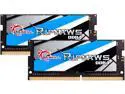
Pros: - It works! - 64GB is plenty of room for my Hyper-V development VMs - Fantastic value at this price/capacity/functionality level.
Cons: - none.
Overall Review: - Definitely recommend.
Great for the price, but...
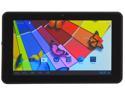
Pros: * Performance is good, for this price-range * Screen Resolution is great! * 1GB RAM * Good battery life
Cons: * Display artifacts after playing Minecraft PE for a half-hour or so, probably a heat problem. * Touch-screen isn't as responsive as expected -- not awful, but not great.
Overall Review: Aside from the problem with MinecraftPE causing it to artifact, it's an excellent higher-resolution tablet. The power-connector does take some force to get seated, but I haven't had any problem with it. I use it to test my own android game projects, and it was a bit of a pain to get the USB controller registered in Ubuntu to have it available to the Android SDK, but I found plenty of help out on the web to get unrecognized tablets going with Linux/Android SDK.


