
Your Browsing History


James P.
Joined on 04/20/06
0
0
product reviews
- 3
Video Encode Rocket
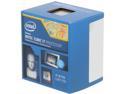
Intel Core i7-4770 - Core i7 4th Gen Haswell Quad-Core 3.4 GHz LGA 1150 84W Intel HD Graphics Desktop Processor - BX80646I74770
Pros: I have to agree with 4cpus4me. I had a very similar setup with a Phenom II X4 920. No interest in overclocking. Mainly use my rig for video processing/encoding. PowerDirector 11 runs great. Chews through HD video. My old system (125W) sounded like a jet engine under heavy load. I can hardly tell my new system is even powered on now. I specifically bought it for the Quick Sync function. DVD Fab utilizes Quick Sync (HD 4600 graphics) very well. My old system topped out at about 270 fps when encoding (with a discrete graphics card) a DVD in H.264 format. The 4770 has topped 800 fps so far and was still climbing in fps when it finished processing. Blu Ray conversion is approximately 90% faster as well. Image quality is great with QS. Arcsoft Media Encoder and Media Espresso favor QS as well. Love this new processor. Highly recommend Quick Sync for y'all doing video encoding/transcoding.
Cons: Gets hot rather quickly when pushing the system whether utilizing the CPU or GPU functionality.
Overall Review: CPU - Intel Core i7-4770 Haswell 3.4GHz LGA 1150 84W Quad-Core Desktop Processor Intel HD Graphics RAM - G.SKILL Ripjaws X Series 16GB (2 x 8GB) 240-Pin DDR3 SDRAM DDR3 1600 (PC3 12800) MOBO - ASRock Z87 Extreme3 LGA 1150 Intel Z87 HDMI SATA 6Gb/s USB 3.0 ATX Intel Motherboard
6/19/2013See more detail
Great Board
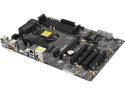
ASRock Z87 Extreme3 LGA 1150 Intel Z87 HDMI USB 3.0 ATX Intel Motherboard
Pros: Lots of options. Tons of SATA ports. UEFI straight forward. Great mid range board.
Cons: Had to flash the BIOS for the system to properly recognize/utilize my i7 4770. Manual a bit fuzzy on some directions.
6/19/2013See more detail
Awesome Size
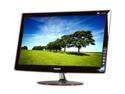
SAMSUNG 27" LCD Monitor 2ms(GTG) DVI-I, HDMI P2770H
Pros: Huge monitor. Great color. Great Price. No dead pixels. Free shipping.
Cons: Stand doesn't swivel/tilt or raise/lower. Starlight Touch Buttons are terrible. Most of the time, when pushing the buttons, they won't respond or if they do, the wrong button activates. Get your settings set the first time because it will drive you crazy if you have to constantly try and readjust your settings via the monitor.
Overall Review: Other than the Starlight Touch Buttons, I love this thing. Upgraded from a 19" and toyed with getting a 24" for the past year, but I am glad i waited for this. Swiveling and tilt would have been nice...i can do without the raise/lower feature however. This is the 2nd Sammy monitor i bought and the other one is still going strong after 7 years...so good quality. Win 7 recognized it off the bat with no problems. Included software is useless.
4/25/2010See more detail