

Your Browsing History


David C.
Joined on 06/22/08
0
0
product reviews
- 4
new build
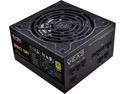
EVGA SuperNOVA 550 GA, 80 Plus Gold 550W, Fully Modular, Eco Mode, 10 Year Warranty, Includes Power ON Self Tester, Compact 150mm Size, Power Supply 220-GA-0550-X1
Overall Review: Used this in a recent build. Everything went together painlessly. Nice modular supply. A few more watts then what I needed but the price was right and so was the warranty.
5/26/2020See more detail
New Build
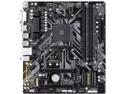
GIGABYTE B450M DS3H AM4 Micro ATX AMD Motherboard
Overall Review: Used this in a recent build. Went together painlessly and is working well.
5/26/2020See more detail
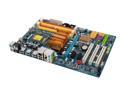
GIGABYTE GA-EP35-DS3R LGA 775 Intel P35 ATX Dynamic Energy Saver Ultra Durable II Intel Motherboard
Pros: Very good instructions and easy to follow. Hadn't really considered any overclocking but with the info that comes with the board I just might experiment some. After my initial problem things have been real good.
Cons: Only glitch I had and maybe it was something I missed in the BIOS set up. I have 3 hard drives, a DVD-burner and a USB multi-card reader. When I loaded XP it assigned my 4 slot card reader as C,D,E,F drives and then my DVD was G drive and my HD for my OS an H drive. OK I had the DVD and the HD plugged into the wrong SATA slots but why the card reader was assigned C D E and F I don't know. I started all over and reloaded XP with just my OS Hard drive and DVD plugged in. Sure enough they became my C and D drives respectivley which is what I wanted. Then I plugged everything else in and re-booted .....they were assigned E,F and so on. I can't blame the motherboard or the OS as I figure it was me who created the mistake to begin with.
7/17/2008See more detail
Staying with XP for now
Microsoft Windows XP Professional SP3 32-bit for System Builders
Pros: So far so good. Easy install. I wanted to get this before it disappears and all there is is Vista. Its been very stable so far.
Cons: none
Overall Review: I plan on doing some HD video editting with this new build and have read everything I can possibly find on line about Operating systems. Although some people are having luck with Vista in General most seem to stick with XP for now.
7/17/2008See more detail