
Your Browsing History


James R.
Joined on 01/15/22
0
2
product reviews
- 13
Works well
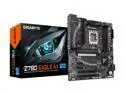
GIGABYTE Z790 EAGLE AX LGA 1700 Intel Z790 ATX Motherboard with DDR5, M.2, PCIe 5.0, USB 3.2 Gen2X2 Type-C, Intel Wi-Fi 6E, 2.5GbE LAN, Q-Flash Plus, EZ-Latch
Pros: PCI-E 5.0 and just glad it worked as intended as other manufacturer's don't seem to uphold quality well.
Cons: None for me but some people may want more fan connections. And some who want 20 gb lightning might not like this board that much. Be interesting if there's a BIOS update that could change this board from 10G to 20 but I figure it's a hardware issue.
Overall Review: Definitely recommended. Worked out of the box. No issues with missing screws and has the speed I wanted, the drive slots I wanted, everything is working fine and the company appears to actually care. I had called them ahead of time with a question about the m.2 slots. Their tech support was more than happy to help me with it. Basically the wording in the technical specs for the PCI-e 5.0 slot is simply saying that if you have another card in that slot you won't be able to use it for graphics, at least that is what I got out of the conversation with support. It can seem confusing in light of the m.2 slot next to the PCI-e 5.0 slot so I called to make sure these were separate things. The M.2 is 4.0 and that's enough speed for me. The point is that I wasn't a customer yet and tech support didn't have to help me at all but they did and weren't rushing me off and being nasty at all. I had that experience with another motherboard manufacturer so it was good to see Gigabyte hasn't decided customers are a dime a dozen and I hope they keep that up. If you're looking for a good solid board and company too to know you won't be left hanging or bait and switched to replace a socket, this Z790 Eagle AX is the board to get. It has great fan controls too.
10/17/2024See more detail
Never buy MSI Zero eggs should be an option
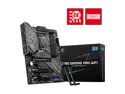
MSI Z790 GAMING PRO WIFI LGA 1700 SATA 6Gb/s DDR5 ATX (280) Motherboards - Intel
Pros: Gave it 1 egg because that's the only way to get my review posted. Seemed pretty fast, while it lasted.
Cons: Poor design for the locking feature for the M.2 drives. I'd dare say it was misleading to claim these locks then put these short slots behind them and make the locks unusable. The "bait and switch" of telling me to send the board back "to be repaired" felt like a con job when the plastic LGA 1700 socket protector wouldn't go back in and instead hurt the pins, to then have them tell me it's not covered by the warranty and that MSI has to charge me for a new CPU slot.... Yeah when I am returning it per their instructions and they aren't exchanging it for a new one to instead, per their policy and discretion, "fix this one." Pretty abusive corporate policy against the customer. Wonder how many people fell for that one and bought a new socket AFTER they sent the board to MSI solely because they were already invested in the motherboard they sent back and MSI wasn't going to return it to them until they paid. I mean if anyone should know the damage that plastic cover can cause you'd think it is the manufacturer of the motherboard. Be something horrible if they exploited this knowledge about that plastic protector. I mean think about it, you'd think they'd caution you about putting that cover on, maybe even point to a full on instruction manual on it, especially prior to trying to blame you as the customer for "physical damage" to the board and trying to use that as an excuse to get out of fulfilling their warranty. I can't say it enough: Never buy MSI. And yeah this cost me 50 bucks in lost combo because I returned the board because MSI sold me that I should never have anything to do with MSI.
Overall Review: I saw this Z790 pro gaming was the top selling board.... Well first I had an issue with the ram in the "right slots", meaning it didn't work in those slots and yeah it's on me that I let that slide. Next issue was with the M.2 drives. This board has 3 slots for them, however, MSI has its own locking system to "make things easier". Great for the first drive next to the CPU. However the next 2 have a slot behind where the screw post is that you take out to put in the locking pin....The trouble is that those small slots are too close to where those posts go. Thus you can't actually move them their full range or "throw" to lock down the M.2 drive. Okay so I put the posts back in and then looked for screws to use to screw down the M.2 drive. Nope none in the box. I had to call to order them. So I fire it up and that's when I learned the designated memory slots didn't work. I should have returned it then but no instead I didn't. Move the memory to the other 2 slots and the board would then post, got to BIOS, got it running. Loved the speed, it's amazing how that 20 core I7 performs. Well I saw my sound was degrading so I decided to look around and found it was a common problem in these and apparently derives from the BIOS. Well I looked at the BIOS date and it was 7/23. This seemed to indicate it is the BIOS that's the issue. So I download the bios and follow the directions to rename the file "MSI.ROM" on the 32 gig USB I have and plugged it in the back, the file is in the root directory as required, and the system didn't see it. So now I figured I'd try to see if the file renaming is an issue. I put the file on another SSD I already had connected to the computer in its original name but expanded from the zip file. I plug the 32 gig USB in and on there as well as on the larger drive I had connected to the system, the bios saw the file under its original name directly from the ip file from the MSI websit. The system then updated bios using that file. System restarts after around 10 minutes and never recovers, never gets to BIOS. I call MSI and apparently was in the wrong department, servers, but they said they'd help me and all they did was, every time I tried to explain what I did, was told "that's in error". Was told to watch the MSI video about updating the BIOS and I did but the renaming of the file I know on this board didn't work. Now of course that I am in Linux and the Windows bias at MSI comes out like the plague, "You have to use windows to make the BIOS disk". I formatted mine in fat 32. I copied the file over and renamed it. The MSI system, their own BIOS didn't recognie "MSI.ROM" but instantly recognized the file under the name from the zip file, but I was told I did it wrong. Okay so I get an RMA for them to "fix this motherboard." "there is no need to exchange it" is what they told me. Well repackaging the motherboard and knowing I will be getting the same one back I decide to protect the LGA slot by putting the cover back on. The trouble is it isn't made to be done. There is a "tic tac toe" set of lines and 2 posts inside the plastic (something the old systems never did because of the very reason those things can hurt the pins) and the plastic cover wouldn't go on even no matter what I did. I didn't even use the lever and I lifted it up to see the pins had been damaged where those posts were. I called MSI to have them tell me this board that isn't even 2 weeks old "isn't covered under warranty for physical damage so you'll have to pay for a new CPU slot" and "you did the physical damage". I explained, "I am packaging this to return it to you because your BIOS update didn't work and has made this motherboard unusable. You won't exchange it for a new one so I have to preserve what isn't broken on it and am not letting dust get in this slot, but when I tried to do that the plastic piece you put on this board, that is engineered by you, hurt the pins. This entire thing is on you, not me." I was then informed how all the boards with that slot have that cover. I told him, "great then it's on Intel if they supplied it this way but it's not on me. I have nothing to do with engineering this to best protect this slot, or not. That's you and Intel's job knowing users may not be the robots you have in the factory putting this stuff together." I was then told "the supervisor is busy right now, let me get your name and number and I'll have them call you", they took my name and number and, well that was 6 hours ago and no one called. Everyone I spoke to at MSI but the guy that I got the screws from initially, was too busy to speak to me, spoke over me, and wouldn't listen to anything said, but one thing: "You are in Linux" to tell me "so we can't help you." Thankfully Newegg exists and I returned this product, never to buy MSI anything again. I strongly suggest, for the sake of sanity and knowing you'll be treated fair to never buy MSI. This was my first, and is now my last, experience with MSI.
10/3/2024See more detail
Great fans
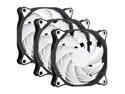
SAMA SF200 3 in 1 Case Fans with Fan Hub 4Pin PWM 120mm PC Fan 12v High Airflow Premium Quiet Mode Computer Cooling Case Black White
Pros: Simply the best price for performance ratio.
Cons: None
Overall Review: Every chance I can, and bought 2 more boxes of them to make sure I am ready. Hope they have a 240 size as I might be going to a 2 compartment case soon.
5/19/2025See more detail
Love these fans and specs are underrated.
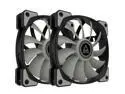
Montech Air Fan P120, 120mm Fan 2 in 1, 4Pin PWM, Durable Low Noise FDB System, High Cooling Performance, High Performance Fan Blades, Proprietary Enhanced Fan Frame
Pros: Quiet. These are the most quiet fans and seem to put out more than the 70-75 cfm doing it. I loved an older fan called the "spider fan" that came with an air filter. These surpass those fans in quiet and air flow.
Cons: Improvement: The rubber corners, to me, they should cover the actual contact point of the fan casing to the computer case, so there's a "vibration cushion" surface between the two points of transmission of noise and / or vibration from the fan. Now this might mean the fan itself needs something to signal when it's not working properly as then I the user may not hear if the fan stopped spinning or has some similar issue. That is the only improvement to design I can think of. Another improvement to the package would be a controller, preferably one that has bluetooth in it so we can see the airflow and maybe even set fans individually both in curve and timing. 05-2025 -- I can't order more of these apparently. Montech seems to only want to carry ARGB fans now. I don't know why but this is definitely a Con and good reason to lower the review too. Best fans I have owned and the company just gets rid of them? Pretty messed up. Hope they put these back in stock, and build on them up to a 240 size fan.
Overall Review: I'd recommend these to anyone who want a quiet and cool system. I've bought other fans and disappointed over their noise even if they have a better specification output as these Montech fans are likely going to replace them because their noise is not well thought out. The brand I bought has the same vibration transmission issue. They include rubber to place on each mount point but, again, fail to put that rubber between the fan case and the computer case mount hole so the vibration remains transmitted, dulled a bit, but still transmitted. Making the rubber go over the hole to dampen the vibration and be the actual fixture point of the full size of the pad would, if the right material, virtually eliminate fan motor vibration / noise transmission into the case. Yet even without this noise suppression on Montech fans they are virtually silent even when maxed speed. Montech is the best fan I have ever used and I hope this feedback on these pads helps bring about a standard to end fan noise and vibration, hopefully taken on by GPU makers too.
5/19/2025See more detail
Just bad
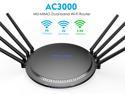
Wavlink AC3000 WiFi Router Tri-Band Smart Gigabit Gaming Router with MU-MIMO, High Gain 8 x 5dBi Antennas, 4 x LAN Full Gigabit Ports, USB3.0 Port and Parental Control, WPS & IP Qos
Pros: None
Cons: -- Photo from box... Reset router, need the box. Why? -- App fails. Router could be working, but slower than it is supposed to be, slower than 5G and also vulnerable. The state it's in when connected is left open to hacking the password. Can't unbroadcast the network. Not good. Mine after about a year of use, is in the trash. "Internal Server Error 500" over and over as I try the Wavlink App, try to connect with my computer, everything just fails. Apparently if it gets a little hot (as electronics do) it eventually loses connection and dies. Funny story.... I bought a Wavlink drive dock.... A year later it fries the chip in it, again heat appears to be the issue. For a company that sells itself on 15 years of tech experience it sure looks like they know little if anything about heat and just care about getting our money from a really innovative design and ideas that, in actuality, never work or only briefly, and as long as the device dies after the warranty is over, or is such a hassle you just throw it in the trash, they got your money and don't care. This is what it appears Wavlink actually is as a business. So I strongly suggest anyone looking at ANY Wavlink product reconsider, not that many other companies are better, so the standard apparently is so low companies like Wavlink proliferate, but do your best to get something better. I hear TP-Link is pretty good.... Next for me to try from the money I have in my pocket since Wavlink already has the first batch I was gonna spend for a router as a mesh extender.
Overall Review: Bad and see "Cons" above. Nuff said but one thing: Never buy Wavlink.
10/24/2024See more detail
Died a year later -- Updated: Wavlink made good on their integrity
![WAVLINK USB 3.0 to SATA I/II/III Dual Bay External Hard Drive Docking Station for 2.5/3.5 Inch HDD/SSD with UASP (6Gbps), Support Offline Clone Duplicator Function [Max 16TB X2 ]](https://c1.neweggimages.com/ProductImageCompressAll125/0VN-0069-00014-S02.jpg)
WAVLINK USB 3.0 to SATA I/II/III Dual Bay External Hard Drive Docking Station for 2.5/3.5 Inch HDD/SSD with UASP (6Gbps), Support Offline Clone Duplicator Function [Max 16TB X2 ]
Pros: Update10/2024: Wavlink contacted me after making my review here and has refunded my purchase. Understand this was outside warranty and yet they made sure to make it right. It's not often a company does that so when a company shows integrity I will update my view to show their efforts are appreciated. This is clearly a "Pro" for this drive dock and buying Wavlink. -----Original Review Below----- Was great when it was working as a simple dock, and then....
Cons: Died and took a drive with it. I don't love the smell of napalm in the morning, you know that smell of a chip that just burned out? Yeah so it's in the trash and of course after a year of ownership.... Almost like Wavlink times it.
Overall Review: Updated above under Pros. Wavlink has proven they will go above and beyond for us as customers and the merit of that needs to be mentioned in my reviews of their products. -----Original Review Below----- I wouldn't recommend this to my family members who hate me... Yeah it's that bad. Never buy Wavlink. Look for something else from a reputable company and I'd strongly suggest having a question for support, calling them and explaining you were looking at blah blah item, and see how they treat you. It's time we buyers of computer gear start showing these companies, especially from across the Pacific, that we're not just buying a bell and whistle but often investing in an item on the idea it has more than a 6 month or 1 year planned obsolescence.
10/24/2024See more detail
seller reviews
- 3
Imagine $12.95 headphones that perform like they're 100+
Great sound. Mic works great. Great effects too. Just all the way around for 12.95 I have headphones that can rival $100+ headphones. That's what you buy when you buy Onikuma. Great quality and they got around the whole adjustment thing with the way their harness over your head works. Also this is the first time my ears aren't being pushed into my head by a set of headphones. The word "crafted" comes to mind as to how they fit and how they sound, just everything about them is a crafted product that I feel is made for me. How many things have you bought that you felt like that about? Hope Onikuma always builds everything they make like these. I got mine on sale so you might want to wait for yours too.
On-time
Delivery
Product
Accuracy
Customer Service
Satisfactory
3/1/2022See more detail
One of the best deals around essentially
Was looking for SATA cables without a lock so 5 eggs no matter what else I say here. These did the trick. Admittedly the $4+ for shipping is bad and limited my purchase to 3 cables, however I got done what I needed. I'd really love if they did a "2.50/cable bulk" deal that has a flat rate shipping fee of say $20. that's $45 sell spent versus, I think it's 1.75+ 4.25 / cable or something along those lines. $6 / cable when it's all shipped from the same location the same day so the company is only getting the 1.75 by failing to have a bulk buy that has a flat shipping rate. They're making a bundle for the post office or UPS unless of course they aren't paying that much for the shipping (no further comment). So I hope they choose a more up front path that leads to better profits for the company for the product they make and therefore gives us reason to think of the product and not the shipping cost when we see their name.
On-time
Delivery
Product
Accuracy
Customer Service
Satisfactory
3/1/2022See more detail
Amazing!
One of the best fans I've ever used and a company that seems to be true to their motto. I had a front fan claiming 59CFM airflow.... This is supposed to be not much more, right? Guaranteed this fan draws and blows air far greater than the specs say. I've believed in positive case pressure to keep dust out. Only problem was getting quiet enough fans to achieve that result. These fans achieve that result. Changing that one front fan and I have a constant positive case pressure. The front of the case is actually cool to the touch from the air draw. The airflow is a straight line too. I am so used to 7 blade fans that blow all around like using bank shot pool techniques to assure air flow. This fan, however, is like a sniper rifle in air flow concentration and direction. I am not a liquid cooler user so far, and when you have this fan in a push pull on a large heatsink with it blowing out the back of the case, it's as though you have a vaccuum drawing the hot air out of the case. Temps dropped an additonal 5 degrees by having one of these on the back of the CPU blowing out. So that's 2 fans, 2 of these fans in my system and achieving the performance I've been after while remaining quiet that, as far as I can see, I can only achieve with these fans. If you are a liquid cooler person consider a fan that focuses airflow across the radiator instead of blowing around it. I am sure these fans will give you even better temperature dissipation because they'll hit the radiator instead of blow around it. Wait for the sale and buy the 2 in 1 for 15 bucks, that's 7.50 a fan like I did. I promise you you can't go wrong, and you'll be amazed at all that comes with these fans.
On-time
Delivery
Product
Accuracy
Customer Service
Satisfactory
2/4/2022See more detail