
Your Browsing History


Rasch Y.
Joined on 11/03/05
0
0
product reviews
- 4
Good but not great
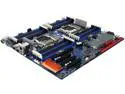
GIGABYTE MD80-TM0 E-ATX / SSI EEB Server Motherboard Dual LGA 2011-3 Intel C612
Pros: 10GBE 24 DIMM slots DDR4 Support SAS IPMI 2.0 Works well...
Cons: Manual could be better. I found the memory installation instructions lacking. BIOS should have given me a memory configuration error instead of just hanging at "Please wait Initialize chipset". NO USB 2.0 header M.2 Doesn't work as a boot drive (This could be an OS installation issue as the system reserved ended up on the M.2 and OS on another drive. An installation and drive clone to the M.2 would likely work.) I could not find a way (yet) to disable the built in VGA and use a graphics card.
Overall Review: This could be great with a little more polish in the BIOS and Documentation department. Too soon to ditch the USB 2.0 header, although not that important a lot cases still have USB 2.0 and plenty of accessories make use of them.
8/13/2015See more detail
Weight is wrong in specs
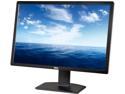
Dell 30" 60Hz IPS Height Adjustable IPS LCD Monitor 6 ms HDMI, DVI, DisplayPort, Mini-DP, 6-1 media reader U3014
Pros: From all the reviews I read this is a great monitor and better than the outgoing award winning 3011. I will be getting a few. The USB 3.0 hub is nice as is the displayport daisy chaining.
Cons: None that I know of...
Overall Review: The actual weight is 23.89 lbs (Without the stand) and not 16.23 lbs. I thought I should point it out because many cheap monitor arms will support 16 lbs easily and fail over 20lbs.
5/20/2013See more detail
I have 12GB running @ 1600MHZ
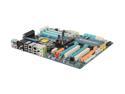
GIGABYTE GA-EX58-EXTREME LGA 1366 Intel X58 ATX Intel Motherboard
Pros: I really like the looks and the layout is near perfect for me. I really like the LEDs on the motherboard. It works with 12GB @ 1600MHZ. Overclocks well and seems rock solid so far.
Cons: I'm not sure if this is a motherboard issue or a memory issue. I'm going to guess a chipset and necessary board layout issue. My G.Skill memory came with an XMP with more aggressive timing at 1600MHZ I had to use the standard timing to get 1600MHZ working. My memory is under volted to 1.58 running 12GB. The Smart Backup which is the native raid. I was wondering when someone was going to do this about three years ago. I love this feature other than their Big disk configuration is labeled as JBOD. So when you apply the settings it will rewrite your MBR. JBOD is not Just a Big Old Disk. It shouldn't actually write anything to disk like every other controller ever made. The correct setting is labeled something else. The one issue I have not been able to resolve is that the Intel Virtualization Technology does not work. The bios will not enable it even though it says it did. I double checked it with the VMware VT test.iso. Hopefully it will be fixed in an upcoming bios release
Overall Review: The board I got will do at least a 215 BCLK which is pretty darn good. The downside is that getting there took some time as their are some settings that must be within a range to get a high BCLK. I'm running a stock BCLK though. I'm running at 4GHZ. The bios is a bit tricky and still needs work, but you can get there and it seems to be well engineered. Loading the XMP on the Gskill put the memory voltage at 1.8 which is higher than spec and what I wanted to run. This is where the LEDs came in handy as I could see it was running out of spec. The performance of the Smart Backup Raid could be a lot better. I got a marginal performance boost running two intel SSDs in raid 0.
12/17/2008See more detail
eggceptional case
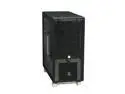
LIAN LI PC-V1000Z Black Aluminum ATX Mid Tower Computer Case
Pros: Great case. Build quality is very high. Mine had the reset button and the rubber sleeves for the feet. You can remove the drive cage closest to the power supply with a screw driver. This leaves one cage intact. I removed mine and installed the Corsair hx1000 without the external extender. There was plenty of room. It actually looks better than I thought is would. I'm using 2.5" intel ssd drives in a black supermicro 8 drive rack that mounts in 2 - 5 1/4 bays.
Cons: None of these are even close to huge issues. Very minor at best. My power button is just a hair loose. All my previous ones had a solid feel. I can probably fix this if it bothers me.
Overall Review: The way I have mine setup I wish that the second cable routing hole was bigger. The power cable to the fan controller on the back could be longer. I routed mine behind and it was tight. I would prefer black rivets instead of the silver ones. I would move the motherboard tray up about three millimeters to ease cable routing behind the tray. I probably wouldn't if I knew how much it cost to change the die though. The model sticker on the back doesn't quite fit where they put it and it covers the slots by about two millimeters. I would either rotate it or move it. I would include 8 black thumb screws for power supply mounting.
12/5/2008See more detail