
Your Browsing History


David G.
Joined on 07/01/12
0
0
product reviews
- 3
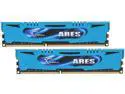
G.SKILL Ares Series 8GB (2 x 4GB) DDR3 2400 (PC3 19200) Desktop Memory Model F3-2400C11D-8GAB
Pros: Easy XMP overclocking, no problems, not completely crazy heat spreader insanity for good RAM.
Cons: I got nothing.
1/23/2014See more detail
It was fine, it's strong, but last VBIOS update introduced issue
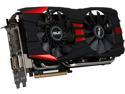
ASUS Radeon R9 280X 3GB GDDR5 PCI Express 3.0 CrossFireX Support Graphics Card R9280X-DC2T-3GD5
Pros: I have yet to find a game that stresses this card. The only time I've heard the fans spinning is when I used GPU-Tweak to manually speed them up, because I wasn't sure they were spinning. Never get over 25% in my usage. I'm sure that there are games or applications that can stress it, but I have yet to play them. My original review after building my new PC was a 4.
Cons: IF the fans are at 100%, you'll know it - it becomes rather noticeable in a "Is that a jet flying over?" kind of way. Also, the newer fan design may have some issues at maintaining high speeds - I've heard that the fan blades can damage themselves against the heat sink (and this is usually considered "user caused damage" under warranty). There was an artifacting problem noted; I never saw it. I did update the VBIOS though (GPU Tweak did, in any case) and this has introduced a visible flicker, top to bottom (or bottom to top) that happens at times. Browsing, on the desktop, watching video, there's just a "twitch" up and down in a fraction of a second. Also, these things are hard to find because of the cryptocurrency mining rush. Which is silly, you're already too late.
Overall Review: I shouldn't have updated the BIOS - I saw no artifacting in any of the games I play. Now the BIOS that fixes the "flicker" problem on a 270x is CAUSING a flicker problem on my 280x. And I can't revert the BIOS. I've already tried different driver revisions, and that hasn't helped.
3/20/2014See more detail
Quiet, bright, and strong
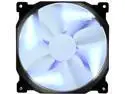
Phanteks PH-F140SP_BK_BLED 140mm Blue LED Case Fan
Pros: Easy to install in 140mm mounts Excellent airflow Little to no noise Switches for the LEDs!
Cons: LEDs are spots, so the fans look like four bars around a central axis. Not really a con, just a style thing. LED brightness depends on total voltage to fans
3/20/2014See more detail