
Your Browsing History


Clark C.
Joined on 03/12/04
0
0
product reviews
- 4
Seems to be a good router, with one possible problem.
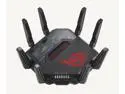
ASUS ROG Rapture GT-BE98 PRO First Quad-Band WiFi 7 Gaming Router supports 320MHz, Dual 10G Port, Triple-level Game Acceleration, Mobile Game Mode, Subscription-Free Security, AiMesh, and VPN features
Pros: I have been using ASUS routers for many years and have been happy with them.
Cons: After my original problem was resolved, I see no other problems.
Overall Review: This router is like previous ASUS routers I have used, but I did have one issue. I use Spectrum Internet and this may be just for that one ISP. The install instructions tell you to connect to the 10 GE WAN port. In my case, with the default settings, it was a problem. The router would not connect and get a WAN IP address without extra help. When it did connect, it would fail after about 34 hours online. I found, if I changed the DHCP query frequency to Continuous Mode from Aggressive Mode, the 10 GE port would connect normally. In addition, my Network Ping went from 25 ms to 11 ms. I do have Wi-Fi 7 wireless adaptors and see Link numbers in the 3800 Mbps. This may improve with other general updates for the newer equipment.
1/8/2024See more detail
M.2 slot Unusable
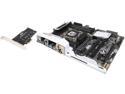
ASUS X99-PRO LGA 2011-v3 Intel X99 USB 3.0 ATX Intel Motherboard
Pros: Never unpacked the board for reason stated.
Cons: The M.2 slot is made unusable by a Second Video card inserted in the PCIe 3.0/2.0_3 slot. The board should not be on the market. Why the location of the M.2 slot is different from the other X99 boards, I do not know.
Overall Review: If you want to run 2 Video Cards and use the M.2 slot for a System Drive, do not buy this board.
10/28/2014See more detail
GTX 680 Classified
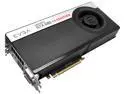
EVGA 04G-P4-3688-KR GeForce GTX 680 Classified 4GB 256-bit GDDR5 PCI Express 3.0 x16 HDCP Ready SLI Support Video Card
Pros: Good card, no problems so far. PCIe 3.0 works fine. I have not yet tried to get the UEFI firmware upgrade for Windows 8.
Cons: Nothing with card, but I was never able to get the promotional Assassins Creed III game from Ubisoft. Since I did not have an account, I was never able to complete that process... do not know why. I was able to get Borderlands, but I already had a Steam account. Maybe Newegg or Nvidia should be a little careful about who they partner with. Nvidia gave me the code, but Ubisoft would not allow completion of the process.
2/12/2013See more detail
Slow System Transfer Rates
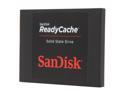
SanDisk ReadyCache SDSSDRC-032G-G26 2.5" 32GB SATA III for Windows 7 and Windows 8 -based PCs
Pros: Can't really think of any...unless you need a small drive for something beside system cache.
Cons: When the drive was used with Intel Smart Response Technology as a cache drive to accelerate my Hard drive, my system transfer rates dropped 80-90% for large files. Sequential write speeds are very slow for an SSD, especially for one said to be SATA III.
Overall Review: The drive was new, so as far as I know, nothing was wrong with it. I tried Smart Response acceleration on 3 different systems and the results were always the same. Transfer speeds on large files dropped significantly. I replaced the drive with one showing better Sequential write speeds and with acceleration enabled, the new drive did not cause drops in transfer speeds
12/24/2012See more detail