
Your Browsing History
 Holiday Shipping Details & Extended Holiday Returns Holiday Shipping Details & Extended Holiday Returns

Joined on 09/09/07


Easy overclock
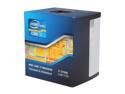
Pros: Fast and stable
Cons: None
Overall Review: I've written a review a year ago on this processor, but I thought I would just follow up to mention that I recently decided to overclock this cpu. It's currently running at 4.5ghz and rock solid. Couldn't be happier with this processor.
Hope you like red
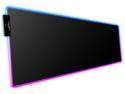
Pros: Larger than I expected. Lots of coloring options.
Cons: Doesn't memorize previous settings. This thing really, REALLY needs to have some sort of memory preset so that it doesn't default every single time you restart your PC. A little ripply/wavy
Overall Review: This is a neat pad - Even though I approximated the dimensions before purchasing, it actually seems even bigger. It looks good on my desk, works with my laser mouse, and has several lighting mode options. There is one fairly noticeable wavy edge which is caused from weaving the LED light tube into the fabric. This isn't a huge deal to me, but could be a big deal for some perfectionists. The biggest con for me is the fact that it always powers on with solid red lighting. To pick the option you prefer (assuming it's not solid red) you must cycle through until you find the appropriate setting. This thing really, REALLY needs to have some sort of memory preset so that it doesn't default every single time you restart your PC.
Almost Perfect
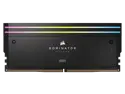
Pros: - 64GB - Great looks - Name brand - RGB lighting
Cons: - Pricey - RGB not as uniform as the photoshopped pictures make it out to be. - Won't be compatible with all air coolers
Overall Review: Since I do heavy design work, I went with the 64gb instead of 32gb even though it meant I wouldn't be able to reach 6600mhz that my MB (MSI Z690) is capable of. I was pleasantly surprised however that I was able to enable a 6200mhz XMP profile without any issues whatsoever. The only thing holding me back from giving this a full 5 stars is Corsair's misleading product images. Because I built an open-air, wall-mounted chassis, the appearance of the parts is very important and one of the reasons I went with the Dominators. Unfortunately the RGB lighting is nowhere near as smooth as the pictures lead you to believe. You can definitely see the individual lights on both the top and sides. (It's hard to capture the actual appearance in a photograph, so I have adjusted the second image to show you what the naked eye can see in-person.)
Big help to avoid sitting too much
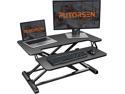
Pros: Solid; easy to use.
Cons: Takes up lot of desk space. Doesn't support (or have room) for two monitors.
Overall Review: I needed this to save my neck pain from working long hours at my desk. Unfortunately I have 2 Asus 3D monitors that are on the heavy side for flatscreens, and so I had to buy a separate swing-arm monitor stand to use in conjunction with this standing desk converter. (The stand isn't big enough for two monitors and they are too heavy to allow you to raise the desk if they are sitting on it). The whole ensemble works together adequately, but not great. Just bear this in mind for your own situation. If you are using one screen only, this stand is a fantastic upgrade. If you have a 2 monitor situation, you will need a separate arm bracket system for your monitors, and then the space that monitor bracket takes up on your desk/table will force this raising stand to stick out past your table-top.
Was it an upgrade? Yes.
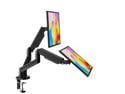
Pros: More flexibility with monitor placement. Clears space from your desk. Easy to pivot around as needed.
Cons: Almost not stout enough for my monitors. Difficulty getting them to not pivot downward on their own due to weight.
Overall Review: I bought this to use it in combination with a raising desk. The results are... adequate. Although I carefully examined the measurement specs, I discovered that the arms do not raise the monitors as high as I really need. I'm using 2 Asus 3D monitors, and the arms are not super stable because the monitors are on the high-end of the weight limit of the stand. Due to the nature of my desk, I also had to fabricate my own bracket attachment to get it stable enough. This isn't the fault of the stand itself, - overall it's a good product, but it does bear mentioning that depending on your circumstances, it may either be a fantastic upgrade, or just a 'meh' upgrade. Mine was the latter.
Fan is fine, power cable not long enough
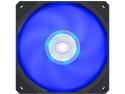
Pros: Blue LED
Cons: The connecting cable was not long enough
Overall Review: I bought this to replace a failing case fan. My original fan had the large 4-pin connector style, where as this new one has the tiny style connector that must be plugged into the motherboard. Although my case is not large (Antec V900) this fan's power cable would barely reach the closest terminal on the MB. There is absolutely no slack and I fear that if I forget about this the next time I remove the face plate for cleaning, I will possibly damage the terminal on the MB.