
Your Browsing History


Charles S.
Joined on 12/19/02
0
0
product reviews
- 4
Great monitor for the price
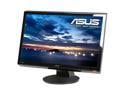
ASUS VH236H Black 23" Full HD Widescreen LCD Monitor w/ Speakers 300 cd/m2 20000 :1 (ASCR)
Pros: Great value, ASUS is a company I've always trusted, 3 year warranty was major factor. Fast response times for budget gaming. It's not nearly as good as my 120hz 2ms Viewsonic VX2265WM but it's the fastest panel type you can get for a budget gaming monitor. View angles are VERY good for a TN panel and there is VERY LITTLE backlight bleed (very thing strip on the very top that has a white glow to it but not nearly as much as other TN panels I've seen)
Cons: The buttons are annoying as others said, not only is the orientation of them annoying but the fact that it's all black with tiny letters makes it difficult to see in low light. Obviously that's somewhat of a temporary inconvenience as you'll learn the order of the buttons etc. This does have a button to switch between the inputs which is the one next to the Power button on the right, which is convenient as that's usually the button I reach for quickly. As others mentioned, the blue is very dominant on this monitor. It's not noticeable until you see something blueish on your screen (side by side with my other monitor I got the colors to match very closely to my Viewsonic, but when you view something like a picture of the ocean, blue is way more pronounced on the ASUS). I found the presets on this monitor to be pretty bad, I use the Standard setting and tweaked the contrast/brightness a bit. I'm using 76 Brightness, 89 Contrast, lots of headroom, it's really bright.
Overall Review: I bought this to go along with a Playstation 3 as my other monitor is 16:10/120hz dual link dvi and only has the 1 input. PS3 looks incredible on this, full 1080p, low response time. One way to make pretty much any LCD like this look better playing videos is to enable Full Dynamic Range (0-255) in your video cards control panel. (Video - Adjust video color settings - Advanced tab in NVidia). Enable this if you notice blacks being grey in videos. Also, disable the horrible Dynamic contrast adjustment in the same section, makes dark scenes brighter and causes artifacts.
1/28/2011See more detail
Completely unstable

Intel Core i9-14900KS - Core i9 14th Gen Raptor Lake 24-Core (8P+16E) Performance-core 3.2 GHz, Efficient-core 2.4 GHz, LGA 1700 150W Intel UHD Graphics 770 Desktop Processor - BX8071514900KS (Retail Box)
Overall Review: I can't pass any sort of stress test and Intel xtreme tuning utility crashes the PC no matter what settings I'm on. Even with a NZXT Kraken Elite 360 Cooler, 2x3 Lian-Li SL120 fans, Gigabyte Aorus Extreme X, approved Corsair RAM, 1200W Seasonic PSU, I can hardly get it to even boot and then it crashes if I stress it at all.
5/27/2024See more detail
Really bad auto settings for i9
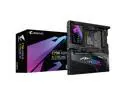
GIGABYTE Z790 AORUS XTREME X LGA 1700(14th,13th,12th Gen) Intel Z790 X EATX Motherboard with DDR5, 5 M.2, PCIe 5.0, USB 3.2 Type-C, Wi-Fi 7, 10GbE LAN, Q-Flash Plus, EZ-Latch Plus
Overall Review: While it very well could be the CPU, I've had nothing but problems with a new i9-14900KS build on this motherboard. 1200w Seasonic PSU, approved Corsair RAM. The XMP profile seems to ignore most of the timings and has to be manually set line by line for some reason. There are no hdmi or DP ports so you need a USB-C to HDMI or DP cable to use the onboard which is a bit inconvenient.
5/27/2024See more detail
Works
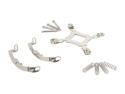
XIGMATEK ACK-I5363 Intel Core i7/Core i5 1155 compatible Bracket Set
Pros: Does what it's supposed to do. Needed this for my Xigmatek Balder when I upgraded to an i7-2700k and 1155 motherboard.
Cons: Confusing documentation by Xigmatek. The original bracket that came with my balder heatsink says it fits i5/i7 1156 and in some spots says also 1155...so I thought I was all set. Turned out that there are different sizes and I had to order this and wait to put together all of my new stuff. Researching this to figure out that this was definitely what I needed was a huge pain, because the support sockets basically says the same thing as the one I already had. It'll say 1155 in the title but nowhere in the description is socket 1155 mentioned.
Overall Review: If you upgraded to a newer 1155 socket, this IS the one you need for your xigmatek heatsink.
2/4/2013See more detail