
Your Browsing History


Tristam M.
Joined on 04/05/07
0
0
product reviews
- 11
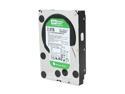
Western Digital WD Green WD20EARS 2TB 5400 RPM 64MB Cache SATA 3.0Gb/s 3.5" Internal Hard Drive Bare Drive
Pros: High capacity, virtually silent, produces almost no heat, and impressive speed: sustained 100MB/s on both read and write.
Cons: Doesn't make coffee in the morning?
Overall Review: These drives are not slow! The reviewers claiming so have likely messed up the partition alignment - EARS drives are advanced format with 4k blocks, and you have to make sure that your partitions are aligned with the 4k blocks. If you don't align them properly (and most disk partitioning software fails at this), you will be spending over 1/2 of your write speed compensating for the poor alignment. Western digital has a tool available from their site to help get alignment right, but I recommend just using GNU's parted (available for download on the excellent UBCD), and specifying the partition start in sectors, making sure to use a multiple of 8 (4k physical blocks / 512byte logical blocks = 8). For instance, to format the drive with a single large partition, leaving space for a GRUB boot loader at the start of the disk, you would run: bash$ parted >> mkpart primary ext4 64s -1s
5/7/2010See more detail
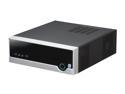
Foxconn R10-D2 Intel NM10 Barebone
Pros: Compact, yet not cramped. Fullsize 3.5 and 5.25 inch bays. Easy to setup, detailed quickstart manual.
Cons: Fan is extremely loud (as loud all 4 fans on my gaming rig put together).
Overall Review: Not as small as it looks in the picture - my fault for not reading the measurements carefully. Could mount a second hard drive if you don't need an optical drive. Cables were packaged inside the machine, thought they had forgotten to include them until I opened up the case. Dropping in a 2TB green drive for use as a home server. Booted nicely from a USB stick, Ubuntu server installed without a hitch.
5/4/2010See more detail
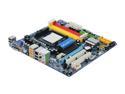
GIGABYTE GA-MA785GM-US2H AM3/AM2+/AM2 AMD 785G HDMI Micro ATX AMD Motherboard
Pros: Nice integrated GPU, clean BIOS, onboard firewire.
Cons: Longest pre-POST I have ever seen, on the order of 10 seconds between pressing the power button, and the POST screen showing up.
Overall Review: Replaced a broken full-size biotek board. Bios on this board is much nicer, but my 4870 covers one of the PCI slots, and 2 of the SATA ports.
10/26/2009See more detail
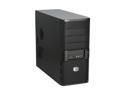
Cooler Master ELITE 335 RC-335-KKN1-GP Black SECC Steel ATX Mid Tower Computer Case
Pros: Well built, includes a fan, runs very cool.
Cons: Pretty heavy, but as long as you don't move often, that isn't really a con. Firewire slot on front panel, but no matching port/cable. No documentation as to what you need to buy to use it...
Overall Review: I installed a pair of silent 120mm fans in place of the one it comes with, and setup for positive case pressure. Knocked my case temp down a good 10º over an el cheapo Rosewill.
10/26/2009See more detail
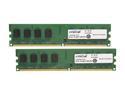
Crucial 4GB (2 x 2GB) DDR2 667 (PC2 5300) Dual Channel Kit Desktop Memory Model CT2KIT25664AA667
Pros: Decent RAM, works as advertised.
Cons: None.
Overall Review: I bought them for $40 w/ free shipping - at that price they were a steal, but at $50+ not so sure.
9/15/2009See more detail
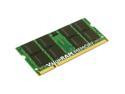
Kingston 4GB (2 x 2GB) DDR2 667 (PC2 5300) Dual Channel Kit Memory for Apple Notebook Model KTA-MB667K2/4G
Pros: Cheap, works.
Cons: None.
Overall Review: Works great in my MacBook (White, X3100).
9/15/2009See more detail