
Your Browsing History


Jaroslav D.
Joined on 05/17/01
0
0
product reviews
- 8
Not bad
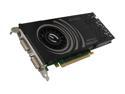
EVGA GeForce 9800 GT 512MB GDDR3 PCI Express 2.0 x16 SLI Support Graphics Card 512-P3-N973-TR
Pros: Single slot, just long enough ie. 10" to not hit my hard drives in mid atx case. Love the overclocking tool. Runs about 50C with fan on 35% power by default. From 80% fan power, the card starts to get very noisy. Full fan power only decreases temps by 5C. The card is well built and stable so far. Can be downclocked and overclocked. I'm using 400W power supply with 27Amps for both V1 and V2 rails, no problems. I think the minimum is 26Amps for this card. The card consumes about 105 Watts at peak.
Cons: none
4/30/2009See more detail
Two months later
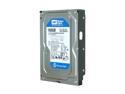
Western Digital Blue WD1600AAJS 160GB 7200 RPM 8MB Cache SATA 3.0Gb/s 3.5" Internal Hard Drive Bare Drive
Pros: Cheap
Cons: Bought two of them two months ago set to Raid 1. Two months later, one of them had reading speed halved, writing was almost at full speed. Took forever to log in to vista and do anything. Broke up the array, RMA'ed the bad drive to WD and they're sending me a 250 gig drive. The other drive from the array still works great. I had only two drives go bad on me in past years. This one and the infamous IBM 20 gxp deathstart. Am lucky to have these two in a raid 1 so I didn't lose any data.
6/16/2009See more detail
Works
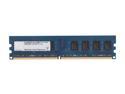
G.SKILL 2GB DDR2 800 (PC2 6400) Desktop Memory Model F2-6400CL5S-2GBNT
Pros: Cheap and they work. I'm using four sticks of 2GB each for dual channel. No problems at all.
Cons: none
4/30/2009See more detail
Great
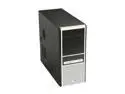
ENERMAX PANDORA 185 ECA3070BS Black/ Silver SECC ATX Mid Tower Computer Case 400W Power Supply & Micro Dust Filter
Pros: - two thumbscrews for one side panel - nice black finish - ok power/reset buttons - quiet PSU - bracket to hold PCI/PCIe cards screwlessly is flimsy so I used supplied screws to attach cards to case - the screwless system for front drives is good - nice large fan mounts for both front and rear 120mm fans - long cables - PSU has on/off switch - case is light but fairly strong, ie. mid quality but sufficient - didn't come damaged - comes with extra standoffs for mobo and other screws - front fan box has a thin air filter, can be removed - easy to work with
Cons: - no fans - to install drives, case needs both side panels removed and then the clips for front panel poped out - not sure what those two upper flippable access ports on the front cover are for, they can be removed - rear card access slots once removed can't be put back so if you remove a PCI card you are left with a hole in the back of the case. Can buy nice metal covers for them.
Overall Review: just realized those two upper front bays with flippable faces and small buttons, they can house a DVD drive and have it consealed so when the DVD drive opens, the lid flips open. Why? I have no idea since regular bays work fine. Maybe if one has a white DVD player it can be consealed but most come with black front face anyway.
4/30/2009See more detail
HD
Western Digital Blue WD1600AAJS 160GB 7200 RPM 8MB Cache SATA 3.0Gb/s 3.5" Internal Hard Drive Bare Drive
Pros: Cool, quiet and fast. In Raid 1 and in Vista 64, ATTO benchmark is showing write speeds around mid 80's and read speeds in mid 120's for largest blocks, for small blocks it's about mid 80's for both read and write.
Cons: none so far.
4/30/2009See more detail
Vista
Microsoft Windows Vista Home Premium SP1 64-bit for System Builders
Pros: Fast and pretty anims. Love the sidebar gadgets. Lot of options are hidden and require more clicks to get to than in winxp. For me, it was like going from win3 to win95, at first I hated win95 then once I became accustomed where everything was I loved win95. I've noticed that my surfing is faster, and generally everything is faster than in winxp. I have 8 gigs of ram so it should be fast. It's eating about 2 gigs of ram, precatching everything, etc.
Cons: UAC. You must unlock the taskbar first then the view options shows to change the size of the icons. They should have made the view option disabled but still shown when taskbar is locked. That way I would know I have to change something to get the view option, otherwise I had no idea it was even available. There is a way to change the power button from standby to shutdown. Use the online help to learn about Vista features. Otherwise the features are burried inside sub menus of which there are million of them.
Overall Review: Has been stable so far. Running 32bit and 64bit drivers and programs no problem.
4/30/2009See more detail