
Your Browsing History


Michael S.
Joined on 02/06/08
0
0
product reviews
- 11
Overall Great Monitor
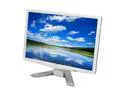
Acer 22" WSXGA+ LCD Monitor 5 ms D-Sub, DVI P223Wwd
Pros: This monitor is fairly flat, noiseless, and produces little heat. Its fairly light weight and produces very little heat. Its OSD is attractive and easy to navigate. It has good features such as settings for pictures, movies, or simple text. The monitor is bright and its display appear crystal clear and very sharp on its 1680x1050res. Contrast is great! Possibly the best image I've seen. The viewing area is very large and viewing angle is fine too. Ghosting is debatable.
Cons: SPECIFICALLY, my monitor came with 2 noticeable dead pixels after a thorough search. Because the pixel pitch is very small it was very hard to detect these dead pixels. There were also some small imperfections on the display too, however, none that greatly affect my overall viewing experience. Its OSD is somewhat limited, i would have liked to see better color corrections (such as specific color breakdowns). The cables it came with seem pretty standard, i would have liked some more heavier duty cables.
Overall Review: Wow, its a great monitor!! cheap cables mean little considering the price. The movie setting on the monitor practically kills any ghosting. It has a very good, very bright and reactive image and beat my expectations. i was a little concerned about Acer product seeing this is my first one from them. I am impressed, satisfied and happy.
2/12/2008See more detail
lots of pixels, but could be better
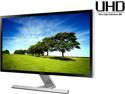
SAMSUNG UD590 Series U28D590D 28" UHD Monitor with Metallic Easel Stand 1ms 4K HDMI Widescreen LED Backlight TN Panel 370 cd/m2 1000:1 - Black
Pros: It's a 4k, 3840x2160 display which has 4x the pixel count of 1080p. It's large and offers a ton of real-estate. picture-in-picture can be useful if you have another computer near by. TRS connector for headphones in the back.
Cons: - The stand makes this thing wobble really bad. It's a joke. really, i thought about making a stand for it. if your desk shakes even a little, it will teeter back and forth (and side to side). - High pixel count isn't the same as high quality pixels. Samsung disappointed me big time on this. It's a run-of-the-mill panel. My 2 year old laptop screen seems to have better image quality. I know Samsung can make MUCH better panel's than this. - black screens aren't really the great and are blotchy grey. contrast isn't that great either
Overall Review: If it wasn't a 4k, because i love the space, I'd want my money back. It's expensive and cheap (cheaply made, cheap panel) all at the same time. Samsung makes much better panels than this and i'm so mad. - and HDMI 2 is out, but this doesn't have, which isn't a problem, but with HMDI 1.4, you need 2 cables to get the real deal 3840x2160 @ 60hz. I'm not entirely sure you can do that on this monitor. it has a side-by-side source but i think the primary gets overlapped by the secondary. not tested.
7/10/2015See more detail
Dying after < 1 yr. of use
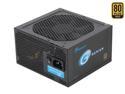
SeaSonic SSR-360GP 360W ATX12V v2.31 80 PLUS GOLD Certified Active PFC Power Supply New 4th Gen CPU Certified Haswell Ready
Pros: The packaging and attention to detail with accessories, finish, etc. is great.
Cons: But about 11 months later, it's almost dead. No over clocking, no over loading, it's in a nicely cool NAS with an ITX motherboard and 6 hard drives with no video card. I checked and double checked my power requirements as 360 watts is relatively low for a PSU. An online calculator said I needed 280. I checked my components: 265. About 6 months of 24/7 run time, it started to lock up my system randomly. They became more frequent. 5 months later, my NAS won't boot. Swapped to another PSU, and everything's good. Tested the memory and all. Just a stinky, shiny, worthless PSU.
Overall Review: Good thing it has a 5 yr warranty: I want my money and peace of mind back.
1/5/2016See more detail
Sold my soul in the devil's canyon
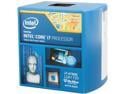
Intel Core i7-4790K - Core i7 4th Gen Devil's Canyon Quad-Core 4.0 GHz LGA 1150 88W Intel HD Graphics 4600 Desktop Processor - BX80646I74790K
Pros: I have this in a tri-boot hackintosh/windows 8.1/elementary OS critter i built. This processor is exceptionally quick on any (and all?) OSes. Day to day it never really seems to get past 25% usage, running in the ~60c range on the stock cooler. Cinebench on Yosemite rated this processor a wee bit higher than a 4.4GHZ 4c/8t core i7 4770k windows 7 machine which is expected with the 4.4ghz turbo. I plan to put in on water. Large L3 Cache, upto 8 threads, unlocked, the new FMA3 instruction set, highly optimized cores, great power efficiency, decent Integrated Graphics... unless you plan on dabbing in the XEON category, this is as good as it gets. (And it's pretty freakishly good).
Cons: Stock cooler is just plain sub-par. It's not clear how you mount the cooler to begin with even looking at the paperwork. I work as an IT professional on a college campus, as a college student in Computer Science, and have been system building for 20 years (well, 19 years and some change). It's very clear looking at the design that some mathematician optimized the cooler to use the least amount of material, while able to remove a specific amount of heat from the package... and the cooling capacity i want, and the amount Intel chose are in conflict. It's just flat out sub par -- so much so that anything other than stock is probably a good bet. I question if they really thought about making a proper cooler or had a ton of old coolers and stock and just used them instead.
Overall Review: I've been using AMD cards and processors for a while as I KNOW that competition is what drives better products. But after having an AMD FX 6350 (I think) for a long time, I felt that the core i7's at my school where slightly better despite landing in shotty dell computers. So I sold my soul and picked this up. And it's just that... You get everything you could every want when you make a deal with the devil, but at what real cost. Does anyone remember the early 2000's when Intel cornered the market and stopped pushing advancements in the industry? AMD can't compete with this processor's power efficiency, core optimizations, etc... The only thing they seem to offer are hotter CPU at (arguably) higher clock rates.
7/7/2015See more detail
Good
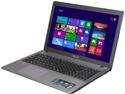
ASUS 15.6" AMD A10-5750M 8GB Memory Windows 8 (64 bit) R510DP-FH11
Pros: AMD A10 -5750M: These AMD APU's are really good. I thought for sometime the "APU" term was marketing MumboJumbo but they are something to behold. You really are getting the *best* performance for your buck. Not unhappy one bit. Radeon HD 8670M: The dedicated card is pretty good. 8gb of RAM: Plenty! The speed escapes me ATM, but I think its 1600Mhz. 750gb HDD: Lots of space! 1920x1080 Display: The display is very sharp. some complained it wasn't bright enough, but seems fine to me. Some minor bleed through, but it seems less than some most LCDs I had in the past. Number pad on keyboard. Multi-Touch track pad. Audio: Laptop audio is notoriously cr@ppy, these speakers seem "alright."
Cons: HDD: As some have mentioned, the HDD is a little slow. Its some what noticeable. LCD Screen: on about day 3 or 4, I noticed a straight horizontal scratch on the matte finish screen. a few day later some square scratchs as well. Now I'm not treating this thing rough at all -- quite the opposite. Turns out the screen rubs against the palm rest and keyboard if even a slight bit of pressure is applied to the top cover/screen cover. Battery: The battery life seems questionable. Running elementary OS (Linux) seems to yield about an hour of life (but I haven't drained the battery compeletely yet so I don't know). Now elementary is pretty light on resources so I'm going to hope that its a driver issue, and not that I can actually used this thing for only an hour... With that said, if my indicator says "an hour" i'm not going to test fate. I haven't had a chance to do otherwise yet. Windows 8: This is basically a crime in my eyes. I tried everything to politely install linux (elementary OS) next to it and it was just one heartache after another. Secure boot... Fast boot... definining boot paths with no documentation: the bios is just an unfriendly mess. Like most (if not all) laptops it's very minimal. Now I'm not asking for overclocking functions or to specify MEM timings, but this status quo baseline is a bad baseline. When I finally got elementary installed, windows 8 said otherwise. So I ended up reformatting and ran just linux. You hear that, I could not reliablely install 2 operating systems on this system because of windows. It's complete B S! and it makes me so mad. No, this isn't my first rodeo, I'm 30, a computer science major, and have worked in the industry for years. (tech knowledge: higher than most people who give themselves 5). I've used linux off and on for about 5 years. Bloatware: In win8, it came with a ton of drivers with most seeming unnessecary. (if you can update BIOS in BIOS, why install a bios updater in windows? I mean, wouldn't it be better to do it directly through bios where the system is the most stable? of course not!) There were only a few installed items that were obnoxious. I get it, they get some extra cash for installing these 3rd party apps. The could sell the computer at a lower price to be competitive. (but end up just pocketing that money). The bloat was lower than most - It didn't even have a wallpaper lol!
Overall Review: Basically: Everything that wasn't AMD was not 5 eggs. No, I'm not an AMD fanboy. I bought this laptop because it was in my budget and felt it had the best specs for my money. You know, I'll give you my 2 cents. Why these OEM insist on stuffing windows down our throats is beyond me. I hope someone does something about this someday. We shouldn't be forced to spend money we could have used otherwise. They could have offered windows 7, but they didn't, they shipped windows 8. Not windows 8.1, just windows 8. I really hope someday something is done about this. Let the consumer choose: WIn 8.1, Win 7, a common linux distro, FreeBSD or flat out NOTHING. Newegg'ers... no people in general ... we're a cut above the corporate machine, we can take ownership for ourselves and decided what OS we want to install, and on what terms, and with what software there after. We don't need these locks on phones, we sure as $%@# don't need these locks on computers. Really feel ASUS slipped a little on this one.
2/2/2014See more detail
Overall - Great!
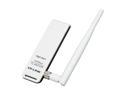
TP-LINK TL-WN722N Wireless N150 High Gain USB Adapter, 150Mbps, w/4 dBi High Gain Detachable Antenna, IEEE 802.11b/g/n, WEP, WPA/WPA2
Pros: I bought this adapter and got it a day late - Which I do not discredit Newegg for but UPS for. I told myself I would write a review based on my experience with the adapter and NOT how awesome it works with my TV, or how awesome I am for working in the IT industry yada yada yada... all of which a lot of these reviews seem to be written by kids appear. The device came with a manual, the adapter, an extension cord and a driver disc. After inserting the dongle in my windows 7 SP1 (all updates), a drive was not found. Inserting the driver disc prompted for autorun which I choose. I simply selected the dongle with the attentive without looking at the model number. I noticed the manual was available in PDF and an option to install BOTH the driver and utillity. I would have preferred to be able to install one then the other or just one - which i was not pleased about, but know the utility could easily be removed later. Later I was informed through the install just the drive would be
Cons: Installed as the utillity was only for 32 bit systems. Which I deduct an egg for. Supporting OS's like linux and 64 bit systems in a must fellas. Anyway, the device takes up too much space as others had mentioned and thus the cord is useful if you need your other USB ports. The device is also only USB 2.0, not 3, which I could care less about as I doubt it will saturate the base (off the top of my head - no it won't). everything worked good and on a asus (RT-16N) router with upto 300mbps I got the advertized 150mbps rate with a TX speed of about 110 - 140... mainly due to noise, so I am very satisfied with that. As some idiot said, it does not work good with multimedia, this is indeed not true as I tested the connection with a UPnP stream of 1080p and DTS to my laptop and had no drop outs. Simple logic to that of if the movies peak bit rate is 14.2 Mbps, than thats only 10% (about) of 150mpbs. But the real reason I picked this adapter is that it uses a atheos 9271 chipset.
Overall Review: The reason for this is my ONKYO Receiver (TX-NR-509), has an over priced dongle for about 40 bucks. but it uses the same chipset. Would you believe this dongle works on the unit, and even works better. I've never used TP-Link befor, and don't like to venture on different brands. I'm a fan boy. So, I know belkin is overpriced, and D-Link is alright, and this was my first TP-Link. I'm very happy with it, its great! I recommend it to anyone and im happy with the price, its performance and it does everything! Its a good 20 dollars well spent! If you find this review helpful, please say so. thanks.
4/4/2012See more detail