
Your Browsing History


Ross W.
Joined on 06/06/01
0
0
product reviews
- 58
Excellent for the price
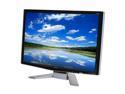
Acer 24" WUXGA LCD Monitor with HDCP Support 2ms(GTG) D-Sub, DVI P243WAid
Pros: Well it is a very nice (light weight) monitor. I have bought the HP24 inch with the same type of specs and I see this one is better in some ways but worst in others. THe HP has terrible side to side viewing angles, this one is 100% better. Vertical viewing is about the same, not as good as I have seen on some 170 and 176 monitors. Overall if your looking for a big 24" glossy finish screen you really can't go wrong here. THe warranty is 3yrs compaired to the 1yr you get with HP!
Cons: This monitor out of the box needs some tweaking to make it look good. At first when I enabled the ACM I hated it but now I know why. You loose your Brightness controls when you enable it. LOWER it down first then enable it. After that you can fine tune it with the contrast levels. At first is makes everything so contrast that it looks like a first gen LCD monitor. I have mine set to 31 on Contrast and 30 on Brightness then I went into the color managament and set the red blue green up. If you do photo and video work a spider calibrator is a MUST.
Overall Review: Good for the price and with that said I think it is better than my 560.00 HP monitor. . .
1/24/2008See more detail
Drive issues under Vista Ult. x64
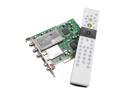
ASUS My Cinema-PHC3-100/NAQ/FM/AV/RC TV Tuner Card PCI Interface
Pros: After 3-4 days with the computer being on this card disconnects from the system causing BSD. This was with the Windows Drivers. I then replaced the drivers with the Asus drivers and it worked a little better, almost a whole week before crashing. Now the system won't boot and crashes with the tuner installed. Does fine with it removed so there is something wrong with the card. I am going to try it in a 32bit environment to see if that helps. As of now I am thinking the card is dead.
Cons: Problems in x64 systems running Vista :-(
Overall Review: I may try a Hauppauge if I can solve this problem. I will inform everyone here if I do find the solution of this.
4/9/2009See more detail
I abuse this router and it just works
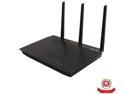
ASUS RT-AC66U Dual-Band Wireless-AC1750 Gigabit Router IEEE 802.11ac, IEEE 802.11a/b/g/n, IEEE 802.3/3u/3ab
Pros: I would like to let others know just how amazing this router really is. First thing is it needs some sort of active cooling. A simple 80mm PC fan hooked up to an old power supply from a dead electronic device will do the trick if it is 9-15 volts. Closer to 9 volts will make the fan quite and for most that is helpful to know. Also remember PC fans will only operate in positive a connection, reverse wires if fan fails to spin. Now on to what I do to my device and how I know it will work for you if you place a fan on it. I have had this router since it first came out from another site. I bought an added warranty for next day replacement since it was so new when I got it that I figured it would have some sort of issue. For me I am very happy with it and I have never needed the warranty. I have been running it for months in my server room in the basement without ever needing to reboot the device. I have currently 63 devices connected to it ( Most are servers running off my vShere 5.5 Cluster the total is 39 virtual servers ). The other 24 are 2 printers, 5 android devices, 4 permanent desktops, 3 laptops, 2 servers (1 Data Center 2008r2 with 32TBs of storage & 1 that controls vCenter on Sever 2008r2), (2 areca ARC-1882IX-24-4GNC controllers (one in the Data Center 2008r2, one in my personal workstation)), one remote system that controls devices in the house, one Onkio receiver (Home Audio), one ChromeCast, one xBox, one Wii, and one Blu-Ray Sony player. I have all in house current devices set to Manually Assigned IP around the DHCP list thanks to newest firmware. I am an IT consultant and I bring systems in daily to work on for in house repairs and I use DHCP on a guest SSID that has restricted access to my Intranet for systems. All devices work perfectly and I have never had an issue with the router with all the many connected devices.
Cons: None that I can think of. The latest firmware is pretty much awesome, they have added up to 64 static addresses for the DHCP server. I do use my domain servers as the DNS server for local Intranet traffic and the router for all internet based address lookups.
Overall Review: History on why I think I am lucky on this. My server room is a constant 65 degrees year round, I had issues with other routers so I have learned it is better to place active cooling on devices that do not have them. I placed a 80mm system fan on the bottom of my router. When I had my RT-N66U it lived on my desk, my fan had failed and within days it would shut down my network. This leads me to believe these need active cooling. I have never had the AC in an uncontrolled environment but I do know that once I moved the RT-N66U to the server room I never had a single issue with it even when the fan loses power of fails. I have since moved my RT-N66U to the living room where I wanted a wired connection at my couch and it performs perfectly there with a fan on it. We have a stove in the living room and sometimes we have it 85 in the winter months depending on our mood and it works flawlessly even in those temps. In the end this has been the best router for the money. I use a Racked 48 port Cisco T1000 switch in the server room and 4 Cisco SG300-10 10-port Gigabit Managed Switches for the upstairs rooms, All routes use teamed ports for higher data rates to the Data Center, the VMware vShere servers and the desktops. I never thought a home router would do the trick for me with my needs. Before the RT series, I was using pfSense and I really love how well the Asus RT routers keep up with the demands of my network without the needed extra system in the rack for pfSense.
12/17/2013See more detail
90+ MB per Second Transfers
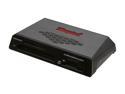
Kingston FCR-HS3 USB 3.0 15-in-1 Media Reader
Pros: I have some Wintec Professional CF cards rated at 90MB/s read rates and this thing transfers the images from my Canon 7D at 94MB/s. THis card reader is the ONLY way to go for professional photographers. I can transfer 15GBs of RAW images in less than 2 minutes.
Cons: NONE, this thing is better than my Sandisk reader by 100 folds.
Overall Review: I have a sandisk pro CF reader and it transferrs data at a max of 56MB/s with video files and normally it was at 32-38 with my RAW images. Best card read I have ever owned. I am now getting the read speed the CF card says it can do. Writes are faster by a lot too so it improved everything.
9/28/2012See more detail
I own 3 of these and they are easy to BREAK!
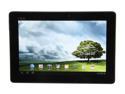
ASUS Transformer Pad 10.1" IPS Tablet TF300T-B1-BL NVIDIA Tegra 3 1.20GHz - 1GB DDR3 - 32GB -Android 4.0 (Ice Cream Sandwich)- Blue
Pros: I had 3 of these tablets and two broke in a 48 hour period. My personal one, I have had since they came out about 6-7 months ago and it has been awesome in every way and it is still like new to date. My wife's tablet was only 2-3 months old and it was closed in a car door. She kept it in between the seat and the door and she got out and closed the door and some how broke the screen. The other was only 10 days old and it was covered by a sweatshirt and the kid sat down on it and destroyed the screen and bent the frame. Both were covered buy an ADH warranty for 2 years and both were totaled and refunds were given in the form of a newegg gift card from myserviceplan.com for the full paid amount. Total lost on these tablets was $220 but I would have lost 800 had I not bought the warranty. This time I am buying a 1 year on this tablet as they are so easy to break that I doubt it will last another year. Both 2 year warranties were used up in a matter of days so a one year ADH is fine.
Cons: I re bought one of the TF300 and we will have 2 TF300s and one TF700. I am getting the TF700 with a 2 year ADH cause it will be my new tablet and I will be giving my wife my TF300 that has a 3 year ADH plan on it. I CAN NOT SAY ENOUGH TO BUY THE WARRANT ADH ON THESE. I never buy warranties but tablets are so thin and will break, it is at least worth it to buy the one year. Even though I wasted 4 years for the two it saved me when they did break. I worked for a company where we used a lot of iPads and 30% of them were dropped in the first year and these were from users that loved the tablet and got to take them home as if they were theirs. Stuff happens and these seem to be even more of an issue on breaking. It is WELL worth the 45 bucks for the ADH plan Newegg offers on this item. This was the first time my wife has ever broken something, she is very careful and it still broke on her. I have mine with the keyboard dock and I think that might be the reason I haven't cr
Overall Review: Great Tablet, EASY to crack the screen so buy a ADH plan for this. . . .you might just be thankful you did.
9/15/2012See more detail
Worth every penny
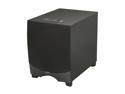
Klipsch Reference RW-12d 12" Powered Subwoofer Each w/ New box
Pros: This sub is fantastic for the price, period. The 12" driver motor is heavy enough to make the floor shift back and forth to enhance the effects of the bass. I replaced a sealed 12" dual coil 8Ω Infinity driver with a Linear Power 2202IQ in mono at 440W RMS. The power from this setup is so close I can't tell but I can tell with the dynamic power of the RW-12d, punch bass is more defined and really hits hard with the increase dynamic power that seems to last for at least 1-2 seconds before returning to normal and this is great for movies. I replaced my current setup so I could remove the added equipment driving the 12V Linear Power amp. LP Amps are the highest rated amplifiers and they are used at the New York Central Park Philharmonic. They use 24 of the 1600 Watts RMS models. Going back to my setup vers. the RW-12d they are very close except my LP system is able to pump out 12Hz freqs without an issue where the RW-12d seems to lose hope at 28-30 hz. Over all I am happy with it.
Cons: None really, for a pre-built box this thing rocks. Worth the list price but on sale it is the best deal out there.
Overall Review: I place mine firing in a corner to create another order (4th order band-pass effect). An order is any deflection of sound waves that hit a surface and cause it to deflect. Placing a sub in the corner of a room and having it fire into that corner allows the SPL to increase and the frequency to seem lower than it really is. It also helps a sound wave to mature sooner than it would had if it was just placed in a room with no deflection. For those that complain about this subs performance should stop to think why the manufacture would place the IR sensor in the rear of the cabinet. They did this because sub woofers perform their best when facing another surface. For best results leave a 2 inch gap on corners and a 4-6 inch minimum gap if firing straight into a flat wall. You will be much happier if you turn it around and fire this into a wall as it was intended. trust me.
8/31/2012See more detail