




 here!
here!
I’m your shopping assistant for PC builds, upgrades, and everything tech.
Got questions? Ask away!
Start a conversation
here!
I’m your shopping assistant for PC builds, upgrades, and everything tech.
Got questions? Ask away!
Start a conversation

Joined on 04/27/05
Wonderful
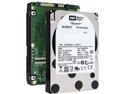
Pros: Not expensive, FAST!!!, does what it says on the label. Low DOA rate, in my experience.
Cons: Doesn't automatically install itself. Has no feet or hands.
Overall Review: I've been working as a programmer and system manager for over 25 years. When I say I've got "5 - High" tech knowledge, I'm not full of hot air. If you can't be bothered to read the specs, you should expect to be disappointed with the results you get. Look, the industry is moving to the 2.5" format. It allows for more disks in the same amount of space. Yes, it won't fit in a laptop. No one said it would. It also spins at 10K RPM, which a laptop is unlikely to support even if you could get it in one. Think heat dissipation. Think your laptop can deal with the heat this drive must emit? Don't fool yourself. I haven't measured the heat from this drive, but it's going to be more than a 5400 RPM disk. Now, for those who could use a helpful suggestion, here's some for free. This drive is for a 2.5" bay/sled. THIS drive, the CHTZ, is NOT for a 3.5" bay. It works well for what it's intended for. If you want a 3.5" version, get the DHTZ for something like $20 less. Just never remove it from the heat sink! You'll void your warranty. They've got a warranty sticker over one of the DHTZ's screws. The DHTZ's heat sink is pretty significant, so buying the cheaper product just to throw away the heat sink is wasteful, and since it ends your 5 year warranty, is pointless. If you want cheaper, less warranty, and 2.5", get a DIFFERENT DRIVE ENTIRELY. I'm not going to recommend another model, as that's YOUR fun, and I won't take it away from you. Enjoy!
Not the same
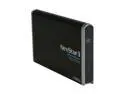
Pros: Works.
Cons: No case, no power plug.
Overall Review: I bought this because I bought the SAME model back in 2010 and liked it. Unfortunately, they've changed it a bit. While the data plug is now standard USB 3.0, a plus, the unit no longer has the option for an external power source. Also, it no longer comes with a case. It /works/, so I'm not going to return it, but I'm not as likely to consider it in future.
Works, easy to set up
Pros: Does what it says on the tin. What more can I say?
Cons: Nothing wrong so far.
Good and Bad
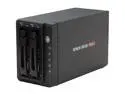
Pros: Takes two drives, power switch on the front, good clear indicators of what's going on.
Cons: Didn't last. I bought it in March, and it has started to fail in September. Neither drive will work in one bay, but both work in the other. When I tried e-mailing AMS for tech support, I got no reply.
Overall Review: I'm replacing this enclosure with two one-drive units. There are no dual-drive enclosures with decent reviews. This was the best I could find.
Works
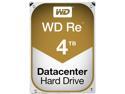
Pros: Works nicely for my purposes, which is backups.
Cons: None so far.
Needs more R&D
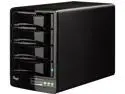
Pros: Nice style. A good physical size.
Cons: Not reliable due to bad power save mode, uses screws to fasten the disks to the sled rather than using other methods, see below.
Overall Review: What Ron said. I bought mine there too, and my review is also copied from there: In general, it seems to work as advertised. Four bays requiring screws, activity lights on each bay. The lights are green but turn blue when active. It's harder to see than a normal red activity light. (minus 1/2 egg) The trays themselves are made of fairly thin metal, but they work. The specs say the enclosure is wired for hot swapping. I originally powered up with two drives. When I tried adding a third drive, the Macintosh lost connection to two existing and mounted drives. Minus another 1/2 egg for not really being hot-swappable. On the plus side, the latches appear solid, though I expect they'd wear down with enough swaps, as they're based on friction and made of plastic. Power switch is on the back, just above the power plug, which is a normal but a little inconvenient. The manual is in English and French. It is printed pretty small, so these 50yo eyes have trouble with it. It contains instructions for set up and partitioning for all of Windows, Ubuntu Linux, and Macintosh, in that order. One thing which bugs me is that it has a power save mode I can't seem to turn off. I don't want my drives to have a delay when something tries to access them, causing problems with paused video and such. And causing problems with dismounting drives, which causes problems shutting down for the night, and with reboots. Minus 2 eggs. They confirmed that this mode can not be shut off. When I went to their website, it wanted me to register. I did so, signed in, and got into a loop, where one URL would load, then another one would load, then the first one, then the second one. I'm using Chrome, so it's not like I'm using a strange browser. I ended up using their "Contact US" to try to get support. If I can turn off the "sleep" functionality, I'll keep the product. If not, back it goes. Their customer service decided to RMA the device for exchange. They sent me a UPS label, so it's on their dime. After they confirmed the power save issue, I told them to change the "exchange" to a "return", which they did. Good people, who need to do more development on this device.
Fast and as described
Item came much faster than I expected. The manifest scared me a little, as it said the item was class 6. The item itself says it is class 10, as listed, so all is right with the world.


