
Your Browsing History


Adam P.
Joined on 10/26/04
0
0
product reviews
- 9
Great motherboard
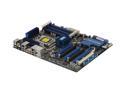
ASUS P6T6 WS Revolution with NF200 3xPCIe true x16 LGA 1366 Intel X58 ATX Intel Motherboard
Pros: This motherboard is very well suited for overclocking, controls to manually adjust just about every voltage and timing (Voltage and timing controls take up probably 2 pages in the BIOS) I've overclocked my Core i7 920 from 2.66 to 3.82 with next to no effort, left the voltages at auto and the motherboard supplied just enough voltage to make it stable on it's own. Express Gate is a neat feature, 3 full speed PCIe 2.0 16x slots is great, 6 + 2 SATA 2 ports,
Cons: The reason for 4 eggs was that this board was pretty much unusable with the original BIOS, it was like the hard drives only operated at about 10% speed capacity, therefore windows 7 took about 6 hours to install, vista not much less... windows opened very slow. I updated to BIOS 0311, everything works just as you would expect it to, it's really really easy to update the BIOS too as it can be updated from an NTFS FAT32 or FAT volume, just download it, enter EZ flash, select the BIOS, and you're good to go.
Overall Review: Core i7 920 @ 3.8GHz ASUS P6T6 Revolution motherboard 12GB G.Skill DDR3 1600 Nvidia GTX295 Silverstone 1000W PSU Thermaltake Armor case 3x 22" Acer LCDs Nvidia 8800GT (dedicated PhysX and to enable the 3rd LCD) Mix 'n matched HDDs totally 2.7TB (will be replaced eventually)
1/28/2009See more detail
Mine aren't all that orange...
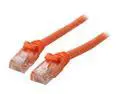
BYTECC C6EB-15O 15 ft. Cat 6 Orange Enhanced 550MHz Patch Cables
Pros: High quality cables.
Cons: Technically it's hardly anything to mention, but I bought orange cables to match my system's color scheme, and to prevent others from accidentally stealing them at LAN parties... however, mine aren't really that orange, I bought a 50' cable, it's perfect, but my 4 15' cables are more tan than orange.
Overall Review: Perhaps I just got some that were out in the sun too long...
3/4/2009See more detail
Good product
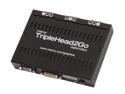
Matrox Graphics eXpansion Module TripleHead2Go Digital video converter T2G-D3D-IF
Pros: With the new drivers it's capable of displaying 5040x1050 @ -57- Hz. It brings a whole new level to gaming, GTA4, Crysis, CS:S... pretty much any game is a totally new experience.
Cons: Watch out for the 57Hz requirement, some LCDs do not technically support it, some probably don't at all, I'm stuck right now trying to figure out how to edit a config file for windows to get these running at max res.
Overall Review: Even though it's not currently running at full res, I'm not too concerned right now, I'm sure with a bit more research I'll be able to fix it, running at 3x1440x900 is still amazing, just make sure you have a graphics card capable of pumping out so many pixels. If you look at benchmarks pay attention to the 2560x1600 benchmarks, those are slightly over 4MP total, in full res mode you'll be looking at just over 5MP. You'll need a GTX295 or 4780X2 to run the more graphically demanding games at ~30 FPS, high settings of course.
3/4/2009See more detail
Very nice
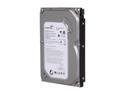
Seagate BarraCuda 7200.12 ST3500418AS 500GB 7200 RPM 16MB Cache SATA 3.0Gb/s 3.5" Internal Hard Drive Bare Drive
Pros: These are some of the fastest drives you can buy, especially considering they're 7200RPM hard drives. No issues with firmware as with the Barracuda 11s, I had a bit of trouble with my 1.5TB B11 but that's solved now.
Cons: None to speak of.
Overall Review: Transfer Rate Minimum : 63.2 MB/sec Transfer Rate Maximum : 130.1 MB/sec Transfer Rate Average : 104.1 MB/sec Access Time : 15.6 ms Burst Rate : 127.3 MB/sec CPU Usage : 68.5% This is with HDtune, if I were to use a better format utility I know I could get better performance. Running 2 in RAID0, getting ~220MB/s read WITH the OS and 5-10 other programs running on it.
2/19/2009See more detail
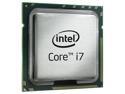
Intel Core i7-920 - Core i7 Bloomfield Quad-Core 2.66 GHz LGA 1366 130W Processor - BX80601920
Pros: As most know, great, no, awesome for overclocking. Each CPU is different, but from what I've experienced with my own, read online, and heard from others, these generally overclock to 3.6GHz with little effort on your part, 3.8 is possible on most, 4.0GHz if you're lucky and get a really good one. All of these can be achieved with a good air cooling system.
Cons: The only con really is that not every CPU will perform the same, no fault of anybody's as this is uncontrollable for the most part, lithography is... a very delicate procedure, especially the smaller and smaller things get.
Overall Review: Core i7 920 @ 3.8GHz ASUS P6T6 Revolution motherboard 12GB G.Skill DDR3 1600 Nvidia GTX295 Silverstone 1000W PSU Thermaltake Armor case 3x 22" Acer LCDs Nvidia 8800GT (dedicated PhysX and to enable the 3rd LCD) Mix 'n matched HDDs totally 2.7TB (will be replaced eventually)
1/28/2009See more detail
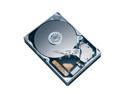
Seagate BarraCuda 7200.12 ST3500410AS 500GB 7200 RPM 16MB Cache SATA 3.0Gb/s 3.5" Hard Drive Bare Drive
Pros: Single platter, 2.0TB drives on the way.
Cons: Still too early to know
Overall Review: To the guy who said he's had this for 2-3 weeks, this drive came out... maybe a day or two ago... just saying.
1/3/2009See more detail