
Your Browsing History


Briam R.
Joined on 07/29/06
0
0
product reviews
- 7
Excellent Bang for your Buck
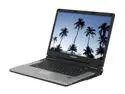
EVEREX 15.4" 1.50GHz 512MB Memory DDR2 667 gOS V2 VA1500V
Pros: First of all, let me begin by saying that this laptop supports Windows XP 32-bit perfectly. As a matter of fact, I'm writing this review on this laptop. The screen is golden, and once all the drivers are in place, everything runs like a charm. For the money this machine works like a charm. Download SpeedSwitch XP and use it to regulate the CPU speed dynamically.
Cons: Out of the box, the gOS garbage linux distribution that comes with is a pain in the booty. It does not work, is not properly configured for the video hardware, etc. (And I'm pretty handy with Linux, that says a lot...) I immediately set to install Windows XP on this little sucker and it took me all of about an hour to install XP Pro 32-bit and find the appropriate drivers. You must download the hyperion driver set from the Via website (Http://www.viaarena.com), and also the Chrome 9 HC video driver from the same site. The audio driver can be gotten from the everex support page for the Cloudbook. Now, the battery only lasts 1.5 hours (even though it is cheap), it only comes with 512 RAM. It is what it is, and it's pretty frakkin cheap; It does what it needs to do, and does it well. Like I says, for the price you can't beat it.
Overall Review: Definitely a good buy. Screen is golden, keyboard is nice. Only one speaker, but does have a redeeming headphone jack. All in all, A+.
3/19/2008See more detail
Awesome Trackball, worth the price
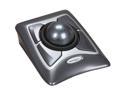
Kensington K64325 Expert Trackball Mouse
Pros: Comfortable: your mouse isn't all over the place. Scroll ring is absolutely genius, works like a charm. Four buttons instead of two, fully programmable through Kensington's MouseWorks which works perfectly fine in XP. Comes with ergonomic wrist wrest. True usb, not PS/2, although it comes with USB to PS/2 adapter. Device is BIG, trackball is about 80-90% the size of a cue ball. Very comfortable to use.
Cons: The trackball mechanism is a bit stiff out of the box. So is the scroll ring. Other than that, nothing.
Overall Review: As stated above, the trackball mechanism is a bit tight out of the box, but mousing while eating a bag of chips helped out quite a bit. Seems the oil off the chips lubricated the mechanism quite nicely. The included wrist rest is a true boon, since the mouse is a bit raised. The wrist rest provides a ramp upon which to rest your wrist/forearm. I wouldn't discard the wrist rest because i could see the angle of the device being an issue without some sort of support. Overall this is a heavy, sturdy, quality piece of hardware, and the mechanism (once lubed) smoothes and glides all over the place quite nice. A+.
7/8/2008See more detail
Update
EVEREX 15.4" 1.50GHz 512MB Memory DDR2 667 gOS V2 VA1500V
Pros: Huge Screen, Decent processor with speed throttling, relatively large HDD (compared to EEE and others)
Cons: Low battery life, not much else.
Overall Review: This is an update on my other review; I see many people cannot find the appropriate ram for this machine. I don't know what all the hubbob is about because I took a cheap stick of 2GB DDR2 667 and stuck it in the machine and it booted right off the bat. Secondly, the reason for the low battery life is that it comes with a 3 cell battery (1.5 hrs) instead of a 6 cell (2.5-3 hrs), available from everexstore.com. I plan on getting the extended capacity battery myself. I couldn't be happier with this laptop, honestly it's great; and the keyboard is a dream compared to the EEE pc, albeit minus some serious portability. I also own a EEE pc and I use this when I need to do some serious coding or feel cramped on the screen. I use the EEE pc when I want to roam around and stay connected. All in all, Super Duper 5 Eggs.
3/31/2008See more detail
Excellent Road Machine
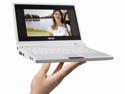
ASUS Eee PC 4G - Pearl White Intel Celeron M 353 7" 512MB Memory 4GB SSD NetBook
Pros: Bright Display High Resolution Built-in Analog VGA Port (which can support crazy donkey resolutions, mind you) Plenty of USB host ports SD-CARD slot (this is a real life saver)
Cons: Average battery life Gets rather warm And of course, too little storage.
Overall Review: I bought this machine fully well knowing what I was getting into. I knew that I would be installing XP on this box so that I could travel to and fro without having to carry a 20lb monster. This thing definitely fits the bill. Although the bare windows installation with the resulting swap file takes up most of the main storage space necessitating the use of an SD card, the wireless works without a hitch, the system boots up in NO time, and everything is generally snappy. I found myself NEEDING an SD-CARD to install all my programs on, and I switched my Program Files directory to the SD-CARD. Windows drivers _ARE_ included on the accompanying CD and are also available on the ASUS ftp. Setting up XP went without a hitch, although I did have to get an external CD drive. All in all, Two Thumbs Up.
12/3/2007See more detail
What is the sound of one hand clapping?
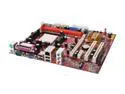
PC CHIPS A13G+ (V3.0) AM2 NVIDIA nForce 6100-405 Micro ATX AMD Motherboard
Pros: Excellent motherboard. I usually don't buy PC Chips because of bad rap, but this one definitely defeats my low expectations. Stacks up quite nicely, integrated video works like a charm. Although the built in video shares your system ram, it is configurable up to 256 MB.
Cons: This is not a CON of the product itself, but of a slight lack of oversight on behalf of those who built the installer CD-ROM. Since this is an AMD motherboard it supports the AMD Quiet 'N Cool technology which means that the CPU can scale it's clock frequency back. The drivers to accomplish this are NOT automatically installed, but ARE available in a directory called utils. This should have been a required part of the installation! Install the AMD Quiet 'N Cool driver and use something like Speedswitch XP for some hardcore power saving / clock scaling shenanigans.
Overall Review: Besides the bone headed driver CD NOT installing a crucial part of the OS/Hardware interface, AKA the CPU power saving features driver, all is good in the neighbourhood. I would definitely buy a dozen of these more. So, remember to install the AMD Quiet 'N Cool driver in the utilities folder!
9/13/2007See more detail
Bomb Diggety
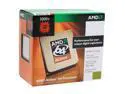
AMD Athlon 64 3000+ - Athlon 64 Orleans Single-Core 1.8 GHz Socket AM2 62W Processor - ADA3000CNBOX
Pros: Super Dee Duper processor. Absolutely wonderful. Works without a hitch. Feels like a 3Ghz proc.
Cons: None at all.
Overall Review: Buy this. Excellent value for the money spent.
9/13/2007See more detail