
Your Browsing History


Brent M.
Joined on 09/22/07
0
0
product reviews
- 7
Setup required, but works well with Ubuntu 14.04
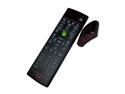
Rosewill RHRC-11001 - Windows Vista / 7 / 8 MCE Infrared Remote Control with Learning Function
Pros: Works well with Ubuntu 14.04 running the latest kernel. Although the remote is semi-supported out of the box by the latest kernel, it initially worked very poorly (very laggy, some buttons didn't work). Proper configuration required an installation of lirc and dpkg-reconfigure lirc as root, setting remote to "Windows Media Center Tranceivers/Remotes (all)" and IR Transmitter to "none". With lircd running and configured, this remote works perfectly with XBMC. Buttons can be remapped within XBMC using ~/.xbmc/userdata/Lircmap.xml and remote.xml (see XBMC's website for details).
Cons: - When unplugging and replugging the USB IR receiver, intermittent kernel panics occur. I think this is an issue with lircd. - Setup might be a headache for some people. Cheaper remotes exist which emulate keyboard presses and are a much better option in my opinion because you can side-step all of the configuration file nonsense and use XBMC or any other program just like you would with your keyboard.
Overall Review: - Didn't take eggs off for the cons because it's advertised as a Windows remote and works well in Linux once it's configured. - Got it on sale for $14 and it seems like a decent remote for a good price. Would probably have looked into other options if it hadn't been so inexpensive.
9/12/2014See more detail
Great for 24-7 Linux HTPC / Home Server
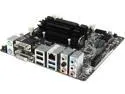
ASRock Q1900DC-ITX Intel Celeron J1900 Motherboard / CPU / VGA Combo
Pros: In summary: Basically the best 24-7 HTPC / home server board currently available. Best balance of energy consumption, practical computing power, and initial cost of any board I've seen. I bought this board/CPU for use as a low-power 24-7 home server and HTPC, and, for those purposes, it's nearly perfect. In general, the integrated graphics processor is fast and snappy, and the system feels just as responsive as it would with any modern i3, i5, or i7. Ubuntu Gnome 14.04 runs nearly flawlessly; the Gnome UI feels smoother and more responsive on this system than it does on my laptop which has an Intel i3-2350M with the HD 3000 IGP. All video playback is flawless, including high-bitrate 1080p h264, even while the system is under load. XBMC runs perfectly with no issues using the default Confluence skin. SNES, NES, and N64 emulators all run perfectly at full speed. I chose this ASRock board because it is the only J1900 board with DC input and an on-board power regulator. With DC input, the system uses very little energy--significantly less than the non-DC versions of this board, with which quite a few watts of electricity are lost to inefficiency. For my power supply, I'm using a 90W Fujitsu CP360065-02 which was about $10 shipped. This 90W power supply is more than enough to power my system, which includes one SSD, three 3.5" WD Red mechanical drives, a bluetooth dongle, and an IR receiver. Other pros: - Uses less electricity on average than a single energy-saving lightbulb - ASRock's UEFI offers a great fan speed control option which helps to make the system very quiet. - The UEFI Internet update feature is nice, although it required a few tries before it actually worked.
Cons: The single biggest issue I've had with this board is that when the hardware configuration is changed in some way, e.g. a new USB bluetooth dongle is plugged in, the system occasionally hangs after a warm reboot (via the reboot command) before reaching the grub bootloader. Strangely enough, this also sometimes happens if the partition configuration of any of the connected drives is changed, even if the boot partition is not touched. This is extremely inconvenient when it occurs because it requires physically rebooting the system with the power button, which is a major problem if you're using the system as a remote server. I don't know if this is technically a software issue with Ubuntu and its current Linux kernel (12 September 2014) or not, and it may be fixable with a BIOS/UEFI update, but this does not happen on any of my other motherboards. This issue does not occur from a cold boot (that is, fully shutting down and then turning the system on again), although that is useless for the purposes of remote administration. My theoretical solution for Ubuntu 14.04 is to add the kernel parameter reboot=p to GRUB_CMDLINE_LINUX_DEFAULT (GRUB_CMDLINE_LINUX_DEFAULT="quiet splash reboot=p") in /etc/default/grub and then run update-grub2 as root. (I'm not yet sure if this works, but I haven't had the issue since implementing the fix.) Although this may just be a Linux issue, it doesn't happen with any of my other systems, so I took an egg off for it. Other cons: - included UEFI is a user interface disaster. Some menus are very unintuitive. - "Intel USB3.0 Mode", when enabled, seems to interfere with some IR receivers. Disabling this sometimes helps. - VGA port is scarily flimsy due to the way it's attached to the board; I feel like I could easily break it with my fingers. Wish it were reinforced somehow. DC port also seems fragile, would be nice if it were reinforced. Not a big deal if you keep this on a shelf in a media center, but if you have kids or pets or some other real-world household nuisance, flimsy ports are a disaster waiting to happen.
Overall Review: - Ubuntu's live CD and the freshly-installed system both ran terribly, which worried me at first. After updating and rebooting the installed system, everything ran just fine. - UEFI Internet update option failed multiple times before finally working - Didn't include an internal speaker or "buzzer", although that sometimes comes with your case. I had to use a buzzer I had left over from an old PC. - As of September 12, 2014, I occasionally receive a kernel panic in Ubuntu 14.04 when unplugging and replugging my USB IR receiver (included with Rosewill RHRC 11001 remote) while lircd is active. This is probably a software issue with Ubuntu but I haven't had time to test it. - J1900 CPU is obviously more sensitive to resource-intensive tasks than beefier chips, although it's many times better than something like the Raspberry Pi or similarly underpowered embedded systems. e.g. When running Nautilus in the background during my first boot, Totem video thumbnail generator caused the system to stutter and thrash intermittently while trying to generate a thumbnail for a corrupt video file--a real-world example of when having a faster CPU would have made a big difference. - The first SATA 3 port is seen by the operating system as the second of the four SATA ports on the board, which means that most Linux distros assign the first SATA 3 port the device map of /dev/sdb. The problem with this is that some installers are too stupid to install the bootloader to /dev/sdb by default, even when the root partition is on /dev/sdb, which means that some users might have issues if they don't keep this in mind during during the installation. - If you're using the Rosewill Legacy v6 case, you'll need a 15-pin SATA power extension cable to attach one of the top drives to the SATA power header on the motherboard. $5 or less. - Probably far too slow for 4k video, and no hardware decoding of 4k video with Bay Trail as far as I'm aware (unlike some of the higher-end Celeron-branded Ivy Bridge / Haswell processors). I plan to relegate this to server-only duty once 4k really catches on, although I don't think that will be for many years to come. - You can probably configure another system to have similarly low power draw through undervolting and clever configuration, but this is a great out-of-the-box solution for the typical HTPC/home server use case.
9/12/2014See more detail
Good overall
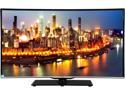
Changhong 40" Class 1080p LED HDTV - LED40YD1100UA
Pros: This is a great TV for the $200 I paid for it, although I don't know if I'd pay the current price of $300 for it--mainly because you can find a larger television on sale at that price. It's a good TV nonetheless. Pros: - Better overall than every other TV I've found at this price point, even name-brand televisions. We have a few inexpensive 40" LG and Samsung TVs and they've all got a worse picture, uglier bezels and stands, and less inputs than this ChangHong TV. - VGA input, which means that the image looks 1:1 like it would on a regular computer monitor. No extra processing or HDMI goofiness. My LG and Samsung TVs in this price range don't have this. I'm not a pro gamer or anything like that, but the input lag feels about the same as that of my Dell U2312HM, which is very low. - Lots if HDMI inputs, component, composite inputs - Various audio inputs and outputs, including 3.5mm headphone/speaker input. This means that I can have a bunch of different devices all hooked up to the TV and still output audio through the same 5.1 speaker setup. My LG and Samsung TVs in this price range don't have these. - All of the expected settings and options in the on-screen menus - Remote is nice and compact - TV itself is aesthetically pleasing. Thin bezel, glass stand look nice.
Cons: - The picture in the corners of the display is slightly darker than the other parts of the display, sort of like an antique projector. I think this has to do with the edge-lit backlight, and I've noticed the same effect with other edge-lit TVs and monitors in the past. The effect is not noticeable in darker images, although it's noticeable during lighter images, especially if you keep the brightness very high like I do, and it exaggerates the "dark corner" effect which happens surprisingly often in movies. I might take a quarter of an egg off for this if I could, but it's such a minor issue that I don't care to take off any more than that. - EDID data reports the resolution as 1280x720 even though the display is indeed 1920x1080, which means that some Windows games and most Linux distros will default to this resolution automatically. This can be fixed in Windows by going into your GPU driver settings and enabling EDID override. I use an AMD card and they've had this feature for a while--I'm sure Nvidia has the same thing somewhere. Fixing this in Linux takes no time at all and is outlined here: http://askubuntu.com/questions/138408/how-to-add-display-resolution-fo-an-lcd-in-ubuntu-12-04-xrandr-problem
Overall Review: - VGA input from my PC looked rather dark, as if the brightness was very low, until I cranked all of the color settings up the TV way up and did a bit of color balancing. Needs to be calibrated but looks twice as bright as it did at the default settings. - Sharpness needs to be turned way down for HDMI inputs. I think I keep it somewhere around 15 for my XBox. The default setting was 100 if I recall correctly, and it looked terrible. - Has a "PC Mode" for HDMI but I'm not sure if this actually does anything at all. This seems to reduce input lag a lot with my other TVs, although I can't really tell a difference with this ChangHong (but I use VGA for my gaming PC, anyway). - Comes with a thin layer of plastic that had to be removed from the top of the glass stand. It's attached very strongly so I wasn't sure if it was something that was actually supposed to be removed at first. There is one on the bottom, as well, but removing it is a hassle so I left that portion of the plastic attached. I just ended up screwing the stand on through holes punched in the plastic on the bottom. - I had to return the first set I got because it had a crack in the LCD. It could have been ChangHong's QC, but it was so big that I think it might have been shipping or something else after the QC process. Newegg makes the RMA process very difficult and time-consuming and I'll probably buy my TVs from a certain website starting with the letter 'A' and ending with 'n' in the future for that reason alone. The other guys actually care about the customer's experience and they go above and beyond to help you when you have a real problem with their products and services, unlike Newegg who always give me the runaround. Newegg even placed a random security exception on the return shipment so that I couldn't pick the thing up from the shipper at my leisure, and Newegg's customer service refused to remove it "for security reasons". Newegg, if you guys are reading this, I hope you're happy when that other website absorbs your entire market and you guys lose your jobs because of nonsense like that. Every other online retailer has left you guys in the dust.
2/23/2015See more detail
Great for J1900 boards
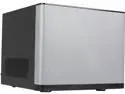
Rosewill Legacy V6-S - Silver ABS, Iron, & SGCC Mini-ITX Cube Computer Case
Pros: Bought this for use with ASRock Q1900DC-ITX and it's about as good as they come. - Competitive price at $50 - looks nice on a media shelf. - About the size of a basketball. - Front panel covers the ATX PSU hole, which means that the case is well-suited for the ASRock board with its DC input.
Cons: - Supposedly fits four 3.5" drives but really only has accommodations for three. Only three of the drive bays have rubber grommets, and if you were to use a second 3.5" drive in the spot which is missing grommets, the spacing between the two mechanical drives would be awkward. It's clear that the manufacturer expected the user to use three 3.5" drives and one 2.5" drive, which is coincidentally what I intended on doing. - External USB 3.0 header cable is absolutely terrible. Had to shave off the rubber tabs to avoid ripping the header off of the motherboard when detaching the cable. - Cheap fan, somewhat loud. Lowering the fan speed makes it fairly quiet, although it's still louder than any Noctua fan I've used. - Smallest ITX case with 4 drive bays I could find, but actually kind of big for what it is. Can't fit a high-end GPU, can't really fit beefy components, can't fit any sort of cooler other than the stock Intel cooler and maybe some of the lower-profile AMD coolers. Not enough space to be a powerful ITX system and bigger than it needs to be for a NAS/HTPC/server.
Overall Review: - Glad I went with silver instead of black. - Needed a 15-pin SATA power extension cable to connect one of the top-mounted drives to the Q1900DC-ITX SATA power header.
9/12/2014See more detail
Works well in ASRock Q1900DC-ITX
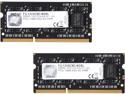
G.SKILL 8GB (2 x 4GB) 204-Pin DDR3 SO-DIMM DDR3L 1333 (PC3L 10666) Laptop Memory Model F3-1333C9D-8GSL
Pros: Bought this for ASRock Q1900DC-ITX and it works just fine. DDR3 prices are insanely high right now but this was the most competitively priced for what I think is a quality product with a good warranty from a reputable manufacturer.
Cons: None
9/12/2014See more detail
It's RAM
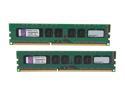
Kingston 16GB (2 x 8GB) ECC Unbuffered DDR3 1333 Server Memory Model KVR1333D3E9SK2/16G
Pros: Does what it says on the tin.
Cons: None
Overall Review: Great warranty terms from Kingston, probably won't ever buy another brand because of that.
5/5/2013See more detail