

Your Browsing History


Brent H.
Joined on 11/21/10
0
0
product reviews
- 4
Breathed new life into a 7-year-old machine.
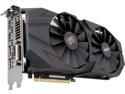
ASUS Cerberus GeForce GTX 1070 Ti 8GB GDDR5 PCI Express 3.0 Graphics Card CERBERUS-GTX1070TI-A8G-GAMING
Pros: I'm pretty astonished at the jump in performance I'm getting. I upgraded to this from an MSI GTX 970, and my FPSis consistently around 60 FPS on graphically demanding games like Deus Ex Mankind Divided, Wolfenstein 2, and Shadow of War. I'm running games like this on mixtures of Very High and Ultra across the board at 2560x1080. Keep in mind, I installed this on a 7-year-old Gigabyte MOBO that's still running DDR3 RAM and an old i7 processor. It feels like I have a brand new machine now, which is serving me well considering how pricey components are these days. Card runs pretty cool and quiet, as far as I can tell. Will update this review if, after further testing, I experience any problems, but I don't think I will.
Cons: No glowy lights. Whatever.
1/16/2018See more detail
Full of features, but just couldn't get comfortable
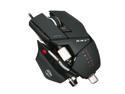
Cyborg CCB437080002/04/1 Black USB Wired Laser R.A.T. 7 Gaming Mouse
Pros: Precision aim button!!!! Honestly, a wonderful feature I wish every mouse had. I'm sad to see it go now that I've returned it.
Cons: I just couldn't get it comfy enough.
Overall Review: This mouse is a great idea in theory. I have wrist problems and I've tried several mice, but I just couldn't find the right one. I thought that if I picked up this one, which emphasizes adaptability for various hand sizes, it would do the trick. Unfortunately the moving parts of the mouse create too much negative space that actually make it not very comfortable. That being said, the precision aim thumb button is an outstanding feature that I wish every mouse had. It's particularly great to use in Borderlands.
1/26/2012See more detail
Who needs a mechanical keyboard? This one rocks.
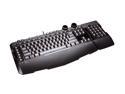
Microsoft SideWinder X6 Black Keyboard Win USB English
Pros: Punchy yet soft keys, lots of features, great backlighting. All around comfortable.
Cons: The numpad does feel kinda tacked on, but that's ok.
1/31/2012See more detail
Insanely comfortable, crashy software.
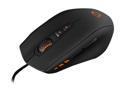
Mionix NAOS 5000 7 Buttons USB Laser Mouse
Pros: The most comfortable mouse this scrawny unwieldy hand has ever rested on.
Cons: Software crashes when you change, well ... anything. The changes take effect, but you have to Ctrl-Alt-Del out of it. I don't know how to get around that.
1/31/2012See more detail