




 here!
here!
I’m your shopping assistant for PC builds, upgrades, and everything tech.
Got questions? Ask away!
Start a conversation
here!
I’m your shopping assistant for PC builds, upgrades, and everything tech.
Got questions? Ask away!
Start a conversation

Joined on 09/25/06
32GB Ripjaws V with 9700k on Aorus Z390 Pro
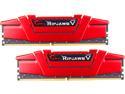
Pros: - Ram hit its XMP ratings out of the box. - Currently running on standard XMP voltage @ 1.35 volts, 3600 Mhz 17-19-19-39 timings. - All secondary tightened. Most tertiary tightened. - AIDA 64, read 52369, write 55457, copy 49620, Latency 49.8 - Will hit CAS 16 @ 3600 MHz with 1.42v - Memory is Hynix CJR - Memtest stable to over 10,000% - Slightly shorter than the TridentZ series for those with air coolers - No stupid RGB -As noted below the first pair came with one bad stick, would not accept anything above 2400Mhz even single channel... that said G.Skill tech support is unreal. I called... The *PERSON* who *ANSWERED* the phone was directly able to help. No automated phone system that takes 10 minutes to navigate. No script reading. Tech support knew their stuff. Truly unbelievable, thank you G.Skill.
Cons: - First pair of sticks had one bad stick, but read above. RMA was easy.
Overall Review: *** Please read this *** This goes for all memory, please make sure that both your cpu and your motherboard can handle this memory. Simply put, not all combinations of cpu/MB are going to hit 3600, that is NOT the fault of *any* memory manufacturer. For example with a z170 and a 6th gen intel this memory would not go above 3200 Mhz. Will you hit 3600? With the intended CPU on Z390, Z370, almost certainly yes. Z270 very very likely. Z170 probably not. Ryzen 3 on X570, almost certainly yes. Ryzen 2, maybe. Ryzen 1, no. Just one man's best guess. ------ (Some of my major secondary timings for those interested: tWR 16, RFC 560, RRDL/RRDS/WTRL/WTRS at 6/5/10/4, FAW 20, CWL 16, REFI 42000)
Died for apparently no reason
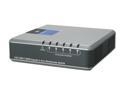
Pros: Worked fine until it didn't. No setup other than plugging in cables.
Cons: - Before I begin I should note that the switch was plugged into a mid-level UPS and used in a small corporate office. Network traffic is very light. - Worked for about 1.5 years then one day all the connections fail (power light still on) but it wouldn't recognize that the cables were even connected. - It did work flawlessly before that point.
Overall Review: It was sitting next to a WRT54G that has been plugging away for over 5 years.
Its a cable. It works.
![DisplayPort Cable,DP Cable 10ft(3m) [4K@60Hz, 2K@165Hz, 2K@144Hz], Display Port Cable 1.2 High Speed DisplayPort to DisplayPort Cable Compatible 3D, Laptop, PC, Gaming Monitor](https://c1.neweggimages.com/ProductImageCompressAll125/A8C6S210421gktOg.jpg)
Pros: - Working on a 2560x1440 monitor at 144Hz (requires slightly more bandwidth than 4K @ 60Hz) - Sturdy without being too stiff
Overall Review: - Purchased at half off, happy with the performance
Almost 6.5 years of use
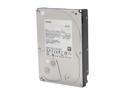
Pros: - Purchased 2 about 6.5 years ago (2013) - Both worked flawlessly until recently
Cons: - 1 of the 2 drives just bit the bullet
Overall Review: Why 4 eggs? Mechanical drive in regular use for 6.5 years is actually pretty good. Sure, ideally they'd both last forever, but real world use that's more than acceptable lifetime. Each has over 40,000 power on hours, couple hundred power cycles.
Works as Stated
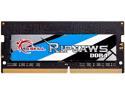
Pros: Plugged in, operates as advertised. What more to say? Been working for 4 months no issues
Cons: None
Overall Review: If you're buying a laptop do yourself a favor and get one with a single stick of 8GB the price you will have to pay most laptop manufacturers for 16GB is absolutely stupid. Get this and install yourself. (Do the same with an M.2 drive as long as you have the system open)
Replaced my first generation IntelliMouse Explorer

Pros: Excellent mouse, good tracking, simple setup, very smooth only for right handed users, great feel and fit for right handers
Cons: well, if you are left handed... its only for right handed users
Overall Review: Replaced my first generation IntelliMouse Explorer that lasted a decade or so I think. That mouse lasted through 4-5 new computers. If this mouse lasts as long I'll be just as pleased.


