
Your Browsing History


Stephen L.
Joined on 08/29/05
0
0
product reviews
- 8
Excellent motherboard
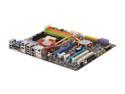
MSI DKA790GX Platinum AM2+/AM2 AMD 790GX HDMI ATX AMD Motherboard
Pros: Good crossfire implementation that is only bettered by a 790FX. DDR2 1066 support is excellent as well and my motherboard came with bios 1.1 which helped too. Support for the newest AMD 140W CPU's. Clear CMOS button is nice and well located. If you need to save some money, the onboard graphics are surprisingly good. I play Guild Wars and Dawn of War with no problems at all at 1680x1050. I pulled 31 fps average on F.E.A.R. at the default high graphics settings which is respectable for onboard.
Cons: All very minor. I didn't like the placement of the front panel audio connection. It was in the lower left which could interfere with the bottom PCI slot. The start and restart buttons on the motherboard seem kinda pointless. Make sure to get the 1.2 bios to fully unlock the full potential as some options were not available with 1.1. Also, setting up the RAM settings was a bit confusing at first.
Overall Review: It's been a long time since I used an AMD product, but I can definitely say they've come a long way since then. This is a very stable board. I've had Vista and Linux running on it without any crashes for several hours at a time. I have yet to try overclocking with it, so I can't comment on that aspect yet. However, there are more overclocking options in the bios than you can shake a stick at. Better to have the options and not use them than to need them and not have them. :) Once I get a pair of 4800 video cards, this computer will be unstoppable.
10/7/2008See more detail
Quiet card with decent 3d
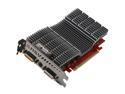
ASUS Radeon HD 3650 512MB GDDR2 PCI Express 2.0 x16 Graphics Card EAH3650 SILENT MAGIC/HTDP/512M
Pros: I bought this video card for my father to reduce the amount of noise his computer was generating. Passive cooling obviously fulfills this. This will play quite a bit of games well if you avoid using alot of AA. The majority of MMO's and RTS games, for instance, will run perfectly on it.
Cons: Definitely gets to be a bit hot due to the passive cooling. Often the temperatures with a load applied are about 70 degrees celsius.
Overall Review: For HTPC or work computers, this video card is a great bargain and it packs enough 3D punch for basic users. Let's face it, people who live and breathe FPS games wouldn't be looking at this kind of card anyway, right? For the intended audience, this card is a winner.
10/7/2008See more detail
Cool heatsink/fan
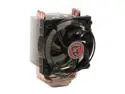
Thermaltake CL-P0371 92mm Enter CPU Cooler
Pros: Very large heatsink with copper heatpipes running up through the aluminum fins for better heat dissipation. Even after running my computer for 12+ hours, this thing is cool to the touch. My Phenom X3 stays very cool even under load. MSI dual core center says it's running 35-38 degrees, but AMD Overdrive says it's in the low 20's. Either way, that's cool. ;) The thermal paste on this is great quality too.
Cons: I don't believe the instructions said to remove the fan before installing, but you WILL want to remove the fan. Installing this with the fan on is virtually impossible. To get the fan back on, you can actually push the fins in. I didn't realize that at first.... I wish you could have the fan oriented in a vertical direction.
Overall Review: Very inexpensive cooler that performs very well. With the cost of this cooler being so low, there's no reason to use the stock cooler AMD provides with their CPU's. Price to performance ratio for this is extremely high.
10/7/2008See more detail
Mushkin never disappoints
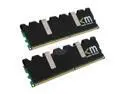
Mushkin Enhanced 2GB (2 x 1GB) DDR2 1066 (PC2 8500) Dual Channel Kit Desktop Memory Model 996612
Pros: Not much to say except that Mushkin always puts out top quality memory. The timings are consistently at or near the best levels and the heat spreader construction is always solid.
Cons: None.
Overall Review: I went with this set of memory due to rumors about issues with DDR2 1066 compatibility problems on the 790GX chipset. Fortunately, these rumors were unfounded and this RAM is perfect. Think I'll get 4 more GB of Mushkin RAM soon and bump my total up to 6GB. The XP label has the exact same timings as this set for 2GB sticks so it will be the perfect compliment set.
10/7/2008See more detail
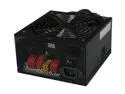
Thermaltake W0116RU 750 W Complies with ATX 12V 2.2 & EPS 12V version SLI Ready CrossFire Certified 80 PLUS Certified Modular Active PFC Power Supply
Pros: First of all, it's modular. Don't buy a PSU unless it's modular. Period. The cooling fan is big and it's positioned to remove hot air from the case. Also, being certified to run ATI's crossfire is a nice feather in the cap.
Cons: If you have a case where the PSU goes on the bottom (like the Antec 900), that would decrease the effectiveness of the cooling fan significantly. This PSU is designed for top mounting positions obviously.
Overall Review: NewEgg have made a slight error in quoting the number of PCI-E connectors. Yes, there are two 6 pin PCI-E modular cables, but there is one 8 pin PCI-E cable also connected to the PSU and an 8 pin to 6 pin adapter if you need it. This brings the number of PCI-E connectors up to three actually.
10/7/2008See more detail
Solid case
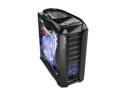
Thermaltake Armor+MX VH8000BWS Black Aluminum / Steel ATX Mid Tower Computer Case
Pros: Excellent fan cooling system. Front panel eSATA is a really nice addition. Hard drive cage is a great idea, especially if someone is setting up a RAID array. Even if only installing one, it makes installing a hard drive pretty easy. PSU support bar is another good idea. If you go the route of liquid cooling, Thermaltake has added a hatch at the top that can be used to refill your tank. I don't know much about that personally though.
Cons: The 230 mm cooling fan on the side is a bit loud, but not very loud. The hard drive cage can make putting in SATA cables a bit of a pain if you have the front facing ones. The cage is still awesome though. Minor complaint. The front flaps are a bit pointless. Keep overly touchy relatives away who may be tempted to try and remove them....
Overall Review: This is a very roomy case and the cooling alone is worth it. Very solid construction throughout. Some people may dislike the hard drive cage, but I think it is a great idea unless you have a huge, monster video card.
10/7/2008See more detail