
Your Browsing History


Duncan W.
Joined on 02/16/02
0
0
product reviews
- 19
Some pointers from an owner
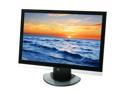
Westinghouse 24" WUXGA LCD Monitor 8 ms D-Sub, HDMI-HDCP, Composite, S-Video, YPbPr L2410NM
Pros: Inputs. Price.
Cons: Button Placement. HDMI Implementation?
Overall Review: I've had this for some time. Some people on here complained about excessive 'lag' in games. I noticed it somewhat. Finally I figured out what it is. This is a 1920x1200 screen. What you are seeing out the box is not a native signal, its a processed and enlarged signal. In gaming this causes lag. To get a native picture, you have to change the Aspect Ratio(4th menu) from Full to Normal. This is good and bad. Good in the sense that you get a non-lagged native picture which is suitable for video game systems. Bad in the sense that you now have an inch of black screen at the top and the bottom. So basically for normal tv type operations unless you want an extra layer of conversion this will be in fact a 22" screen. This post should save some people some grief.
12/4/2007See more detail
Good monitor with a lot of connections
Westinghouse 24" WUXGA LCD Monitor 8 ms D-Sub, HDMI-HDCP, Composite, S-Video, YPbPr L2410NM
Pros: Lots of inputs Full 1080p picture Reasonable price
Cons: Banding issue with my Ps3 Picture good not great Unsure about longterm reliability
Overall Review: At 1080p playing blu-ray movies or DVDs my Ps3 shows color banding and some other anomalies. Really makes things look bad. I had similar issues on a Sharp Aquos screen so I dont know what the deal is. Maybe some tvs/monitors dont implement HDMI how the Ps3 expects? I dont know, all I know is my Ps3 doesnt look good at 1080p on this monitor. Also I hooked up my HDMI DVD player to this monitor and 2 times yesterday the monitor made a clicking sound and the HDMI lost source. This worrys me about the long term reliability of this product. (i have tried 2 different HDMI cables btw). As for the monitor itself it has a good picture, especially for video games. As a tv, the picture is good, but if you've spent time around higher end LCDs like Sony Bravia. You will notice it isnt nearly up to that standard. The colors are muted, not vibrant, and the overall picture lacks a bit of focus. Still very watchable and very nice however. Feature wise though this monitor cant be beat.
11/19/2007See more detail
Good if you need a basic Win 7 laptop
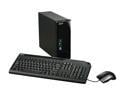
Acer Desktop PC Aspire AX1301-U1302 AMD Athlon II X2 215 4GB DDR2 750GB HDD NVIDIA GeForce 9200 Windows 7 Home Premium 64-bit
Pros: Small Form Factor Plenty of Ports and Connections Quiet Fan Attractively designed
Cons: Noisy hard drive Very Little Paper Documentation
Overall Review: I expected this to be slightly faster than my T6600 laptop since it has higher clock speeds. But it takes about 10 extra seconds than that laptop to boot. Once you're actually in Windows 7 it generally performs about the same as the T6600 laptop. While it is performing the fan is quiet but the hard drive is a little noisy. Standing the unit up on its rubber stops rather than resting it on its side reduces the noise somewhat. So at this price the question becomes are you better off buying a low end laptop to use as a desktop or buying this desktop? Well you will spend a little more money for the laptop but it has more features and will be just about as fast. I was expecting a little more performance out of this unit and if I did it again I would buy the triple core model. But as a basic desktop solution that runs Win 7 decently its not bad.
3/4/2010See more detail
Great balance of price/performance

HP Pavilion 15.6" Intel Core 2 Duo T6600 4GB Memory Windows 7 Home Premium 64-bit dv6-1362nr
Pros: Quality Construction Fast laptop videocard w/1gb VRAM Quiet running
Cons: LCD is not top of the line but still good On the heavyish side
Overall Review: Got this for a great price and am 100% satisfied. I didnt 100% know what to expect but the entire package is really nice considering the reasonable price. The entire design is really well thought out and feels high quality. For instance the metal touchpad and buttons are great and should last well. The keyboard has good feel and is nice and large. The quality of plastics is high and everything looks nice. The cons are more like niggles. You cant help but always wish for more but everything is a price balance. The screen is more than acceptable but its not the best out there. The colors are good but I've seen better. The clarity is good but again I've seen better. Its comparable to laptops of its price however only on top of the line laptops expensive laptops will you find better. The weight of the laptop isnt out of line but you cant help but wish it was about .5lb lighter. Still I rate it 5* because I got everything I expected and more for the money.
12/3/2009See more detail
Affordable and decently build HDD enclosure
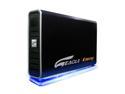
EAGLE Consus T ET-CSTSIU2-BK Metal 3.5" IDE / SATA USB 2.0 External Enclosure
Pros: Sturdy. Inexpensive. Nice manual. Pretty Light.
Cons: Aluminum shell doesnt act as a heat sink. Speeds arent as high as some other enclousres.
Overall Review: I would say this enclosure is perfect for people who want to occassionally backup their data. Access an old harddrives data occassionally or do minor tasks. I tested this enclosure with HD Tach with my 200gb 7200rpm seagate drive in it and it got a score of about 17mb/s w/ 14.6ms. This is pretty low ever for enclosures. I have seen some IDE enclosures test at 35mb/s. So if you need a workhorse enclousre that you will throw and catch large amounts of data from this might not be for you. But if you're like me and just need to get at an old HDD's data and maybe occassionally throw a large file on it. Then this is perfect.
5/30/2008See more detail
Does the job, but not idiot proof
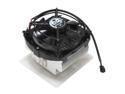
ARCTIC COOLING ALPINE64 92mm CPU Cooler
Pros: Nice sturdy heatsink. Quiet operation. Good quality thermal compound pre-applied. Reasonable performance.
Cons: Instructions dont tell you all the steps you might need. Not idiot proof like a retention clip. I.e. if you force the heatsink on you could break something.
Overall Review: I had this heatsink out of the box and was trying to put it on my motherboard and was following the instructions. It seemed fairly awkward and difficult to try and get the clip on the plastic apparatus surrounding the CPU socket. I've messed up enough building computers that I know when I'm about to use enough force to break something. So I stopped what I was doing and considered my situation. What isnt in the instructions but what you might have to do is to unscrew the screws to loosen the clips so it goes onto the plastic surrounding the CPU socket easier. This is nowhere in the instructions!!!! So once I did that the thing went on fairly easily. Then you have to screw it down. I just went slowly and would stop and gently jiggle the heatsink. Any movement at all means a little more screwing. I rinsed and repeated until there was no movement. My temps on a 5000x2 65w was 40c and the thing is quieter than an Antec 92mm case fan on high speed.(which is 27db). So very nice results.
5/21/2008See more detail