
Your Browsing History


Wenshuo Z.
Joined on 10/11/05
0
0
product reviews
- 12
Solid performer, compact size
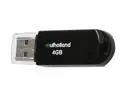
Mushkin Enhanced Mulholland 4GB USB 2.0 Flash Drive MKNUFDMH4GB
Pros: CDM benchmarks: Sequential Read : 18.668 MB/s Sequential Write : 9.608 MB/s Random Read 512KB : 18.779 MB/s Random Write 512KB : 3.123 MB/s Random Read 4KB : 3.031 MB/s Random Write 4KB : 0.030 MB/s
Cons: Not a con, obviously- just a place to put a separate benchmark. Patriot XPorter 8GB: -------------------------------------------------- Sequential Read : 32.514 MB/s Sequential Write : 17.415 MB/s Random Read 512KB : 32.591 MB/s Random Write 512KB : 8.554 MB/s Random Read 4KB : 5.238 MB/s Random Write 4KB : 0.689 MB/s
Overall Review: For comparison, a 4GB SLC-based OCZ Rally 2 Turbo: Sequential Read : 34.687 MB/s Sequential Write : 27.246 MB/s Random Read 512KB : 34.687 MB/s Random Write 512KB : 11.019 MB/s Random Read 4KB : 8.191 MB/s Random Write 4KB : 0.158 MB/s
2/9/2010See more detail
Solid 5Ghz N WAP
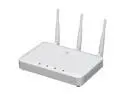
Hewlett-Packard J9467A#ABA V-M200 802.11n Wireless Access Point
Pros: I didn't purchase this from NE, but wanted to share my experience after >6 months of ownership. I use this for my home office as a 5Ghz N AP to support 3-5 clients. I have an Aironet 1100 for Wireless-G, and wanted to stick with SMB-grade equipment for reliability. Contrary to what some have experienced, I've had zero connectivity or stability issues since day one. Until very recently, I was running on an older FW (5.4.1.0-01-9503). I just updated to the latest release (5.4.1.1-01-11416); no issues with the older firmware, and the newest seems just fine so far. The web interface is quite easy to navigate, and the feature set is more than sufficient for home office/small business use. The unit only gets moderately warm under load, and CPU/memory usage are well below max for my purposes.
Cons: Not really a con since it's stated in the specs, but do be aware that this is a dual-radio device but can only support wireless G or N; simultaneous G+N is not possible.
Overall Review: Real-world transfer speeds: Conditions: WiFi card = Intel 5300 (Thinkpad X200T) OS = Windows 7 Pro x64 Protocol = FTP Test file = 4.3 GB ISO Upstream switch: Procurve 1400-8G Test distance: ~10 feet, clear LOS Test environment: 300-unit high-rise in large city, with significant (>30 detectable APs) 2.4 GHz interference, but an almost entirely open 5 GHz space. Encryption: WPA2 Personal Wireless-G using Aironet 1100: 2.2-2.3 MB/s Wireless-N (5 Ghz/40 MHz): 7.5-7.8 MB/s Tests all repeated twice, and rates calculated by both Filezilla and stopwatch. Latency, RSSI, etc. are all perfectly fine, as one would normally expect.
6/28/2012See more detail
Much greater yield than standard
Brother TN650 High Yield Toner Cartridge - Black
Pros: We use this with our workgroup HL-5370DN. I have not bothered to check whether a duplex page counts as one page or two, but we are pretty consistent with single/duplex, so for comparative purposes, this should not matter. Standard toner: ~2300 pages High-yield (TN650): ~6100 pages We only use OEM (Brother) toners.
Cons: None
Overall Review: Print quality is excellent, installation is easy, and the HL5370N has had one, maybe two jams the entire time we have used it.
2/25/2010See more detail
Works, low-profile, low price
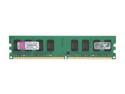
Kingston 2GB DDR2 800 (PC2 6400) Desktop Memory Model KVR800D2/2GR
Pros: Nothing fancy- just good RAM. Works at advertised speed and voltage. Low profile makes it perfect for ITX builds.
Cons: None.
Overall Review: There is normally a premium for low-profile/half-height DIMMs, which makes this an even more attractive deal.
6/30/2009See more detail
Solid performer
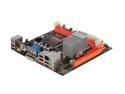
ZOTAC GF9300-D-E LGA 775 NVIDIA GeForce 9300 HDMI Wi-Fi Mini ITX Intel Motherboard
Pros: System built with the following: Case: Morex T3500 PSU: Pico-PSU WI-120W w/Fortron 120W brick CPU: E5200; stock RAM: Crucial value RAM 2x2GB HDD: WD Scorpio Black 160GB ODD: Samsung SN-T083A HSF: Dynatron P12G w/Noctua 80x25mm @5V OS: Vista 64 SP1 As far as ITX builds go, this motherboard provide a great foundation for a fast, stable system. Board layout is excellent, and drivers have been trouble-free. I have not tested audio over HDMI, although video is fine (and the video signal via HDMI is instantly recognized from boot-up). Have not tried waking up from hibernate over USB, but the system has never failed to go into and come out of standby. Onboard LAN and the included WiFi module both work flawlessly.
Cons: No cons to date that are specific to the board per se. As with most ITX builds in tiny cases, heat is always a concern- for this board, most heat issues will center around the NB/GPU. I found that the chipset needs some dedicated airflow under full load, as throttling occurred once temps went above 90-92C. In a small enclosure, I am not sure if an aftermarket chipset heatsink would really make that much of a difference, as the airflow would be a limiting factor. That said, with a small 40x20mm fan @5V strapped on top of the chipset heatsink, I have had no problems even after hours of 3D load. While the E5200 runs cool enough in the T3500, undervolting options would be nice for those using cases with very restricted airflow. It is worth the $4-7 to purchase a Thermalright bolt-through kit if using a heatsink that comes with push-pins (including the stock HSF)- push pins will warp the board, and it is much, much easier to work with screws when space is limited, as it is here.
Overall Review: Temps @ room temp of ~20-23C CPU idle: 35-39 (both cores) CPU load: 67-76C (gaming and Linpack, respectively) GPU idle: 65-67C GPU load: 83-87C (gaming and RTHDRIBL, respectively) As mentioned above, CPU temps are with an 80x25mm fan (fixed to heatsink with heavy-duty mounting tape) at 5V (~800RPM), and GPU temps are with a 40x20mm fan at 5V (~2500RPM). NB: With the Morex T3500 and the Dynatron P12G, an 80x25mm fan is just a bit too tall for the cover to slide on and off easily- some force is required to make it fit, but once on, it should not be a problem. An 80x20mm fan would probably be ideal. Final thoughts: This mobo is an ideal choice for anyone needing a tiny PC for work and some light gaming. The 9300 GPU is surprisingly capable, and can handle most modern games at reduced quality and/or resolutions (i.e. L4D runs relatively well at 10x7 w/low-moderate IQ settings and 2x AA).
5/11/2009See more detail
Snappy performance
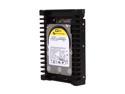
Western Digital WD VelociRaptor WD1500HLFS 150GB 10000 RPM 16MB Cache SATA 3.0Gb/s 3.5" Internal Hard Drive Bare Drive
Pros: Having built several systems with and without Velociraptors, I can definitely notice a difference in overall system responsiveness. Applications load nearly instantaneously, and accessing multiple files/programs is considerably faster, even compared to the excellent WD 6400AAKS. STR of ~109MB/s, with access times in the ~7.1-7.3ms range. The drive itself runs very cool, at <40C with minimal airflow. No annoying whine, although seeks can be heard at ear level (even when soft-mounted).
Cons: None so far.
Overall Review: It is difficult to appreciate how much of a difference this drive makes until one has used them alongside (otherwise equivalent) standard 7200RPM-equipped systems. Whether the considerably higher $/GB is worth it, is subjective, but there is no doubt that the VRs make for a more enjoyable computing experience.
2/9/2009See more detail