
Your Browsing History


Gentry V.
Joined on 01/28/03
0
0
product reviews
- 5
Nice cooler for the price
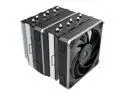
Montech Metal DT24 Base, High Performance Dual-Tower CPU Cooler, with 2X Metal 120 PWM Fans, 270W TDP, Intel LGA 1851, 1700, 1200 / AMD AM5, AM4 Compatible
Pros: Cools CPU well, looks pretty nice.
Cons: They did not offset the heatpipes/cooler, so the front fan will likely sit on your ram if you want it level with the cooler.
Overall Review: It's pretty good and I'm relatively happy with it. I bought some Teamgroup Tcreate ram since it's lower profile and it works just fine in my son's rig. If you wanted a taller DIMM, or some RGB or something it's not going to work right.
2/10/2025See more detail
Would not run at rated speeds correctly - I'm writing the review because this seems to be a common problem.
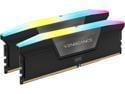
CORSAIR Vengeance RGB 32GB (2 x 16GB) 288-Pin PC RAM DDR5 6000 (PC5 48000) Desktop Memory Model CMH32GX5M2E6000C36
Pros: It's not bad looking. Runs correctly at DDR5 4800 CL36.
Cons: New PC build. MSI Mobo Intel I5-14600K. XMP profile did not work, just goes into a boot loop. After nearly a year of tinkering with this ram, I could get it to run at DDR6000, but only at CL 44 and loosening the rest of the timings as well along with dropping the voltage to 1.35v. Even though it was running at 6000, it caused the computer to take about 30 seconds to boot (presuming this is some kind of memtest) and I could not put the computer in standby or sleep mode. When trying to resume from sleep it would bootloop. Full shutdown and full restart worked as it should except for the very long boot time.
Overall Review: It took me a lot of time to tinker with this to 'sort of' get it running, but it still wasn't right. From way too much research, the conclusion is that it might be the IMC on the CPU, it could be your motherboard has an issue, or it's the ram itself (or a combo of those things). Out of those three main culprits, I decided the ram would be the easiest to start with. Bought a Teamforce with SK hynix A die (this Corsair memory is Spectek B - never heard of it). Put it in, went to bios and selected XMP profile 2 which was DDR6000 @ CL34. Booted in 9 seconds and could sleep/standby without issue. Decided I might as well try XMP profile 1, DDR7200. Booted in 9 seconds and sleep standby working fine with not issues. I wish I would have just spent the $100 and saved myself 9 months of frustration. I'd recommend you do the same. If anybody wants this to run at 4800, I'll sell it to you for $50.
2/10/2025See more detail
Not too bad, but has debris behind the panel.
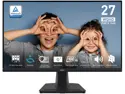
MSI 27 inch WQHD 2K 1440P 100Hz IPS with Adaptive Sync 1ms Built-in Speakers LCD Computer Monitor with phone accessory slot stand for both Work & Gaming PRO MP275Q
Pros: 100Hz 1440p for a very low price.
Cons: There are two spots where I can see something behind the panel. Looks like maybe some little plastic shavings (probably from the screws in the assembly process.
Overall Review: In theory, I could maybe take it apart and try to clean out whatever is back there, but I'd probably break it and it's minor enough I just ignore it like a couple of bad pixels. It's still an annoying factory defect though.
2/10/2025See more detail
It's early for sure
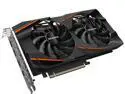
GIGABYTE Gaming Radeon RX 580 8GB GDDR5 PCI Express 3.0 ATX Graphics Card GV-RX580GAMING-8GD REV2.0
Pros: I have a 12 year old build that I had to run down old memory for. It was housing at GTX 760 which was the 2nd video card in it. I'm slepping a gen 1 core I5 and I can still run most anything I want. After finally finding old stock mem I ordered up this $200 refurb card. Everything for the first 3 days is running rock solid. I've never been a big AMD/ATI fan because of build issues in the past, but this is running like a top after I un-installed the AMD video card software. (blurry and FC6 load issues) - now it's just fine. I'm running FC6 super quick on a first gen core I5 - 8 gig mem. I took the insurance, but unless this thing blows up, it's great.
Cons: big card and had to push around my wire loom to get it in place. Only about 15% bigger than 760 GTX but it's not fun on a 12 year old pc.
Overall Review: so far so good. The insurance is $15. That's usually a waste of money but hey $15 and this is already out of stock (not shocked face here) so you do you.
6/7/2022See more detail
Cheap and they do what they are supposed to!!
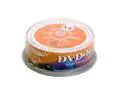
LEGACY 4.7GB 8X DVD+R 25 Packs Spindle Disc Model DVD+R8X25CB
Comments: I'm using an lg 4081b as well, and after upgrading my firmware, I'm burning at 8x. Takes about 7 mins per and they work flawlessly after the burn. It may be problems with these other folks drives.
3/21/2004See more detail