




 here!
here!
I’m your shopping assistant for PC builds, upgrades, and everything tech.
Got questions? Ask away!
Start a conversation
here!
I’m your shopping assistant for PC builds, upgrades, and everything tech.
Got questions? Ask away!
Start a conversation

Joined on 03/23/06
Amazing
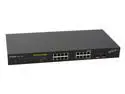
Pros: Just amazing for the functionality. Real cheap compared to other switches. Established Jumbo frames within a Linux cluster. No hassle, just plyg it in. I used the Dlink 560T PCI express, and Dlink 530T PCI, (I recommend 560T since it is overcome the limitation of the bus on the mother board). I tested this using Fedora FC8 for my cluster. This is a great switch, that does not heat at all, great for amateur who'd like to build a cluster or a super computer (like IBM Super Power Parallel SP2!!!!)
Cons: Cons! eh! These are secrets.
Overall Review: won't you please add a switch off/on button... I guess that is not needed, since it'll run for eternity.
Total Junk and Premium Internet Scam

Pros: Boxed item to look professional so average people can fall in the scam of this product. Total Defense Premium Internet Security should be titled "Total Junk and Premium Internet Scam". I did not buy it from newegg, but got bought this from tigerRdirect bundled with fx6100. You can redeem the $70 rebate after activating the product online... and you should know the rest of the story
Cons: 1- Boxed and advertising not necessary. They can use the money to deliver a better product that is not invasive to the Win registry. 2- May not install directly, but after couple of retry 3- Slow down the machine (so as bad as the sisters products Symentec & Mcafee) 4- Company make you believe you are getting it free, but it is a scam as you need a credit card to activate it. (bundled with CPU fx6100, so will be impossible to return unless you are careful not to open CPU box) 5- I hate this product name, dunno why!
Overall Review: what should we title this: "Total Junk and Premium Internet Scam" or "Total Scam and Premium internet Junk" ? if they didn't bundle with CPU fx6100 and offered the $70 rebate (ONLY VALID IF PRODUCT IS ACTIVATED) I would have considered giving this more eggs. This product should have more managers and useless marketing people than developers. They know how to push the product. Let them try harder. don't fall in this trap!
(A+)^10 drive after 10 years still running
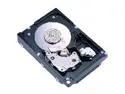
Pros: as I said back in 2008: "it is a scsi. too good to be true." got 3 of these that have been running round the clock since 2008, and now 2018: ten years later they are still running. I did change the SCSI cable terminator a month ago after I did a CPU upgrade i7 990x and system maintenance changing the cooling fans. this is a drive, forget about ssd/sata/sas, except 3.5 SAS that I hope that will be same as this one.
Cons: .
Overall Review: a month ago I thought one of the drive failed after the kernel threw exceptions on the filesystem. I swapped each drive to a failover machine for a quick backup, but when I realized that all drives filesystems are being mounted successfully I suspected the controller or the SCSI cable. In fact it was the SCSI cable along its terminator that is gone bad, and all 3 drives are running like day 1.
horse power for 10 years
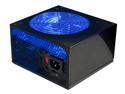
Pros: bought it in October 2008 but used it in 2011 to power 24x7 continuously until this hour today an asus p6t ws workstation mobo with i7 980x in 2011. the system has 6 SCSI drives and 2 SATA drives, and xfx radeon 6770 running continously. while 4 EVGA PSUs 850W already failed or are doomed to capacitor drainage over weeks of unoperation, while this RP500 500W still running.
Cons: not in production anymore!
Overall Review: paid $150 for EVGA SuperNOVA 850 P2 220-P2-0850-X1 that I tossed in the garbage, while I paid $45 for this Rosewill RP500 500W that is still running for 10 years, initially powering an i7 940 back in day, and now powering i7 980x. PSUs are simple to design and build, but it is unfortunate to see that engineering has been replaced with mushy marketing soft people who wanted to remaster the EVGA PSUs and move from quality to marketing, labeling the EVGA sucker "SuperNOVA" and overcharging for its look (that end up in the garbage because their customer service will do nothing but replace the PSU with another similar dud that you will end up tossing out of the window).
great aluminum well made tool-less swap
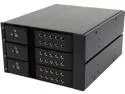
Pros: sturdy and perfectly aligned with open front for a perfect cooling. not too loud but they could have a hydro dynamic bearing since they are charging this high price.
Cons: can be cheaper.
Overall Review: I bought several of these and are serving w/o any issue. I added this review when I saw the 1 egg review of a customer! be assured it is a good well made tool-less swap that can keep your drives cool.
grabage
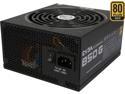
Pros: NONE
Cons: There is an accurate review of Anonymous saying: After that it would work fine for a while, then the computer wouldn't boot unless I unplugged it for a few minutes first. The amount of time it needs to be unplugged before being able to boot only increased as time went on. There is no point to RMA this unit of any of all three EVGA 850, bronze/gold/platinum (they all failed giving random restart): 1) this bronze EVGA SuperNOVA 850 B2 110-B2-0850-V1 80+ BRONZE, 2) the gold EVGA SuperNOVA 850 GS 220-GS-0850-V1 80+ GOLD, 3) the platinum EVGA SuperNOVA 850 P2 220-P2-0850-X1 80+ PLATINUM I will be posting the same review for all of the above. It looks like all these three PSU are internally similar with a different labeling. I won't RMA the units because apparently the problem has never been solved according to the review of Anonymous. I changed the PSU to RAIDMAX Vampire RX-1000GH and hope that will serve the Cuda desktops: EVGA GeForce Titan X and an ASUS Rampage IV with i7 4730K. EVGA produced a nice GeForce Titan X, but not a PSU.
Overall Review: No point to RMA these units if you are experiencing random startup that won't occur unless you unplug the power supply. WASTE OF MONEY, WASTE OF TIME, AND ONE WORD FOR THE SPEC: GARBAGE


