
Your Browsing History


Gregory C.
Joined on 01/04/07
0
0
product reviews
- 3
Good price, good card
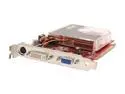
ASUS Radeon X1550 1GB (256MB on board) GDDR2 PCI Express x16 Graphics Card EAX1550/TD/256M
Pros: Good price, good card with the ability of high performance. 256mb on board, can borrow more from system memory if desired.
Cons: Core speed is lower (by 50MHz) than the 1300 Pro at the same price point (1300Pro wasn't the same price when I bought the 1550 a two weeks ago)
Overall Review: When comparing the 1300HM512, 1550 and 1300 Pro, the only real differences are the Core speed (listed in ascending order), and some misc stuff that I'm pretty sure the 1550 has as well but has been omitted from the spec sheet. I don't have the manual with me, but I'm fairly certain it's got DX9, OpenGL, a max res of 2048 x 1536, no tuner (duh), WinXP/2000 and the 90nm tech that the 13xx cards do. I'm fairly certain all three do hyper threading (or at least use system memory as mentioned above if not via hyper threading), but don't hold me to it. At the current prices, grab the 1300Pro instead and get the extra 50Mhz. If the prices change and the 1300 Pro goes up, get the 1550 to save money.
3/5/2007See more detail
Mixes old and new tech
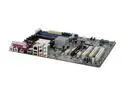
ASUS A8V-E SE 939 VIA K8T890 ATX AMD Motherboard
Pros: Mix of old and new tech: two IDE connections, two SATA, Parallel port for older printers (lexmark Z11 still going strong!), 4 USBs back, 4 possible expansions via pins, integrated NIC, still has PS2 ports. With the NIC integrated, 3 PCI should be enough for most setups.
Cons: 2 mostly useless PCI Express x1 slots taking up room, would have preferred an extra PCI slot than 2 PCIEx1's, but that's just splitting hairs, I still bought it. Passive cooling on the co-processor instead of a fan, splitting hairs again.
Overall Review: This motherboard stepped up to the challenge of integrating my two old IDE hard drives with a new SATA drive while letting me keep my two optical drives without having to use a PCI slot for an IDE controller. ASUS makes quality motherboards and this one won't disappoint. Front panel Audio and USB pins are "under" the top PCI card, poor placement, but the connectors from my case are short enough that you can bend the cables up or down to navigate the space between PCI slots or PCI/PCIEx1. Got this motherboard with the Rosewill R604-P SL 120mm Fan ATX Mid Tower, fits like a glove.
3/5/2007See more detail
Great case, low cost
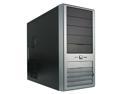
Rosewill R604-P SL 120mm Fan ATX Mid Tower Computer Case,with mesh air filters,adjustable vents & Tool-Free kits
Pros: Low cost, large exhaust fan, 80/90/120mm side vent, CPU cone vent with filter (nice!), slide-out hard drive cage, fairly easy tool-less 5.25" cage, front air filter with space inside for a 80/90/120mm intake fan to pull in air and push it across the hard drives (easy to install once you remove the hard drive cage) High quality case with lots of amenities. Covers on the floppy and USB/Audio jacks will help keep dust out. 2-tone front looks nice. Front intake dial is a nice touch for reducing noise (slightly) or increasing air flow.
Cons: Tool-less 5.25" mounts leave the drives recessed a bit. Would be fine if you had inserts with which to replace the "blank" slot covers with a button to eject the drive like some Dell towers, but I don't, and I didn't want to fuss over removing the tool-less mounting. My case is inside of a desk cabinet, so I don't have to look at it. Not a problem for me, might be for others. Slight cabling pain in the hard drive cage due to it being neigh-flush against the side panel. Round IDE cables are out of the question if you were planning on using them. Use the space next to the Floppy cage to route the cables to help keep air flowing over the drives and through the case.
Overall Review: Screw allotment could have been a bit more generous. My old case screws were *really* old and had the phillips holes almost rounded, and thus were useless. This one doesn't come with any to mount side or front fans. Using zip ties in the meantime until I can chase down some case screws. Floppy drive cage has room for 2, but case front only has space for 1, so if you have a card reader AND a floppy, you're going to have to figure something out. Be sure you have a standard-to-SATA power converter or extension if you plan on using a SATA power only hard drive. Or get a power supply with a long SATA power cable. Even at the top position in the hard drive cage, the cable is a bit tight in my case.
3/5/2007See more detail