
Your Browsing History


Axel O.
Joined on 12/28/04
0
0
product reviews
- 10
Exactly what you would expect.
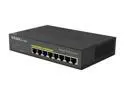
D-Link DGS-1008P Switches 4 to 10 Ports 8-port Gigabit Ethernet POE Switch
Pros: 4 POE ports Gb ports + 4 normal Gb ports, low power usage, and silent. Exactly what you would expect. Powers up a Cisco phone as well as two POE Network security cams no problem. According to kill-a-watt it uses much less power to power things via POE as opposed to power bricks.
Cons: Costs about 4 times what a non POE 8 port switch costs.
Overall Review: I didn't see any indication of poor build quality or experience any problems. I like it so much I'm ordering a second one for a different part of the house.
10/27/2012See more detail
Not as reviewed.

CORSAIR Flash Voyager GT 8GB Flash Drive (USB2.0 Portable) 256bit AES Encryption CMFUSB2.0-8GBGT
Pros: 8GB of fast flash.
Cons: Not as fast as the review sites said (30+MB/sec), more like 23MB / sec read. Devices went offline under Linux after 30-40 minutes and had to be reinserted.
Overall Review: Bought two of them, had same problems with both, returned both.
6/22/2007See more detail
If you can't get past 3000 on these, read this...
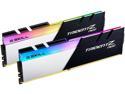
G.SKILL Trident Z Neo (For AMD Ryzen) Series 32GB (2 x 16GB) 288-Pin RGB PC RAM DDR4 3600 (PC4 28800) Desktop Memory Model F4-3600C16D-32GTZNC
Pros: Affordable, pretty to look at, high performance memory chips.
Overall Review: If you can't get these chips up to their rated speed of 3600 CHECK WHICH MEMORY SLOTS YOU USED. For my Asrock Creator (x570), it specifically tells you with one pair of dimms to put them in slots A2 and B2 on the motherboard. If you put them in A1 and B1 they will work but not at full speed. I was sure I had put them in A2 and B2 in my initial install, but nope, somehow I put them in the wrong slots. After moving them from A1 and B1 to A2 and B2, AND using the default XMPP memory profile, they work exactly as expected at 3600. Also note that having all four memory slots populated may reduce overall memory speed as well.
12/12/2019See more detail
2nd times the charm.
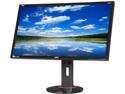
Acer XB280HK bprz Black 28" 1ms 4K UKD Widescreen LED Backlight G-sync Monitor 300 cd/m2 1000:1, Display Ports, USB 3.0 Hub
Pros: Games now have no tearing thanks to Gsync. No bad pixels. Seems to be calibrated pretty well right out of the box. Colors are bright and vibrant. Kill-a-watt shows 24 watts power usage with brightness set at 10 out of 100, which is what I leave it at. It was 48 watts at maximum brightness (100/100). I am running a pair of Nvidia GTX 680 2 GB in SLI on an i7-920. Games are playable at 4K with almost all settings at Ultra. Tomb Raider required Hair TressFX to be turned off or it was unplayable in 4K. After cranking up most of the remaining features on Tomb Raider, it was still hitting an average of 45 FPS and was playable. Crysis 3 felt fine, very smooth thanks to Gsync. The monitor works at 24Hz as well as 60Hz. When in Gsync mode, it obviously varies the refresh rates if required. This is your one choice if you want a 4K Gsync monitor. It's a good monitor, and Gsync means you can get away with a little less video card horsepower and still have great looking games. It does have a few minor faults, but I'm happy with this monitor and glad I gave it a second chance.
Cons: The first one of these monitors I bought was DOA, and you can read my previous reviews for the details. This monitor only has a DisplayPort input, and a USB 3.0 hub. Nothing else. It would have been nice to have multiple DisplayPort inputs. I am docking one egg off the rating because of this: The EDID does not appear to be correct for this monitor, and that will cause issues under Linux. (It works fine in Windows.) The EDID lists: Vertical Scan Range : 30Hz-70Hz which is incorrect. I believe it should be 24Hz-70Hz. As a result if you are using onboard Intel video that maxes out at 4K@24 Hz, in Fedora 20 Linux it will get the 30Hz minimum back on the Vertical Scan range and not work. The modeline: Modeline "3840x2160_24" 209.760 3840 3888 3920 4000 2160 2163 2168 2185 +hsync -vsync resolves that issue, but requires creating an xorg.conf or similar.
10/23/2014See more detail
Pixel Perfect and Power Saving
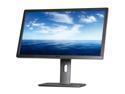
Dell UltraSharp U2713HM Black & Silver 27" WQHD IPS-Panel Displayport HDMI Widescreen LED Monitor 350 cd/m2 DC 2Million:1 (1000:1), height&pivot adjustable
Pros: 2560 x 1440, LED backlit, 0 bad pixels, no banding, USB 3.0 hub, no power brick. Good colors out of the box, comes with Color calibration sheet specific to your monitor. Monitor uses from 14-40 watts of power depending on brightness settings. The stand it comes with is beefy, and when removed, monitor allows for VESA mounting and comes with screws. Dell 3 year warranty.
Cons: When installing the cables on the back, the ports are hard to reach. Comes with DVI and VGA cable, but no Display Port cable.
Overall Review: I set my Brightness 10/100 and Contrast to 65/100 and it is using 18 watts of power measured on my kill-a-watt as I type this. I'll be able to use this monitor all day long and not worry about the power usage.
3/5/2013See more detail
A great daytime cam.

D-Link DCS-2310L 1280 x 800 MAX Resolution Surveillance Camera
Pros: For those of us who own the dcs-1100 and dcs-1130 by D-Link, this cam brings everything you like about them feature wise. Samba streaming is there, and the event driven notification is slightly more advanced. The picture quality is excellent during the day, and an upgrade over the 1100/1130 due to the extra sharpness from the higher resolution. The POE feature is great and this camera is very very green on power. I measured a watt or two with a kill-a-watt using POE. The night vision is great as long as you don't use it in absolute darkness.
Cons: The major con of this camera is the night vision in absolute darkness. It claims "See up to 15-ft in the dark" but I think that is stretching it a bit. It seemed to see more like 5 feet, if that. The upside is that if there is some light, as in not absolute darkness, the picture is fantastic at night. Our backyard is absolutely dark, and I had considered returning this camera since the night time image was unusable. However, after moving it to the front of my house, the ambient light at night from street lights is enough to provide for a fantastic night image. As an example, the dcs-932 could see much much further at night, and it costs much less. (But then the functionality isn't there for samba streaming and the like, and the resolution is much less.)
Overall Review: This is a nice camera as an upgrade from a dcs-1100/1130, and spoils you with its much higher resolution. As long as you go into it knowing that in absolute darkness it can't see more than a few feet, you shouldn't find any surprises.
10/27/2012See more detail