
Your Browsing History


Ryan D.
Joined on 09/27/01
0
0
product reviews
- 11
It IS a 4+4 12v cable...
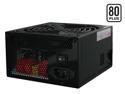
Thermaltake W0106RU 700 W Complies with ATX 12V 2.2 & EPS 12V version SLI Certified 80 PLUS Certified Modular Active PFC Power Supply
Pros: Awesome build quality, looks very nice. Tons of power. Installs easily, and is QUIET. Modular cables are very nice, as they help reduce clutter. Braided wrapping on cables are first-rate, and very tough.
Cons: Would be nicer I think, if the 4+4 pin 12v was actually separated into two separate 4-pin cables... As of now, I'm not too sure how common 8-pin 12v motherboards are... I think most people have 4 pins.. But no biggy - read below.
Overall Review: The last reviewer mentioned that this PSU comes with "an 8 pin" 12v cable. Don't let this scare you away if you have a 4-pin 12v board... True, there are 8 pins total, but the plug is indeed a 4+4 plug. This means you can simply separate the plug into two 4 pin 12v connectors. In fact, this plug easily splits (intentionally) right down the middle on each end via little pincher locks. You'll still have half a connector hanging unused on each end, but this cable will work on all 4 pin 12v motherboards. I suppose another option would be to truly separate this cable by undoing the braiding and heat-shrink, and removing the unused half... Too much work for me.
11/17/2006See more detail
Decent card for a great price
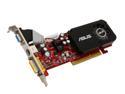
ASUS Radeon HD 3450 256MB GDDR2 AGP 4X/8X Low Profile Ready Graphics Card AH3450/HTP/256M
Pros: Was the only low-profile AGP DX10.1 card out there. Price is right. I've had good luck with Asus in the past for motherboards, and I know ATI makes good stuff - so I figured this could be a decent card for my HTPC.
Cons: The power input on the card, due to it's low profile design, will interfere with any neighboring slot, unless you manage to find a flat 4-pin molex. This didn't really affect my particular build, but I can see how it would be an annoyance.
Overall Review: I'm using this card in an old Dell Optiplex GX270 (P4 2.66GHz), as a HTPC. It squeezed in with a bit of cabling adjustment. Fired right up on a fresh install of Windows 7 beta 32-bit. I downloaded the latest drivers from Asus's site and they installed without any issue (a very fast install compared to previous ATI Cat software). It runs 1920x1080P via DVI-HDI cable on my 52" Sammy with all the visuals of Aero. Plays DVD and videos fine. I have not tried any games on it yet, but don't plan to use this computer for gaming... I have my big rig for that. I imagine this card would perform similar to an older X1800 class card. For $45, what else can I ask for?
2/5/2009See more detail
Update on bay panels
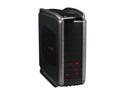
Cooler Master COSMOS S RC-1100-KKN1-GP Black Aluminum ATX Full Tower Computer Case
Pros: Update: To help reduce the drive bay panel movement further, I went to a local auto parts store, and picked up some automotive weather stripping (vinyl foam with adhesive backing) 3/16" thick, and 3/8" wide, which was an almost perfect fit inside the "lip" of the spring-loaded vertical doors on either side of the case. I basically cut 1/2" strips, centering them using the "notches" along the doors. Each piece of foam exerted pressure on the tabs of each drive bay panel, which greatly minimized movement. I had to omit a piece by the lock mechanism, as it made it too difficult to close the door due to the thickness of the foam. I'm happy to report that it seems to do the trick!
Cons: See initial review
5/1/2008See more detail
Additional remarks
Cooler Master COSMOS S RC-1100-KKN1-GP Black Aluminum ATX Full Tower Computer Case
Pros: See previous review
Cons: See previous review - and see comments below.
Overall Review: One of the cons I listed was that the mesh bay panels were very loose on this case. One thing I found to help this issue was to adjust the "bend" in the clips on each end. These clips are made of thin metal (I thought they were plastic at first), and realized that they bend very easily. Some of these were bent in more than others, causing them to fit much more loosely - almost to the point where they didn't even stay mounted. By GENTLY bending these clips out a bit, it caused them to exert more force due to the spring-like tension. Like I said, this helps, but doesn't cure the issue completely. I'm going to try placing some adhesive-backed foam tape along the inside ridge of the two vertical "doors" on each side of the case. My hope, is that this added thickness on the doors will allow them to secure the bays covers better by creating a more "snug" fit, and eliminating any room for them to move. I'll let you all know how it goes today.
5/1/2008See more detail
Beautiful and sporty
Cooler Master COSMOS S RC-1100-KKN1-GP Black Aluminum ATX Full Tower Computer Case
Pros: The Pros of this case are many - *It is packaged very well, and arrived undamaged. The looks are both elegant and sporty (although I did have a hard time deciding between this case and its predecessor. The all-aluminum construction makes it surprisingly light for its size, contrary to the many other opinions (maybe I'm just strong ;-)) It has a beautiful finish on both the interior and exterior. There is plenty of aluminum mesh paneling to provide maximum heat dissipation. There's TONS of room inside, allowing for future upgrades and large video cards. The bottom-mounted PSU is a plus, as for some reason, this arrangement just makes a case look nicer IMHO. It also keeps the center of gravity lower, so that you can't knock your case over as easily. The cable management holes on the motherboard tray (non removable by the way) allow adequate hiding and routing of excess cables. The top front I/O panel is nice and is backlit in red, along with the power touch sensor (very cool)
Cons: While the mesh panels on the front are very nice looking, and also serve a good purpose to help air transfer, they are a bit loose (they can deflect up and down a bit. This doesn't ruin the case, but it would have been nice if they were a bit more fixed in place. For the price, it would have been nice for Cooler Master to load this thing up with fans everywhere it supports them. This case comes with the big 200mm side panel fan, the front HD bay fan, a rear exhaust fan and ONE top fan (it supports 3). The top of the case is a large, removable, "sculpted" metal mesh panel. While some may not see this as a con, I would have preferred that it be FLAT, as to allow the placement of small peripherals (ipod, DV cam/dock, etc), since the I/O panel is also on top. Due to the "roof-peak" shape, you really can't put anything on top without it sliding down and resting against the top handlebars. Not that big of a deal though, as it DOES look cool.
Overall Review: The W.A.F. (wife approval factor) of this case is a bit mixed. She likes the looks, but hates the fact that it's so much larger than the old Lian Li case it replaced. She doesn't understand why we "needed" to move the components into a larger enclosure, since they fit (snugly) in the old one. The red LED's make this thing look 'hellish' - which I like. I may make the move to water cooling, but apparently CoolerMaster's own Aquagate (which they advertise as an accessory on the Cosmos S box!) DOES NOT FIT without modifications. Besides, it's GREEN. If I want to add a water kit, it's gonna have to be RED like the rest of the lighting. I don't want it to look like a frackn' christmas tree. I'll wait for CoolerMaster to sort that issue out...
4/30/2008See more detail
Great drive - make sure you enable 3GB/s!
Seagate BarraCuda 7200.10 ST3250410AS 250GB 7200 RPM 16MB Cache SATA 3.0Gb/s 3.5" Internal Hard Drive Bare Drive
Pros: Large capacity, fast - very thin! Seagate performance and reliability... Amazing drive for the price!
Cons: wrapped in bubble wrap, but that's what I expected for OEM at this price. No big deal.
Overall Review: Some others have mentioned the need to remove a jumper to enable "SATA II mode". It's not really SATA II mode, but rather enabling 3Gb/s versus 1.5Gb/s performance - which has nothing to do with SATA II - at least not exclusively. The drive ships with the jumper on - which limits performance to 1.5Gb/s. If your motherboard/SATA controller supports 3Gb/s bandwidth, all you need to do is remove the jumper (which is tiny). I placed mine back on one of the pins, orientated vertically (so it's not jumping anything), that way I have it handy, just in case I need it again, as I'm sure I would lose it if I kept it elsewhere. I can't imagine why I would ever need it, aside from some unforeseen compatibility issue down the road, but you never know.
10/22/2007See more detail