

Your Browsing History


Richard S.
Joined on 07/27/04
0
0
product reviews
- 24
Works for me, though built in WIFI is 'slow' using the provided antennas
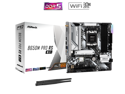
ASRock B650M Pro RS WiFi AM5 AMD B650 Micro ATX Motherboard
Pros: Lots of M.2 slots (including one supporting GEN5) Wifi is present, although performance is marginal
Cons: No Digital Audio port. (SPIDF would be nice) WIFI performs poorly on 5G, that might be due to the cheap antennas provided in the kit.
Overall Review: A new Ryzen 9600x came right up with no issues, I didn't check for newer BIOS. The layout is nice, and the MB is stable so far. I have not attempted any OC tuning.
11/14/2024See more detail
Bad Blocks.
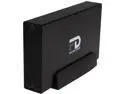
MICRONET GFP3000EU3 3TB PROFESSIONAL USB 3 ESATA
Pros: Linux Compatible as well. Just divide the drive into multiple partitions (NTFS, EXT4, whatever). But, be sure to test the drive during formatting (or before formatting) - mine has lots of bad blocks, and they weren't marked at the factory. :( The aluminum enclosure helps to keep it cool as well.
Cons: Lots of unmarked bad blocks are present in my drive. Using USB 3.0, read/write testing of my Linux partition (ext4, 1.6TB, 'e2fsck -vcck /dev/sdc2') will take about 40 hours. Maybe that issue is caused by my MB interface, but I have just bought an eSATA bracket, so that I can run with that interface on the back of the computer.
Overall Review: So, if you buy this drive, be SURE to read/write test for bad blocks - before or during format of the drive. Without such testing, your backups can't be trusted. I'm using the drive for backups, not "production".
7/20/2014See more detail
Awesome for the price
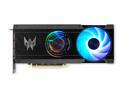
Acer Predator BiFrost Arc A770 Video Card Predator BiFrost Intel Arc A770 OC DP.BKCWW.P02
Pros: Great for video encoding on Linux
Cons: Not a top performer for Games on Windoze
Overall Review: You should probably consider spending more on a better card, but this one does a great job in my "no games" Linux box. I encode and transcode videos, using Intel software with the card.
12/6/2024See more detail
Main MB cable was long enough for my 9 bay case) It is quiet.
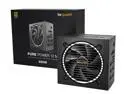
be quiet! Pure Power 12 M 850W ATX 3.1 / ATX 3.0 Power Supply | 80+ Gold Efficiency | PCIe 5.0 | 2 12V-rails | Overclocking GPU Support | Modular PSU | 10 Year Warranty
Pros: Very quiet when only running 500-700 watts. High efficiency lets the fan stay really slow!
Cons: None - but the 16+4 main cable WAS was long enough for my case and motherboard combo.
Overall Review: Nice PSU, replaces a smaller Seasonic (still working after a dozen years) which can't handle my new video card. As other complained, the 16+4 motherboard cable is perhaps not be long enough to reach the MB in really big ATX case,s or in medium towers like mine with dual graphics cards or MotherBoards with that main connector offset towards the upper corner by too much. It isn't long enough to reach through E-ATX cases with separate "cable management sections. Two PCI cable assemblies each provide dual 6+2 connectors. The PCI 5.0 connector is only for 12-pin connections (not 8 or 6). It's rated for up to 600 watts, but I'm not sure that any device demanding THAT kind of power connection should be run in a system where the PSU provides only 850W total for everything combined.
12/6/2024See more detail
Works great, no issues.
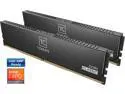
Team T-CREATE CLASSIC 32GB (2 x 16GB) 288-Pin PC RAM DDR5 5600 (PC5 44800) Desktop Memory Model CTCCD532G5600HC46DC01
Overall Review: BIOS found all the timings. I have not attempted OC.
11/14/2024See more detail
Super quiet and effective - but VERY TALL. Be sure to check clearance in your case.
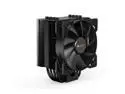
be quiet! Pure Rock 2 CPU Air Cooler | 150W TDP | LGA 1851 1700 1200 2066 1150 1151 1155 2011(-3) Square ILM Compatible | Intel and AMD 4/5 CPU Cooler | Black | BK007
Pros: Inexpensive, super quiet, and very effective. Easy to install for AMD-5 (though Intel seems to need more parts)
Cons: Very tall. The screws which attach the clamping crossbar to the upgraded motherboard clamps (provided in the kit) are slightly short, and hard to get started.
Overall Review: Except for the fact that it won't fit in smaller cases, this is a 5-star product. With e new AM5 motherboard, I did not even need access to the back plate - just remove the two "original-type" cooler clamps and replace with the longer clamps (mounted on the longer sides) which are provided within the kit. Then set the cooler in place, slide in the clamping crossbar and screw that into the new clamps. I did not not need to access the back of the AM5 motherboard, the "new clamps" uses the four rising "screw socket posts " which are already present on every modern AMD CPU socket assembly. The kit adds 4 spacers to make those sockets taller, and provides 4 longer screws to reach into the original socket post threads. The replacement clamps mount on the long sides of the CPU socket, using those extended screws and spacers. After setting down the cooler, It is clamped into those side clamps with a slightly flexible crossbar. The screws for that crossbar (into the replacement clamps) are a bit short, slightly hard to get started. The kit does not provide a torque value for those screws (NM or Inch-Pounds),, specifying only that they be tightened to a german word I would ranslate as "comfortably firm". This cooler is overkill for a 65-watt rated CPU which is on the MB, and it could probably do a decent job with even a "170 Watt" CPU if you added a second fan to the cooler. A single fan is provided, it could support two.
11/14/2024See more detail