
Your Browsing History


Frank L.
Joined on 01/29/07
0
0
product reviews
- 34
Hardware based
Rosewill RNX-56USB - Modem - Conexant Hardware-Based 56Kbps USB (Plug & Play) V.92 Data / Fax / TAM – Windows 7 Ready
Pros: Hardware based, so it is compatible with Linux out of the box, windows drivers work good for basic use., External so it doesn't use a valuable PCI slot in my micro-atx motherboard, and USB so I can use it in my Acer Aspire One, too.
Cons: Driver is very minimalistic, there is no Modem On Hold software, caller ID, or V.92 configuration utilities with it that I can see. Connection isn't as fast as an old Lucent-based v.90 PCI Winmodem that I have (averaging 31.2k instead of 36k).
Overall Review: Works good enough for me, but MOH software would have been really nice to have. I use it on Windows XP Pro and Ubuntu Netbook Remix. Disc includes drivers for Win 98/ME, which surprised me a little.
6/9/2009See more detail
DANGER: FIRE HAZARD!!!
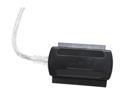
SYBA SY-U2SAIDE USB 2.0 to SATA/IDE Adapter with Power Adapter
Pros: The adapter itself works, for the most part. Drive detection is a little flaky sometimes. Price is good.
Cons: Power adapter about caused a fire on my desk. The main capacitor exploaded while I was burning a CD with my netbook, the plastic case started to melt, and it cracked apart, I got a couple blisters unplugging the power cord from it (main plug is down behind my desk). The DVD-burner I was using did not exceed the power rating, the drive is rated 1.5A on both 5V and 12V, the included adapter is rated at 2.5A on each.
Overall Review: This is probalby what cause my new 500GB hard drive to go bad.... I already RMA'd that. I'm not going to RMA this, the adapter works, and that's what is most important. I can use an old AT-style PSU to power the drives, I've got about a dozen of them. I'm not going to say all out and don't buy as the adpater itself is pretty decent, but WATCH OUT FOR THE POWER SUPPLY!!!!!! I've had laptop-style PATA drives, standard PATA, and SATA hard drive on it just fine, and a PATA DVD-burner that I booted and installed Windows from it, and burnt some CDs with it. Oh, and it is a "USB Mass Storage Device" class, so no drivers are needed for most operating systems.
11/12/2009See more detail
No bad at all!
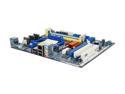
ASRock N68C-S UCC AM3/AM2+/AM2 NVIDIA GeForce 7025 / nForce 630a Micro ATX AMD Motherboard
Pros: Excellent compatability, stability, and feature set. Not too pricey.
Cons: Its a bit more expensive that I would have liked to pay for a socket AM2 motherboard, but not bad at all. only two usable RAM slots For me its a con that the PCIe x1 slot is above the x16 slot because I have no cards to use in it, but could have used both PCI slots (one PCI slot is used by an after-market fan for my video card since the original one on it died)
Overall Review: I bought it to set up a Windows 7 machine with some parts I had laying around, and used an AMD Athlon 64 X2 5600+ socket AM2 processor. Works just fine using Win 7 Professional 64-bit and 2GB DDR2 800 (2x 1GB). My primary rig has a variant of this board that only supports DDR2 RAM and has been running pretty much 24/7 for over a year now.
4/2/2012See more detail
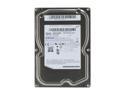
SAMSUNG EcoGreen F2 HD103SI 1TB 5400 RPM 32MB Cache SATA 3.0Gb/s 3.5" Internal Hard Drive Bare Drive
Pros: Very quiet in operation, excellent price, runs cool.
Cons: To set this drive to SATA 1.5Gbps mode you have to use special software from Samsung and burn it to a CD or put it on a *gasp* floppy disk. How are you supposed to do this when you don't have access to a system that supports SATA 3.0Gbps drives?
Overall Review: I bought it to put in an external enclosure that, sure enough, required SATA 1.5Gbps. Thankfully I had a way to switch the interface speed over. I've never had a Samsung hard drive let me down.
10/27/2010See more detail
Sata 1.5Gbps
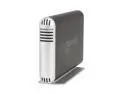
acomdata SMBXXXU2FE-BLK 3.5" Obsidian Black USB & Firewire External Enclosure
Pros: Good price for an enclosure with firewire, sturdy, good xfer speeds.
Cons: Have to set SATA drive to 1.5Gbps speed. Normally not a big deal if this is done with a jumper, but with the Samsung drive I used with it I had to do it with software before I installed the drive in the unit. Also, I wish the holes for the drive mounting screws were round so that the drive could be lined up better. They are sort-of rectangular shaped with a slit coming off in one direction.
Overall Review: Using it with an iMac G4 as a file server. Installed a 1TB Samsung EcoGreen 1TB hard drive.
10/27/2010See more detail
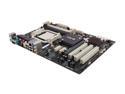
ECS IC780M-A2 (V1.0A) AM3 AMD 770 ATX AMD Motherboard
Pros: Stable, good price, 4 RAM slots, plenty of features, BIOS not difficult to navigate, good documentation, though a little confusing about ram installation...
Cons: nothing noteworthy
Overall Review: Saw a spelling error in the BIOS setup, included disc is a DVD, not a CD.
4/22/2010See more detail