
Your Browsing History


Gerald M.
Joined on 10/12/05
0
0
product reviews
- 9
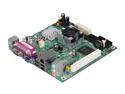
Intel BOXD945GCLF Intel Atom processor 230 Intel 945GC Mini ITX Motherboard / CPU Combo
Pros: Very nice! I've been building little computers (to fit in a lockable file drawer is my main requirement) for several years. This is the first one capable of doing all the normal desktop tasks that might be required, and still have enough horsepower to do a good job on DVD playback. It can do everything I need, fast enough. (I wouldn't use it for high-end graphics work, but that's not why I bought it.)
Cons: A little too nice! I ordered it, planning to turn it into a Linux Samba server. I may have to take another look at my old VIA Mini-ITX box for that task.
11/21/2008See more detail
Wonderful
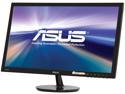
ASUS VS248H-P 24" 1920 x 1080 Full HD VGA DVI HDMI Asus Eye Care with Ultra Low-Blue Light & Flicker-Free LED Backlit LCD Monitor
Pros: Absolutely perfect for what I wanted. I needed two identical monitors to sit side-by-side for some CAD drawings. So I bought two. The drawings are done, but the monitors are being put to work. One replaced the small HD TV I'd been using. Beautiful picture!
Cons: This is actually a "pro" for me, but might be a "con" for others. The connectors are on the back, just below the mounting holes for a projector mount. It might be challenging to take the monitor off the stand and put it on a mount.
7/26/2011See more detail
Strange but Useful
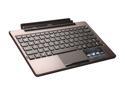
ASUS TF101 Docking Station with Keyboard and Built-in Battery for Transformer Tablet
Pros: The main reason I bought ASUS, is because ASUS has been reliable in all products (motherboards, PDAs, etc.) Not the fastest, maybe, but it always worked for a long time. The "Netbook" AND "Pad" with a 16 hour battery life intruiged me. I suspect the 16 hours is to keep the ads beliveable - it's going to be closer to 20 hours, the way I use the device. Getting the USB ports and SD card slot are bonuses.
Cons: It's not as easy to get the proper connection when plugging in the "Pad" part with the "Keyboard" part as shown on the sales videos. I've learned to take care. The complaints about not being able to charge the battery from a PC is almost valid. The cable to connect the device (pad or keyboard or both) is the first USB cable I've seen like this. It's wired to prevent charging for anything other than the ASUS charger. You can connect the device to a PC with the cable, but you cannot charge it. That doesn't bother me. The fact that I can't use any of my other USB based charging power supplies does. I'm dependent on the supplied charger and cable. If either dies, I'm dead.
6/23/2011See more detail
Very good, but not excellent
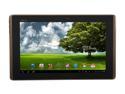
ASUS Eee Pad Transformer (TF101-A1) 1GB DDR2 Memory 10.1" 1280 x 800 Tablet Android 3.0 (Honeycomb)
Pros: Much better than expected, considering how new Android is to the Pad series of devices. It was purchased primarily as a tool to learn Android. It has exceeded my expectations - and I expect a lot. Most of the aggravations experienced (and expected) were due to my ignorance. Every day a "problem" gets resolved as I learn to use the device properly.
Cons: Not for the novice, or anyone who expects a cheap iPad. It's better than the iPad in many respects, but when my daughter asked, "What do I buy, Dad?" I recommended the iPad for her. She wanted ease of use and didn't care about the cost - and didn't want to learn how to "get around" problems inherit in an evolving OS.
6/23/2011See more detail
Very good portable speaker
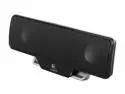
Logitech Z205 Laptop Speaker
Pros: Decent sound, small size, portability. Standard USB cable (same as those that connect small external hard drives).
Cons: It is a bit tricky to get the volume just right, but that's true of all USB speakers I've used. My notebook computer automatically adjusts when I use these speakers vs. the built-in speakers.
2/9/2011See more detail
Very nice!
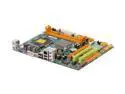
BIOSTAR G31-M7G DVI LGA 775 Intel G31 Micro ATX Intel Motherboard
Pros: Very good bang for the buck! I bought it as a possible base configuration for instructor computers at a tech school. The HDMI and VGA outputs allow the elimination of a video splitter and another cable or two. Performance is quite satisfactory.
Cons: None.
8/13/2009See more detail