


Your Browsing History


Seth L.
Joined on 01/05/07
0
0
product reviews
- 9
Works well
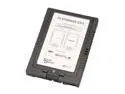
SANS DIGITAL ST-SAN-CS1T SATA Compact Flash CF to 2.5” SATA Enclosure
Pros: Takes a CF card and turns it into a SSD SATA drive. The BIOS can't tell that its not an SATA HD. Does exactly what it claims. It also has a nice form factor (most CF to IDE/SATA adapters are not 2.5/3.5" HD form factor and presumbaly the reason for pluggin a CF card into such an adapter is to turn it into a cheap SSD and use like a HD. Very pleased with this product. Although next time I might invest in the one that takes 2 cards instead of one.
Cons: It costs more than most CF to IDE/SATA adapters. Not much of a con really though since this one works and the rest don't seem to.
Overall Review: Transcend memory works fine it. However, the card MUST support UDMA (preferably UDMA mode 4). This really isn't a con if you are buying all the parts new, but might be a consideration if you are trying to use an old CF card you already own.
11/21/2008See more detail
Not compatible with most CF cards
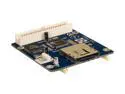
SYBA SY-IDE2MC-4A IDE to Memory Card Adapter
Pros: Supports SDHC.
Cons: Does not support most CF cards (offically only tested/supports Kingston and Sandisk, accoring to Syba tech support).
Overall Review: The first one was bad, but newegg replaced very quickly. The second one appears to be good (it works with all my SD cards), however, it did not work with my Trancend 4GB CF card. Despite claiming to support the compact flash standards, after emailing Syba tech support they told me to get a new CF card and that I should stick with Kingston or Sandisk. There is nothing wrong the Trancend card as it works in _every_ other CF reader I can find and at the full 266x speed (or close to it). If you are looking for an SD to IDE adapter this could work, but if you (like me) wanted CF to IDE, look else where.
11/2/2008See more detail
Nice drive, poor mounting bracket
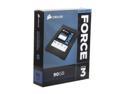
Corsair Force Series 3 2.5" 90GB SATA III Internal Solid State Drive (SSD) CSSD-F90GB3-BK
Pros: Very fast SSD. Decent price. Large enough for the OS partition. I would definitely buy this again and if I find a use for another SSD I would buy this (or some other Corsiar Force 3 drive).
Cons: The mounting bracket it came with is not a true 3.5" size. It is the correct width, but not the correct length. This is the only reason I docked it one egg. I have an Antec P180 case, all the 3.5" bays require a full size 3.5" drive to mount (the case uses a special noise dampening mounting system thus it does not have all the 3.5" holes, just the outer 4). This means the mounting tray that comes with this drive will not fit in an Antec P180 case.
Overall Review: If your going to include a bracket to convert a 2.5" drive to a 3.5" bay then it should have all the standard 3.5" mounting holes. Just be aware of your mounting needs. This will not be an issue for most cases. Quick release cases should pay careful attention as well, many of those will not work with the included mounting bracket.
11/26/2011See more detail
Ends broke off
Cables Unlimited - Toslink Digital Audio cable - 12 FEET
Pros: I was cheap
Cons: The ends (yes both) snapped off INSIDE the devices it was connecting (one of these devices was an expensive sound card). I had to carefully drill out the connector. These snapped with almost no force applied! Be very wary with this cheap cable. The connectors are far more fragile that the optical interior (the clear optical core was intact, just the connector broke off in the devices).
Overall Review: You get what you pay for. This cable does function, at least until it breaks.
3/18/2009See more detail
Works as expected
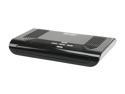
KWorld KW-SA220 External TVBox 1680ex w/ YPbPr 1080i Signal Input
Pros: Does what it says. I play my Wii on my Acer 19" LCD at 1440x900 with no lag. Device does not appear to add lag to anything (either PC or secondary inputs).
Cons: Even though it has Composite, S-Video, and RGB, only one at a time can be plugged in (not a big deal, but if you want to swap devices you will have swap cables around too). It only supports 60Hz refresh rate at 1440x900 and above (75Hz if you run lower resolution). My LCD had issues auto adjusting the picture when usin this device, however that can be solved but connecting the LCD to the PC directly and adjusting then adding the TVBox after the screen is adjusted. Picture in Picture is a little blurry (text can still be read, but its difficult).
Overall Review: It does what it said it would do so I cannot complain. However, it is lacking some features (DVI, multiple inputs only VGA and one of Composite, S-Video, or RGB at a time). I bough it so I can play my Wii on my LCD with no lag (I have a TV tuner, but that added about 1 second lag). Built in speaker is grabage, but not really an issue.
12/2/2007See more detail
Works with Suse 10.2
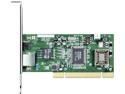
D-Link DGE-530T Gigabit Desktop PCI Adapter
Pros: Full duplex Gb LAN connection. Native Suse 10.2 support (use skge)
Cons: none
Overall Review: I use this is a backend NIC to my suse 10.2 server for NAS and other LAN services.
10/20/2007See more detail