
Your Browsing History


SEVAL G.
Joined on 11/16/04
0
0
product reviews
- 5
Works as promised
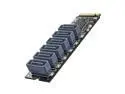
ORICO M.2 PCIe M Key to 6 x SATA 6Gbps Adapter Card for Desktop PC Support RAID-PM2TS6
Pros: Bought Asus 690 TUF motherboard with 5 m.2 slots and only 4 motherboard SATA connectors. I needed more SATA connectors for the file server. Bought 2 of these to connect 12 additional drives. Everything works without any driver install or problems. Speed is the same as the motherboard SATA ports. Came in nice package with screwdriver and m.2 standoff and screw.
Cons: Not really a big con but as this adapter is relatively thin, it makes sense to connect all SATA cables first and then put it in the m.2 slot as plugging in those SATA cables after could bend/break it.
Overall Review: Highly recommended, worth the money if you want to convert m.2 slots into SATA slots.
1/12/2023See more detail
Dead Drive
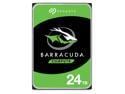
Seagate BarraCuda ST24000DM001 24TB 7200 RPM 512MB Cache SATA 6.0Gb/s 3.5" Internal Hard Drive Bare Drive
Pros: Very well packaged by Newegg with triple bubble wrap. Unfortunately, a defective drive packaged and shipped very carefully is still a defective drive.
Cons: Seems to be one of those defective Barracuda drives. I was able to format it but trying to transfer any files to it makes the drive disappear after 10-15 seconds.
Overall Review: As happened to many here, the drive shows up and lets itself get formatted but trying to transfer any files to it makes it disappear completely. It comes back after 20 seconds and again, any attempt to transfer any files to it makes the drive disappear after only 10-15 seconds. Temperature never goes above 50C. Seatools long test stops after a couple minutes as the drive does not exist any more. "Seatools Test Failed". Seagate has apparently stopped any kind of quality control with these Barracuda drives. It is pathetic.
6/27/2025See more detail
Excellent so far
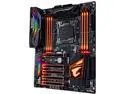
GIGABYTE X299 AORUS Gaming 7 (rev. 1.0) LGA 2066 Intel X299 USB 3.1 ATX Intel Motherboard
Pros: 3x NVMe SSD, Gigabyte TB3 offers 2 ports versus 1 on Asus. Easy to overclock the 128 GB of memory (G.Skill 16GB x 8) from 3200 to 3400 MHz. Overclocked the i9 7920X (12 core) to 4.6 GHz on all cores. Rock stable so far.
Cons: None so far. Only wish: should have come with TB3 AIC for the price.
Overall Review: I am writing this review to enter the Gigabyte Review Reward program.
9/23/2017See more detail
Not ready for prime time

TP-LINK Talon AD7200 Multi-Band Wi-Fi MU-MIMO Gigabit Router
Pros: got it for a good price
Cons: Set it up, made sure it had up to date firmware. It would work for 5-10 minutes and then wired and wireless internet and the attached USB hard drives would disappear. You could not access the router using the standard webaddress at 192.168.0.1. The blue LEDs were solid but looking at the iPhone, Samsung Galaxy Note 3, Macbook Air, Macbook Pro and an HP laptop running Windows 10 the different bands 2.4 and 5 GHz for main network and guest network would come and go randomly. I rebooted and reconfigured multiple times only to see internet gone within 5 to 10 minutes. I think the router just locked up. The blue LEDs would show that everything is working fine but actually nothing was working (wired internet, WiFi, USB hard drives Seagate 8TB and WD 6TB). After spending 6 hours to get it work (there was no internet outage by Time Warner Cable) I gave up and filled out the forms to return it. I plugged my Apple Timecapsule in which worked great (didn't have to reboot it in over 3 years). While it was working for those couple minutes I noticed that the signal on the 2.4 and 5 GHz bands was actually weaker than with the Apple Timecapsule. In the downstairs bathroom I could get 2 bars with the Apple and only 1 bar with the TP-Link.
Overall Review: May give it another try once they fix it and get it to work reliably. It was a waste of over 6 hours of my time.
7/18/2016See more detail
Worked great for 1 1/2 years
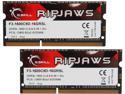
G.SKILL Ripjaws Series 16GB (2 x 8GB) 204-Pin DDR3 SO-DIMM DDR3L 1600 (PC3L 12800) Laptop Memory Model F3-1600C9D-16GRSL
Pros: Worked great in 27" iMac for about 1 1/2 years. 4 of these gave me 32GB. Computer started crashing, memory test showed memory in slot#4 to causes errors. Replaced memory in slot #3 and #4 with original memory sticks and everything worked well again.
Cons: Failed after 1 1/2 years.
Overall Review: I will see how arduous the RMA process will be. Just filled out the questionnaire on the G.Skill website.
3/1/2015See more detail