




 here!
here!
I’m your shopping assistant for PC builds, upgrades, and everything tech.
Got questions? Ask away!
Start a conversation
here!
I’m your shopping assistant for PC builds, upgrades, and everything tech.
Got questions? Ask away!
Start a conversation

Joined on 01/29/07
AWESOME
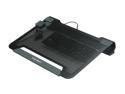
Pros: wow, I have only had this cooling tray for one day and I am very pleased with my decision. The angle is great, the fans are super quiet and the placement of the fans is very versatile. I set it up in about 5 minutes. I am now able to move the air where it is most effective. I needed three fans in specific places(hard drive, ram and CPU) The overall design keeps my laptop noticeably cooler to the touch than what my previous tray did. Stop looking and by this one. Avoid plastic trays (they don't disperse heat very well simple thermodynamics) and that one fan nonsense.
Cons: I would not travel with this cooling tray b/c I would be afraid of damaging the mounting pins on the fans. However, If you wanted to remove the fans and just travel with the tray that would not be an issue.
Overall Review: I read a review of this tray on another website and they claimed their laptop slipped off and they had to brace it by propping it up. This is probably due to the fact that the person removed the rubber non slip bumpers from their laptop and/or they have a poorly designed machine. I have a large 17" widescreen laptop and it rests very nicely on the tray. Avoid plastic trays they don't disperse heat very well, it's simple thermodynamics.
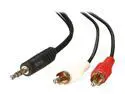
Pros: It worked well when I first got it.
Cons: After 6 months it developed a short in the connection and now it works when it wants to. It also can't handle much power going through it.
it works
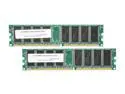
Pros: it works
Cons: its not 16 gb
Overall Review: it works
Not Bad
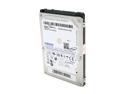
Pros: Not too expensive, and efficient.
Cons: It isn't a solid state drive.
Overall Review: I wanted a solid state drive, but couldn't afford it. This was the next best thing for me.
Awesome
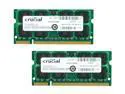
Pros: My 3d modeling programs like cad and sketch up run so much smoother now. Now I can really notice a difference in the performance when I adjust video settings.
Cons: Expensive
Overall Review: I was running 3gb in my hp pavilion dv9700 that I bought two years ago(2008). My 3d rendering programs (2010-2011 versions) were slow, lagging and had video issues. I decided to spend the extra money for Crucial brand ram for its reliability and I am not disappointed. I now have no issues with performance after upgrading the ram. I also use a 64bit Windows Vista Ultimate OS. This means I can run these programs simultaneously and now there is plenty of ram to do this easily and smoothly. Remember, a computer is only as fast as your slowest component. Therefore, if you upgrade ram, but don't have the processor/OS that can handle it don't bother.
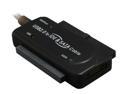
Pros: Works well so far. Newer hard drives don't require the power adapter (USB provides enough power), therefore I haven't had any of the issues that many other people have.
Cons: none thus far


