




 here!
here!
I’m your shopping assistant for PC builds, upgrades, and everything tech.
Got questions? Ask away!
Start a conversation
here!
I’m your shopping assistant for PC builds, upgrades, and everything tech.
Got questions? Ask away!
Start a conversation

Joined on 02/22/02
Won't work with Dell XPS Rev2
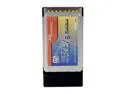
Comments: Got this card along w. the bytec external enclosure. As the reviewer below me stated. However I can hook it up to my desktop perfectly with no problems. (not using this card). However when I connect this to my laptop via the card it causes it lock up at a random interval. Sometimes within the first 10 megs of copying to the laptop sometimes it will get 400 meg files.
Do not modify this
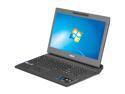
Pros: Computer worked great in it's initial configuration. Is easily upgradable (LOL)
Cons: I got this notebook with the intention of installing a second drive (SSD) and maxing the RAM. To add the secondary hard drive there is a ribbon connection to a small hdd board that connects to the drive. They include this part in a ziplock bag taped to the manual. Unfortunately this part has a micro sized clip that holds the ribbon in place and it was broken and floating in the bag. I went ahead and upgraded the ram and moved the factory HDD to the secondary slot (not connected) and put the SSD in the primary and installed Windows 7 (didn't want the bloatware) and got everything running great. I just now needed to get a replacement board. So I called ASUS support to get a replacement but was told that I had voided the warranty by installing the SSD hard drive and they would not send me a replacement part. I could RMA the whole notebook which there is nothing wrong with I just need the part to activate the other hard drive. Which they won't do as it's 3rd party (120gb SSD).
Overall Review: You would think that with the "feature" of it being easily opened with one big screw in the back (that i used a nickel to open) has easy access to the memory and drives and it includes the part to add the secondary drive that this would not be the case. I will never buy an ASUS product again with how the support department operates.
2 USB ports?
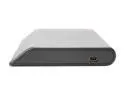
Pros: It's portable and 160 gigs.
Cons: 2 usb ports are taken up w. the cable. I tried just using a standard 1 port cable (from a 160g western digital passbook) and get write errors like crazy. With the supplied 2 usb port cable it seems to work fine w. transfers of 15-16 MB/s (9g transfer) Of course the WD one transfers at the same speed is the same size and only takes up 1 usb port
Overall Review: Get the Western Digital Passbook unless you want an extra usb slot taken up.
Purchased 3 for my company
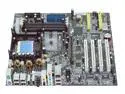
Comments: I Purchased 3 of these for the company I work for and 2 of them have had to be RMA'd. They worked great for awhile then I got the dreaded 26 error code after 3 months for the first one and the other one went out a month later. Couldn't get more than 2 sticks of RAM loaded (512 Corsair XMS 3500 CAS2), middle ram slot will not take additional 3rd. 1 and 3 work though. Also might want to check out the link provided. About possible problems with the MAX series motherboards.


