
Your Browsing History


Scotty A.
Joined on 08/19/01
0
0
product reviews
- 4
Buy something else
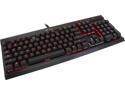
Corsair Gaming K70 RGB Mechanical Gaming Keyboard - Cherry MX Red Switches
Pros: Lighting is nice when you can get it to work.
Cons: I have been a loyal Corsair customer for years, but this is the worst piece of pc gear I have ever owned, next to Corsair's 1500 headset. From the moment I plugged it in nothing but problems. My pc starting having boot issues and it took me a couple of hours to figure it out . I have the Maximus VII hero, and I googled it and found several pages of people with the same issue. If you are running a Z97 or Z99 MB, beware. This keyboard has known issues that will prevent your pc from booting, or vastly increase boot times. When you finally get it to boot, then you will find the CUE software to be the most user unfriendly, most unstable software you will use. Its utter garbage. It crashes continually, and you have to close it out and restart app to get the lighting effects and gaming profiles working again. Also has known issues working and playing nice with steam. Purchased the M65 rgb mouse to go with it, and I immensely regret it. Corsair, stick to memory, power supplies, and cases. Anything relating to software is not in your wheelhouse.
Overall Review: If you absolutely must have an rgb keyboard, try another brand.
3/24/2015See more detail
Still Prefer Asus
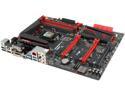
ASUS ROG MAXIMUS VII HERO LGA 1150 Intel Z97 HDMI USB 3.0 ATX Intel Gaming Motherboard
Pros: Excellent onboard sound, uefi bios user friendly, great color scheme.
Cons: I have had boot issues with this board since I installed it last August. Sometimes when I power up the boot process starts, then stops on the ROG screen where it states press delete or f2 to enter bios and it just sits there. I do not overclock, so that is not the issue. It is completely unresponsive to keyboard commands, and pressing the power or reset button results in shutting off the pc for about 5 seconds and the process starts over. The only way i have managed to fix this is remove all cables, cards, and clear cmos. Have had to do this several times. Bios updates didn't help either. It did it again yesterday, and nothing I've tried has worked this time. Now it has a black screen when powered on. Tested/swapped memory, video cards, and power supply with no change. Pulled it out and ordered a different board, the Z97 deluxe. This board seems to be plagued with design flaws since you can google this issue and find many people have experienced this and similar issues.
Overall Review: I am still a huge fan of Asus products and have built dozens of computers using their boards and video cards, and this is the first dud I have ever received.
3/19/2015See more detail
DO NOT USE AUTO TUNE !
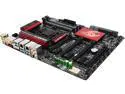
GIGABYTE G1 Gaming GA-Z97X-Gaming G1 LGA 1150 Intel Z97 HDMI USB 3.0 ATX Intel Motherboard
Pros: Looks
Cons: 1.Tried to use XMP profile for memory, but it would not read it correctly. tried to set manually, but tRC setting not in bios. 2. The CPU_OPT, SYS 1 and SYS 2 fan headers would quit working. Check in APP center and was reporting no fans were connected. Clear CMOS would bring back online. 3. Auto tune utility useless, set my cpu voltage to 1.5v to go to 4.6.
Overall Review: These are just some of the problems with I experienced with this board. It seems to have a half-bake bios. Tried new F6, didn't help. Have built many pc's over the years, and this by far is the worst experience I've had. Expected more for my 300 bucks. I have always used Asus, but liked the looks of this and gave it a try. Never again. Junked it and went back Asus.
7/1/2014See more detail
Will not run at 2400
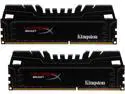
HyperX Beast 16GB (2 x 8GB) DDR3 2400 (PC3 19200) Desktop Memory Model KHX24C11T3K2/16X
Pros: Looks nice.
Cons: Will not run at 2400. Enabled XMP profile in bios, wouldn't boot. Then loaded values manually including voltage and still would not boot. Having to run it a 2133, and its stable at this speed. Got this for my GA-Z97x-Gaming G1 running F6 bios.
6/30/2014See more detail