
Your Browsing History


Paul F.
Joined on 04/06/04
0
0
product reviews
- 28
A Little Dab Will Do Ya'
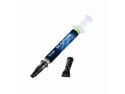
GELID Solutions GC-Extreme Thermal Compound
Pros: The viscosity (thickness) of this material seems just right to me and the non-conductivity of it is also an important feature. If you don't know the correct way to apply thermal compound, please see 'Other Thoughts' below.
Cons: None that I'm aware of at this time.
Overall Review: Many people (me too, when I was a newbie) don't realize there is a correct way to apply thermal paste. First, your surfaces need to be clean and smooth (e.g., I suggest using Arctic Silver Thermal Material Remover & Surface Purifier, some lint-free cloths & compressed air). Second, you only need a small pea-sized (or less) dab applied to the center of your CPU/GPU chip which will automatically SPREAD ITSELF out nicely when mated against the precisely seated heatsink assembly (this application method best avoids the possibility of air bubbles, etc, which you certainly DON'T want). Try to mate the heatsink evenly in ONE GO (otherwise you may need to start over again, to avoid the possibility of air bubbles, etc). There are many websites which detail this time tested application method. Some experimentation may be necessary to get the hang of it.
7/10/2012See more detail
More Speed, Less Reliability
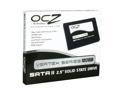
OCZ Vertex Series 2.5" 120GB SATA II MLC Internal Solid State Drive (SSD) OCZSSD2-1VTX120G
Pros: Super fast when it was working.
Cons: Lost all data instantly, without hope of recovery. Inaccessible, unforgivable, phooey.
Overall Review: SSDs should come with a warning (e.g., like cigarettes presently do): "Not intended as reliable data storage device."
1/28/2011See more detail
Works as advertised
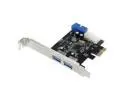
SuperSpeed 2-Port USB 3.0 PCI-E PCI Express 19-pin USB3.0 4-pin IDE Connector Low Profile
Pros: Works as advertised and pleased with the good performance so far.
Cons: You know, made in China, so what else is new?
Overall Review: I was nervous about using the included mini-CD, so I downloaded Driver Version 3.0.23.0 for Renesas Electronics USB 3.0 Host Controller (Renesas/Nec uPD720201 & uPD720202 USB 3.0 Controller Firmware Version 2.0.2.4) from station-drivers(dot)com ... be sure to connect the 4-pin Molex (per instruction) for power!
1/9/2014See more detail
No LightScribe, No Booktype Bitsetting
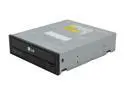
LG Black 14X BD-R 2X BD-RE 16X DVD+R 5X DVD-RAM 12X BD-ROM 4MB Cache SATA BDXL Blu-Ray Burner with SW, 3D Play Back - BH14NS40
Pros: Burns and verifies Verbatim and Kodak BD-R media. Seems like a well-built drive.
Cons: No Lightscribe feature AND presently (v1.00 firmware) does not allow booktype bitsetting!! Therefore, cannot set DVD+R discs to burn as DVD-ROM. Oddly, certain brand DVD+R media (for instance, Memorex) burn and verify on this drive but are NOT readable on other optical drives, even on other LG brand optical drives. I contacted LG who replied they don't have a release date for any firmware update.
Overall Review: My other LG brand burners have booktype bitsetting feature, so I hoped this one would too -- but presently (v1.00 firmware) does not.
7/19/2012See more detail
Very good for the price, but not perfect
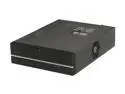
Foxconn DH-045(H+A)+MT-300 Black / Light Silver 0.8T GI Computer Case 300W Power Supply
Pros: Attractive, functional, well-made case with some fine features. For instance, a heavy rubber support under-pad located in the CPU region to prevent motherboard flexing/stressing when installing a CPU cooler (excellent feature) and magnetic latches to hold the front cover in the closed position (this means no mechanical type latches to wear out). Includes two adjustable stands for vertical (on edge) positioning. Power supply seems decent, although an unknown off-brand name (typical for country of manufacture). See minor cons.
Cons: No reset switch included. No IEEE1394 (Firewire) connector included. Power LED connector was the narrower (not the wider) style spacing, so it was necessary to extract one of the female pins to make it fit my Asus mobo header (no big deal). Also, it was necessary to unscrew and remove the faceplate in order to get at and unscrew the smaller 3.5" bay cover (again, no big deal, just a slight hassle). Also, one must use bottom mounting (not side mounting) screws for both 5.25" and 3.5" bays. (see other thoughts)
Overall Review: This low-profile case + power supply was a real a bargain -- I've certainly owned worse cases for more dollars. The pros outweighed the cons for me. I intend to add my own reset switch (again, no big deal, just a slight hassle). I recommend this case for experienced system builders on the cheap.
12/7/2010See more detail
The Original I(dea)-Pad
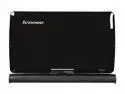
Lenovo IdeaPad S10-3t(065137U) 1GB Memory 10.1" 1024 x 600 Tablet PC Windows 7 Starter
Pros: This review is for S10-3t (06513EU) model, slightly different, with Atom N470 (1.83GHz) CPU and 2GB memory. The S10-3t has excellent features (mostly, see cons) and fine performance (e.g., H.264 @ 720p video playback is flawless on mine). I prefer Lenovo's IdeaPad S10-3t features and performance to the non-Lenovo (rival) I-Pad, by far! The S10-3t is easily upgradable (I installed an OCZ Vertex SSD in mine), and very versatile (can be used as netbook OR as a touch tablet). I preferred a clean install of Windows 7, forgoing most of Lenovo's factory software. Mozilla's Firefox with the Grab and Drag add-on (by Ian Weiner) works great. As does the custom ScreenRotation utility (replacement .exe files) by Stephen Perrin (available via Jesse B. Andersen's excellent lenovos103t.com blogsite). As a tablet, the S10-3t touch screen works perfectly for my needs (2D games, along with some internet research, news reading and Skype video chat). As a netbook, the touch pad and keyboard are fine too.
Cons: The webcam is aimed straight ahead, so one must 'toe in' the screen (slightly awkward angle) while using the webcam if one wants his image to be centered. The accelerometer is too sensitive (most S10-3t users are living with manual screen rotation). A perforated metal screen covering the blower exhaust increases air turbulence (hence, 'fan noise') during high cooling. Native display resolution is 1024 x 600 (unfortunately not x 768, and so there's a registry hack Display1_DownScalingSupoorted as a workaround, if needed). None of these are 'deal breakers' for me. The webcam issue is my biggest complaint, really.
Overall Review: Lenovo has made another excellent product! They offer a QuickStart (Linux SplashTop) feature which can be enabled or disabled in BIOS. Installing a Solid State Drive, SSD (thanks, NewEgg, for my OCZ Vertex) is highly recommended for maximum speed and durability.
6/9/2010See more detail