
Your Browsing History


Jaime F.
Joined on 09/19/05
0
0
product reviews
- 48
Nice Hardware
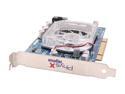
ASUS PhysX Processing Unit 128MB GDDR3 PCI Graphics Card PHYSXP1/128M/GRAW/A
Pros: Adds such great physics to GRAW that I can already see this cards potential in future games, good heatsink, price, and extras compared to BFG's.
Cons: Like most have said, not enough games supporting it so you might as well hold off and save money while letting the prices of these kinda cards drop at the same time, its just one of those things where if you've got the money to spend for it then go right ahead.
Overall Review: As mentioned if you have the money go right ahead and buy it if you're looking into it and having trouble making a choice, I did for a while, buy it, I promise you won't be dissapointed.
8/3/2006See more detail
Honest Review
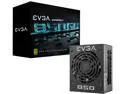
EVGA SuperNOVA 850 GM 123-GM-0850-X1 850W Fully Modular, ECO Mode with FDB Fan, Includes Power ON Self Tester, SFX Form Factor Power Supply
Pros: It's an okay PSU. Get's the job done but there's a big fault with this unit, more below...
Cons: This PSU is LOUD...relative to how quite a PSU can be in low DB mode or even while fans are spun up with a light work load. Elaborated below...
Overall Review: So I'll say my Con comes from owning and having used tons of SFX PSU's. I've primarily built in ITX and SFF builds for at least 7 years now and let me tell you legitimately that this PSU is LOUD. My current build I use both for productivity work flow and recreation wise for gaming. During work hours using the simplest programs such as Outlook, Word, Excel, Teams, Zoom...heck, even Idle, the Fan for this PSU is loud. Randomly even it ramps up RPM's for a few seconds (very very audible) then ramps back down but is still audible even at low RPM. To add to that, working remotely at home and in a more controlled environment of noise this thing can be heard over my EVGA 3090 at 30% (900 RPM) fan speed and 2x 140mm fans at the same RPM...but even when I have no virtual meetings, windows are open and there's residual noise from outside (dogs barking, cars passing by)...you can still hear the fan on this PSU, especially when it randomly decides to ramp up. The PSU itself works fine, there's no faulty fan bearing or anything and my overall temps are very good during idle, light workloads and respectable even while gaming. This PSU simply just manages the fan poorly...this is coming from actually owning/using a Corsair SF 600 Gold, 750 Platinum, Seasonic Focus SPX 750 Platinum, Cooler Master v850 Gold and Silverstone SX 700 Platinum that I can back this claim up and say it's by far one of the worst in terms of DB (how audible it is) and the way the PSU manages the fan. Kind of disappointing really considering EVGA products are usually great. Sad to say, but I definitely wouldn't buy it again. If i needed this kind of wattage or something rated close to it, I would recommend the tried and true Corsair SF750 or Seasonic SPX 750 if you absolutely don't need 850W and aren't pushing extra voltage via manual OC'ing, and the CM V850 if you truly do need that much wattage.
2/10/2022See more detail
Exceptional Board
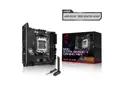
ASUS ROG Strix B650E-I Gaming WiFi AMD B650 AM5 Ryzen™ Desktop 9000 8000 & 7000 mini-ITX mITX motherboard, 10+2 power stages, DDR5, 2x M.2 slot, PCIe® 5.0, 2.5G LAN, WiFi 6E, USB 3.2 Gen 2x2 Type-C
Pros: - Tons of features for an ITX board - Still competes with X870E/X870 chipsets and beats B850 - Plenty of headers on this board (anyone saying otherwise is doing it wrong or has unreasonable expectations with this type of platform) - Plenty of M.2 ports for storage (anyone saying otherwise is doing it wrong or has unreasonable expectations with this type of platform)
Cons: - B650E stock on ITX boards got phased out fast (most likely because it was too good a bargain compared to B850) - I/O shroud and VRM heatsinks, similar to other beefy ITX boards can pose a challenge with some pumps/blocks from AIOs in terms of clearance
Overall Review: Funny how there's a lot of reviews who make remarks about this board having ONLY two (2) M.2 slots for storage. There's a reason why it's only two....if you had more then you're reducing the amount of PCIe bus lanes for the PCIe X16 GPU slot and therefore lowering the theoretical performance ceiling you could get with your GPU (depending on which one) if you had more than two M.2 slots. Look up bifurcation for crying out loud. Not to mention, IT'S AN ITX BOARD....if you wanted a platform with more internal storage in mind for your old SATA or 512GB/1TB/2TB SSD's then you should have gone Micro ATX. The idea behind ITX boards is to generally cram them with as much performance in a small form factor as possible, i.e.: high density M.2 drives like 4 and 8TB drives....if you're needing more than that then you're doing it wrong going this route for your build or you should be utilizing the external I/O USB-C ports for external M.2 storage. As for people knocking this board because it only has three (3) fan ports. Again, ITX BOARDS ARE INTENDED FOR SMALL FORM FACTOR BUILDS (SFF). Most SFF builds don't need more than 2-4 fans...AT MOST. So, nowadays, any good AIO either A) has a splitter where you connect/daisy chain the fans together, B) you get a splitter/hub, connect all your chassis fans together and plug them into the single chassis fan port, therefore managing and keeping the fans all in RPM synchronization. If you're using a big case for this board then you should have picked up a Micro ATX/ATX board with more fan headers... As for the remark on the ROG HIVE Hub for the X670e chipset....guess what? You don't need to use the HIVE, OR THE RISER CARD! So then you may say, why buy that board then or why is it so expensive? That's because it has more lanes dedicated for faster rear I/O....like USB-C 40Gbps ports and overall MORE USB ports....and has "one-touch" OC board features for those who want to overclock but aren't experts at it. So please, stop spreading ridiculous statements. All that said. This motherboard commands a premium, even if it weren't on sale, because there were, and are now little-no vendors who produce this chipset...and it's better than B850 and competes with the newer X870e/X870 chipsets. This board, not because it's ASUS, is literally one of the best AM5 ITX boards out there for the money, hands down.
10/3/2025See more detail
The new King of SFF PSUs
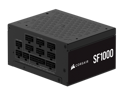
Corsair SF Series (2024) SF1000, 80 PLUS Platinum, Fully Modular SFX Power Supply, CP-9020257-NA
Pros: Own multiple original SF750s and they have been the most amazing PSUs I ever used in SFF builds. With the ceiling constantly being raised on power draw for GPU's, 850-1000W are like slowly becoming the standard. As unfortunate as that is, if you're going to pick a PSU up that can deliver, then the SF850/SF1000 are the kings in that arena if you build a lot in ITX/SFF, Micro ATX builds. Sorry, but nothing else comes close in terms of sheer reliability, noise, thermal profiles, and quality.
Overall Review: If you're running a 5090 with something like a 9800X3D, 9950X3D, Core Ultra i7/i9, I've learned through a lot of stress testing, benchmarking and stability checks that it's totally possible to use an SF850 over an SF1000 if you know how to properly undervolt both your GPU/CPU. I picked up the SF1000 as more of a precaution over the SF850. So, if you're not comfy with doing undervolts/tuning, just "want stuff to work" once your builds up and running, and have a high-end setup, this is the PSU for ITX/Micro ATX builds. But, for some context, when I undervolted my 9950X3D and RTX 5090, I literally cut my power draw down from ~850-875W to just over 750W peak load without sacrificing any performance. That's using an AIO, 1.4v RAM kit, and PCIE 5.0 NVME SSD. So, an 850W can easily do the trick if you take the time to tune and are asking yourself which one you want to get.
9/27/2025See more detail
Amazing GPU, with one huge design flaw
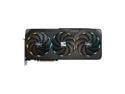
GIGABYTE Gaming GeForce RTX 5090 32GB GDDR7 PCI Express 5.0 ATX Graphics Card GV-N5090GAMING OC-32GD
Pros: - Extremely fast - Good cooling from this shroud design with one of the few that has a vapor chamber in its price class - Noise level's are great - No coil whine (at least with mine) - Comparatively a pretty small dimensional footprint compared to other 5090 AIBs, which makes it possible to install in a few good quality mainstream ITX cases without any modding: NR200p V2 & V3, T100 - One of the few RTX 5090 PCB designs that can be equipped with a TRUE single slot waterblock if you do custom open loops, making it extremely versatile to fit into virtually any SFF case.
Cons: - Shroud is half plastice (fan side), which you'd think would be more premium for a flagship card regardless of being in the middle/lower end of the product stack for Gigabyte RTX 5090's - Huge and ridiculously outrageous power draw, if you know how to undervolt, then do it. Compared to an FE, this thing easily draws ~50-75W more under middling/full loads during gaming and benchmarking - The BIGGEST FLAW of this GPU from a cosmetic standpoint: the RGB rings around the fans. Wwhen you first install this card, you see this strobing effect from the ring RGB strips around the fans. They strobe because their lighting is tied in with the RPMs of the fans....so at zero RPM, there is no LED lighting, on a light load the LEDs are on but at an extremely slow strobing pace. I turned the RGB off completely, but why on earth would you do this Gigabyte? It literally makes zero sense and it appear that there's something wrong mechanically/electrically with the GPU when there isn't. What's worse is not a lot of people know this, even with the 5080 Gaming OC series cards and they have to ask around if it's normal. Completely horrific design.
Overall Review: For one of the lowest costing AIB RTX 5090's, it's great; good cooling performance, overall thermals, noise, form factor, and PCB design for waterblocks and open/custom loops. Horrible design to tie in the RGB with fan RPMs. They should have either done this differently or not at all. I won't say the cost is a con because it's just the climate we live in for the past 3-4 generations of GPUs. It's unfortunate, but ridiculous; like how 4080's still cost more than a 9070XT, 5070Ti or close to a 5080.
9/27/2025See more detail
Amazing Panel!
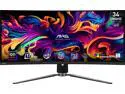
MSI 34 inch Ultrawide QHD 2K 1440P 175Hz with AMD FreeSync Premium Pro 0.03ms HDR400 USB-C KVM OLED Curved Gaming Computer Monitor with Height Adjustable, Swivel & Tilt stand MAG341CQP QD-OLED
Pros: - Color saturation (although requires a little tuning out of the box) - Contrast (obviously due to this being an OLED...but that's why I purchased it! :) - Response time (due in no small part to this being an OLED panel) - Form factor & design; fanless design, build quality is mint/jewel like
Cons: - Brightness (not that big of a con, but see overall review for more details) - Position of the VESA 100x100 mount...I wish it was more in the center position of the back. - Very minor nitpick here...but as far as aesthetic goes, ditch the branding in the back of the product with the dragon...please!
Overall Review: So overall, this panel is amazing, it's basically if the AW3423DW and AW3423DWF had a baby; 175hz (AW3423DW), 2x HDMI 2.1 ports for consoles (AW3423DWF) as far as the big difference between those two monitors and what this features...only this monitor comes in at a way better price than the AW3423DW and AW3423DWF! The fact that it's fanless too is great. My previous panel was G-Sync Ultimate and had active cooling for the G-Sync module. While it wasn't that big of a deal and I could barely hear it, it's when I'd turn my PC off before sleeping for the night that I could here the small ambience of it while it cooled off just before turning off. Forgot what it was like to not have noise produced from monitor hardware, which is refreshing! Going back to the VESA mounting position, I wish this were more in the back center then the lower position. This really would have made mounting on my existing mount area 1:1 with my previous ultrawide panel. Also going back to aesthetic, keep it simple MSI :)! The front end of this panel is beautiful, and a lot of the other motiffs in the back like the black MSI brand and back sides which feel jewel like and almost like metal make this panel super clean. The choice of a white LED power-on is such a simple thing, but a totally great move on MSI's part. I totally understand why this won iF design awards, but ditch the MSI dragon...it's the performance and simple clean look, especially the former, that people will come to buy this product!
6/23/2024See more detail