
Your Browsing History


Haytham T.
Joined on 11/04/03
0
0

product reviews
- 9
Great hardware, buggy software
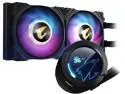
GIGABYTE GP-AORUS WATERFORCE X 240 Water Cooler
Pros: Hardware works great. Keeps the CPU cool with my i9.
Cons: Software a bit buggy. Ended up uninstalling the entire gigabyte software suites and just installing the the Waterforce X software which is also compatible with my gigabyte Aorus RGB motherboard and Kingston Fury RGB ram. Also, I noticed the Screen freezes on a warm boot, but boots fine with a cold boot. Tried firmware update to 1.6 but did not solve this issue.
Overall Review: Once you get past the software quirks, the hardware works great.
8/20/2022See more detail
Good 3200 memory (not 3600)
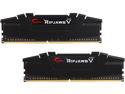
G.SKILL Ripjaws V Series 16GB (2 x 8GB) 288-Pin PC RAM DDR4 3600 (PC4 28800) Desktop Memory Model F4-3600C16D-16GVKC
Pros: Fast memory that works at 3200
Cons: Could not get working at 3600
Overall Review: I wish I checked the reviews on this before ordering. Memory works at 3600, but no matter how much I adjusted the voltage, timing, etc. I could not get it to run at 3600 on a ASRock B550 Phantom Gaming 4/ac AM4 . Reviews from others have tried with other boards as well.
10/2/2020See more detail
Solid hardware and performance, buggy RGB software
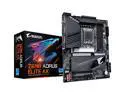
GIGABYTE Z690 AORUS ELITE AX (rev. 1.4) LGA 1700 Intel Z690 ATX Motherboard with DDR5, Quad M.2, PCIe 5.0, USB 3.2 Gen2X2 Type-C, WiFi 6E, 2.5GbE LAN
Pros: Solid motherboard with i9 and DDR5 compatibility.
Cons: Initially I was impressed with the automatic Windows 11 driver downloads for the motherboard and RGB software, which was compatible with the Gigabyte Aorus Waterforce X and Kingston Fury RGB RAM. However, the RGB Software is a bit buggy. After much frustration and crashing, I uninstalled the App Center software, Gigabyte RGB, and Kingston RGB software I then installed only the Gigabyte AIO RGB software standalone that was downloaded from the Waterforce X page. It ran all 3 RGB devices with the one application with the least issues, but I eventually got it to work.
Overall Review: In the end it did want I wanted: Run the RGB Ram, i9, DDR 5 4800, m.2, and RTX 3070 FE
8/16/2022See more detail
Nice midsize case with good cable management
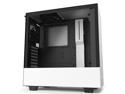
NZXT H510 - Compact ATX Mid-Tower PC Gaming Case - Front I/O USB Type-C Port - Tempered Glass Side Panel - Cable Management System - Water-Cooling Ready - Steel Construction - White/Black, CA-H510B-W1
Pros: Nice look, good cable management, expandable
Cons: The 2 x 3.5” hard drive trays are difficult to access once everything is installed.
Overall Review: This was my sons build, and the design of the case made it easy to conceal of of the wiring inside the side panel. He later wanted to add a 3.5” hard drive, and we discovered that you need to flip the case upside down to remove the tray, and possibly remove the power supply to access. Overall we are happy with the purchase.
10/2/2020See more detail
Great operating system, but get rid of the bloat ware apps and telemetry.
Microsoft Windows 10 Pro - Full Retail Version (USB Flash Drive)
Pros: It’s windows and it works
Cons: They need to stop all of the bloat ware apps and forced telemetry issues
Overall Review: It’s windows.
10/2/2020See more detail
Impressed this Intel fan
AMD Ryzen 5 3rd Gen - RYZEN 5 3600X Matisse (Zen 2) 6-Core 3.8 GHz (4.4 GHz Max Boost) Socket AM4 95W 100-100000022BOX Desktop Processor
Pros: CPU is fast, fan is quiet , default thermal paste sufficient.
Cons: None
Overall Review: I have always been an Intel fan after some issues 20 years ago, but my son wanted to build an AMD rig. It was time to give them another chance, and I was impressed. The speed rivals i5 processors, and compatibility with PCIe gen 4 was a win for me.
10/2/2020See more detail