
Your Browsing History


Paul D.
Joined on 03/10/04
0
0
product reviews
- 15
Perfect so far
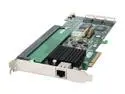
areca ARC-1231ML-KIT PCI-Express x8 SATA II (3.0Gb/s) Controller Card w/Cables
Pros: Fast card, easy setup. I was pleasantly surprised to have no hickups at all. Installed the card, connected the hard-drives, built the RAID and away it went. I'm running 6 RaptorX drives in RAID 6. That only gives me 600 gigs, but, that is more than enough at my current needs. In the future, I could put bigger drives or more drives if needed.
Cons: As others stated, it does run hot. I understand the company offers a fan as an option. And a battery backup as an option. Dang if I can find where you can buy these options though. Newegg doesn't seem to sell them, nor can I find anybody else that does. And a $800 card should come with a fan, it shouldn't be an option. But, I just bought a fan at the store at cobled it together. I just got a SilenX 40mm fan. Looks like a fan for a cheap motherboard chipset fan. But, its supposed to have a new technology fluid bearing that is supposed to be very long life. Stuck it on and card now runs cool.
Overall Review: Be sure you have enough PCI-X bandwidth though, depends on your motherboard. I also bought the 2GB cache. I bought GSkill 2 gig stick from Newegg for about $50 or so.
2/18/2008See more detail
Great for 2 weeks, then suddenly DEAD
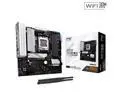
ASRock B850M PRO RS WIFI AM5 AMD B850 Micro ATX Motherboard
Pros: Almost trouble-free system build.
Cons: DEAD after 2 weeks Only 2 expansion slots instead of 3 or 4 Ony 1 of the M.2 slots comes with a heatsink Only 4 SATA slots Quick-start guide is poor.
Overall Review: I initially gave this 4 stars. It seemed to work almost flawlessly. Suddenly after only about 2 weeks, just dead without warning or reason. No POST. Just dead. And I already threw away the box, so, I guess I'm just outa luck. Note to self: Keep boxes until 30 days is up! Here was my intial review: Installation was almost completely trouble-free. Which is how it should be but isn't always. For some reason, their APP Shop driver downloader was unable to install the Bluetooth driver and WLAN driver. But I was able to download and install manually from their website. Overall, less fewer glitches than usual in a new build. It only has a total of 2 expansion slots. The video slot plus one more. Not the usual 3 or 4 for a micro ATX. These days I don't use many slots, but I still would have preferred it had at least a third slot. I just bought an AM4 micro ATX motherboard and it has the full four slots. This only having two is not ideal. It has THREE M.2 slots. This is rather overkill for a micro ATX motherboard. Surely it would make more sense to have only two M.2 slots and add another expansion slot. On the other hand, only one of the three M.2 slots came with a heatsink. The one that does is nice, it has an aluminum plate directly on the motherboard which will be underneath the drive, and a heatsink over it. Ideally, they should kill the third M.2 slot and add heatsink for the second M.2 slot. It only has 4 SATA ports. I happen to have 4 SATA devices, more than most people. So, I have none to spare. But hopefully I won't need more. Perhaps I should have got a full ATX. But this has all I really need. More SATA and a third slot would have been nice though. Has stacks of fan connections and USB headers, more than enough. Only has 3 audio jacks instead of the usual 5 or 6. But I don't need the additional jacks. It doesn't come with a real manual, just a quickstart guide. And it is unsatisfactory. It doesn't tell you the preferred memory slots to use for 2 memory sticks. I had to download the full manual from their site to get that information. The quickstart quide has a QR code on it, and it doesn't even take you directly to the full manual, it just takes you to their home page. Gee thanks a bunch, I coulda never done that myself.
3/15/2025See more detail
Overall good value
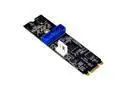
Weastlinks M.2 NGFF NVME to USB 3.0 19Pin Header Convert Card NGFF to 2 Port USB3.0 Expansion Card Transfer Adapter IDE 4PIN Power Supply
Pros: Allows additional USB 3 ports
Cons: Needs a floppy style power connection Board is flimsy/flexes No rubber bumper included Cheap screwdriver wasn't magnetic
Overall Review: My case has two pairs of USB 3 ports, but my motherboard only has one USB 3 header. It has spare M.2 slots, so this is a good solution. The board is on the flimsy side, flexes. It should have come with a rubber support bumper to go between it and the motherboard. I was disappointed that it didn't come with one. But that is mitigated by the fact that it allows you to use a second support standoff, assuming your motherboard has a place for a standoff for shorter M.2 boards. My motherboard does, plus it came with a rubber bumper, so that solved that problem. Another option that I considered was to stack some pieces of thermal pad to build a rubber bumper. But ultimately, I didn't need to do that. It uses a floppy drive style power connection. Which is surprising. In case your power supply doesn't have a floppy power connection, it comes with a Molex to floppy adapter. The thing is, if you don't have a floppy power connection, you might not have a Molex either! It would have been better if it included a SATA power to floppy power adapter. Fortunately, my power supply did have a floppy connection, so that wasn't a problem for me. It includes a 2-cent screwdriver, that's supposed to be magnetic. It wasn't. I've got a few of those 2-cent screwdrivers from other M.2 kits of various types, sometimes they are magnetic, sometimes not. But of course, I have a good real screwdriver, so not an issue for me. Unfortunately, my spare M.2 slot that I'm putting this in is right beside the video card. Not anybody's fault, just a bit of bad luck. So, I'm getting a 90-degree adapter to make it work.
3/29/2025See more detail
Install went perfect
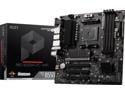
MSI PRO PRO B550M-VC WIFI AM4 AMD B550 MATX AMD Motherboard
Pros: Full 4 expansion slots in a micro ATX. 2 M.2 drive slots.
Overall Review: Install went perfect. It even has a full 4 slots. I just bought an AM5 motherboard, and it only had 2 slots. Now, I don't actually need any more slots except for the video card, but it's nice to have in case I need in the future. I thought it was supposed to include a driver disk, but I didn't find any. No matter, I just got the drivers from MSI website. The back panel actually still has a VGA port and a PS/2 port. I guess if you are the one person on earth who still needs these, this is the motherboard for you! My two-year-old computer was acting up -- frequently locking up and/or rebooting. I had guessed that the CPU was probably fine, probably the motherboard was dying. So, I bought this motherboard. I rebuilt the computer, only to have it still be locking up! Turns out the problem all along was the CPU. So, I didn't even need to buy this. But this is a better motherboard than my old one, and I got a new CPU and now its running great. In the end, I'm happy.
3/9/2025See more detail
No nonsense, no lights, low profile, works great.
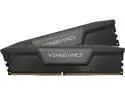
CORSAIR Vengeance 32GB (2 x 16GB) 288-Pin PC RAM DDR5 7200 (PC5 57600) Desktop Memory Model CMK32GX5M2X7200C34
Overall Review: No nonsense, no lights, low profile, works great.
2/23/2025See more detail
Its great, but Gen4 are a better value
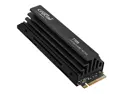
Crucial T705 1TB PCIe Gen5 NVMe M.2 SSD with Heatsink - Up to 13,600 MB/s - Game Ready - Internal Solid State Drive (PC) - +1mo Adobe CC - CT1000T705SSD5
Overall Review: So, I got a motherboard that supports Gen5, so, gotta get a Gen5 SSD right? So I bought this. Turns out that in the real world, the extra speed that the Gen5 is theoretically capable of you never see. I'd save money and real world performance would be just as good with a Gen4. But, it is a good drive.
2/23/2025See more detail