
Your Browsing History


Eddy S.
Joined on 02/01/05
0
0
product reviews
- 5
Great!
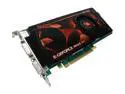
EVGA 512-P3-N862-AR GeForce 9600GT Superclocked 512MB 256-bit GDDR3 PCI Express 2.0 x16 HDCP Ready SLI Supported Video Card
Pros: Great form factor (1 slot), quiet! Just needs one 6 pin power jack. Beautiful!
Cons: TOO long. Had to rearrange wiring, etc. to get this card to fit.
Overall Review: Coming from an ATI X700, this is a dramatic boost in performance. And, it is quiet... really quiet. Considering that I have a case full of Zalman fans running at low speeds, if I can't hear this, it's a good sign!
2/29/2008See more detail
Watch out!
SIIG CB-SA0411-S1 6.56 ft. (2.0m) eSATA to SATA I Cable
Pros: The cable is great! It's sturdy, works just as it's supposed to.
Cons: nothing
Overall Review: Be careful when you order your cable, because you may want the eSATA to eSATA, and not the eSATA to SATA, and vice versa.
8/23/2007See more detail
Almost Perfect
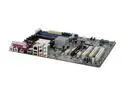
ASUS A8V-E SE 939 VIA K8T890 ATX AMD Motherboard
Pros: Very solid, forced S3 standby option, built in RAID, more solid than my former $$$ motherboard which blew out on me! It's an ASUS! What more can you say?
Cons: The default SATA setting for the onboard hard drive controller is for RAID. This caused major installation heartaches for me, until I realized this was the BIOS default. I spent several hours trying to install windows, with XP unable to identify partitions on my hard drive because the RAID drivers were not installed!
Overall Review: So long as you either 1) Install the VIA raid drivers when installing windows, or 2) Go to the BIOS and set the SATA controller to IDE mode, you should be a-ok!
2/22/2007See more detail
Perfect!
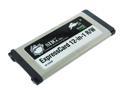
SIIG CE-E01012-S1
Pros: Fast, compact, springs!
Cons: none
Overall Review: I'm using this on a Macbook Pro... stick it in, it'll work without a hitch! i've used it with a memory stick pro, and i've been able to get fast transfer rates, transferring multiple 7MP pictures in a second! I've encountered no sleep issues... Other reviewers have said "pretty much flush" - to get you an idea, it's less than 1/16 of an inch of protrusion, almost perfect! The protrusion is hardly noticeable at all! One thing though - b/c the macbook pro has a spring-loaded expresscard slot and the reader is spring-loaded, sometimes to eject a memory card you might eject the reader instead, or both! but you can figure it out after a while
12/3/2006See more detail
Works great until...
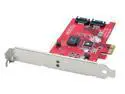
SIIG SC-SAER12-S1 PCI Express SATA II (3.0Gb/s) Card with RAID 0 & 1 support
Pros: RAID 1 - Automatically syncs hard drives, brings a replacement HD up to speed, does what it's supposed to do without using up system resources, no problems with HDs so far.
Cons: BIOS cannot be flashed. Standby/Hibernate issue.
Overall Review: I have two SATA HDs with NCQ set up in a RAID 1 configuration. It was very easy to set up - I just followed the instructions and I was up and running in just a few minutes; I set it to copy the existing information from one hard drive to the other. I could load Windows almost immediately! For a few hours, the data copied in the background, and then I was set. But I've noticed that whenever I standby, hibernate, or flip the power switch, the data copying process starts all over again! As if something horrible happened to one of the hard drives? Maybe if I reformat and start off from scratch with the "Automatic" mode it'll fix this problem? Not sure.
3/7/2006See more detail