

Your Browsing History


michael t.
Joined on 01/06/05
0
0

product reviews
- 58
Would have been 5 stars if not for RMA
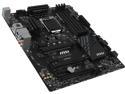
MSI Z170A SLI LGA 1151 Intel Z170 USB 3.1 ATX Intel Motherboard
Pros: Great price & features; Z170 with SLI for under $100, ton of BIOS settings. Initial setup was fairly painless (except for trying to troubleshoot audio issues). I don't anticipate ever using SLI but it's nice to have it as an option. Likewise, I may not do much overclocking, but since it cost just a little more than the H170 or B110 boards I thought it was worth it.
Cons: I took off one star because I had to RMA first one for bad audio ports. Only the subwoofer and front center speaker had any sound, and it was muffled from the center one. 2nd board is working great so far. Some of the included software is interesting, but i didn't find much documentation on how to use some of it, such as the RAMDISK. I knew this had only four USB ports on the back panel and had no integrated video, so i did not knock any stars off for those, but it is something to keep in mind. Once I got it installed, I did wish for a couple more USB ports, so i will likely be getting a USB 3.0 hub soon.
Overall Review: If you have to RMA , use the Newegg process, not MSI's. MSI makes you pay your own return shipping, rather than sending you a label like Newegg does, and MSI replaces your brand-new board with a remanufactured one. If I wanted remanufactured i would have bought it that way to begin with. Newegg rocks!
9/25/2016See more detail
Flawed beauty

Montech X2 MESH White ATX Mid-Tower Case/High Airflow, Fine Mesh Front Panel, Full Glass Side Panel, Pre-Installed 2 x 140mm, 1 x 120 mm Rainbow Led Fans*2
Pros: - Pretty case - i generally don't go for white cases, but my son wanted this. It looks better in person; I especially like the contrast of the smoked glass side panel. - nice magnetic mesh screen for top fan openings. My mid-range name-brand case does not have this. - Finish is nice - no scratches, runs, etc. - my son likes the multi-color (not RGB) fans. Not my preferred aesthetic, but kids these days. :)
Cons: - Very thin metal bends too easily. The back panel was slightly caved in (no damage to shipping box), making it difficult to install the I/O shield and to line up the motherboard with the standoffs. - Instructions are practically non-existent, and do not specify which screws are to be used to mount the mobo to the standoffs. All my other builds since 2004 have used a hex head screw for this purpose, but for this one the hex head screws have a different thread than the standoffs. - standoffs are not standard length - they are a couple of millimeters shorter than my stash of leftover standoffs form prior builds. If you need to replace one, you will need to replace all. - sheet metal is so thin that standoff mounting holes are easily stripped even with a small hand screwdriver.
Overall Review: Flimsy materials make this a very difficult case to work with. My son was trying to build this one himself with me only overseeing, not handling parts, but immediately got hung up just installing the motherboard. I have built 10+ PCs from scratch, and modified cases to mix and match proprietary parts (I'm looking at you, D#ll), and it took me over two hours of messing around to get the mobo installed. If this had been my first build I would have returned the case. We have not yet tried motherboard wiring, and installing the PSU and HDD. I will update if we run into issues with those, but I am hopeful for a smooth experience from here on out.
2/11/2022See more detail
Loving it so far!
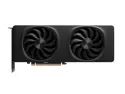
Intel Arc B580 12GB 192 Bit GDDR6 456Gb/s 20 XE Cores, 20 Ray Tracing units, Up to 8K Resolution at 120Hz HDR, Intel ARC B580 Limited Edition Battlemage Graphics Card
Pros: Price Performance More than 8 GB VRAM Not pretending to be something it's not
Cons: Issue with one older game For older rigs be sure you can enable resizeable BAR concerns about long-time driver support
Overall Review: I would recommend this all day over any competitor's card <$300 with only 8 GB of VRAM. I had used Nvidia exclusively in my builds since GeForce 2 MX days, but Nvidia has decided to abandon the <$300 segment since the RTX 1660. Sometimes they are downright hostile with deceptive name practices to trick the uninformed into buying products with less or slower RAM but with the same name. I just got fed up with their practices. AMD has been guilty of this also. Driver updates are fairly frequent, and have real performance improvements. Intel says they are in the GPU business for the long term, but only time will tell. I certainly hope so. I've played modern games like Control and Forza Horizon 5 with no issues, but most of my games tend to be older. I have had only one issue related to the card, playing a 2006 game. Command & Conquer 3: Kane's Wrath ironically runs out of memory.
12/7/2025See more detail
Does what it needs to do
CORSAIR VS Series VS500 500W 80 PLUS Certified Non-Modular ATX Power Supply, CP-9020223-NA
Overall Review: While I have seen the VS series of Corsair PSU rated low on tiered lists, I have had no issues with this in the 8 months I have been using it daily.
8/28/2021See more detail
fast, relatively cheap
Crucial P2 500GB 3D NAND NVMe PCIe M.2 SSD Up to 2300 MB/s - CT500P2SSD8
Pros: Windows 10 boots in seconds Did not break the bank
Cons: None
Overall Review: I put this in my wife's home office PC, and she loves it.
2/26/2021See more detail
Blurry text
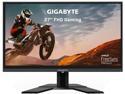
GIGABYTE G27F 27" 144Hz 1080P Height Adjustable Gaming Monitor, 1920 x 1080 IPS Display, 1ms (MPRT) Response Time, 95% DCI-P3, FreeSync Premium, 1x DisplayPort 1.2, 2x HDMI 1.4, 2x USB 3.0
Pros: HI refresh rate at reasonable price Lots of ODS options Good picture
Cons: Text looked blurry
Overall Review: I never could get text to appear sharp. Maybe it was a function of sitting too close to a monitor with this pixel pitch, but the text under Windows icons icons was barely legible to me. I messed with ClearType tuning several times, as well as other settings, but I eventually replace this with a 1440P monitor with a lower refresh rate. My wife loves it, although it is overkill for her home office setup.
2/26/2021See more detail