
Your Browsing History


jacob s.
Joined on 12/30/06
0
0
product reviews
- 15
works
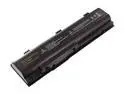
Battery-Biz B-5854 Hi-Capacity Laptop battery for Dell
Pros: Works. Cheaper than a dell replacement.
Cons: Nothing
Overall Review: I bought it for my sister for christmas as the standard battery for a b130 is trash after a year. It works great.
6/19/2009See more detail
update: support is still horrible
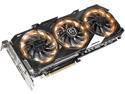
GIGABYTE GeForce GTX 970 4GB XTREME GAMING OC EDITION, GV-N970XTREME-4GD
Pros: fast quiet...ish fixed led issues
Cons: Customer Support highly lacking, Fans already defective after 3 months.
Overall Review: Finally, finally received my replacement fans from Gigabyte, i sent them pictures of the model number, and power plug as requested, and they somehow sent me the wrong fans, stock fan is .35a with a 4pin, female plug and the fans they sent me are .25a, one 2 pin male plug, and a 3 pin male plug. Emailed them back and haven't gotten a response. I sent 10 pictures, and they still sent me the wrong fans.
7/14/2016See more detail
Garbage
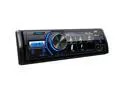
JVC KD-X560BT 1-DIN Digital Media Receiver With Bluetooth, USB, 3" Display, & Coated PCB
Pros: High band eq
Cons: Doesn't save eq settings, clock keeps changing to 8 hours ahead, radio will boot loops 3-4 times in a row
Overall Review: Will never buy JVC again.
11/30/2021See more detail
Junk
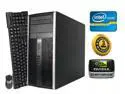
HP Gaming PC Desktop - NVIDIA GTX 1050, 1TB, Core i5 QUAD, 8 GB RAM, Windows 10
Pros: Nothing.
Cons: Pc takes about 30 seconds to load POST screen. Pc drags and is incredibly slow. Says its 1tb, failed to mention its 2x500gb drives. Case is chipped, the factory stickers were lazily removed and not even completely removed.
Overall Review: A lazy child refurbished this pc.
5/29/2019See more detail
Stay away
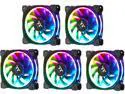
Thermaltake Riing Plus 12 RGB Radiator Fan TT Premium Edition (5 Fan Pack) CL-F054-PL12SW-A RGB LED Riing Plus 12 RGB Radiator Fan TT Premium Edition (5 Fan Pack)
Pros: Quality fans Comes with extensions and the cables are already long
Cons: The Software is horrible Tech Support doesn't exist
Overall Review: I've been wanting these fans for months now after i had seen the demo videos that ThermalTake had released. Despite the research i did, i neglected the reviews. Now these fans are awesome quality in terms of looks and feel, solid and precise. The cables are very long, and they still come with plenty of extensions and attachments. I install the fans, computer boots, fans spin up, no LED's. No worries, i haven't installed the software. I install and open the TT RGB Plus app and now the fans light up. The software has an OK amount of options: fan speed, PWM/Quiet/Performance, Individual LED color, RGB or single color, etc. I make my adjustments hit save, and they look good without any animation. I start to go through the different modes, plenty of cool ideas but not well executed. The animations go based on the fans spot on the controller and if you have two controllers, this kinda ruins the effect. "Black hole" and "shooting star" bounce around instead of going linear from one fan to the fan on the opposite side of the computer. Unless you knew this and plan ahead, this isn't avoidable. An option to choose the order would be nice, NOT A BIG DEAL. The effect speed goes: Slow, Normal, Fast, Extreme. Anything other than "Extreme", the effects look AWFUL. On "slow", "normal" of "fast" the LED's don't smoothly transition, imagine slowly flicking a light switch on and off and the LED changes each time. The only exception is the "Pulse" effect, but on slow it's still fast and the LED's still look choppy. The computer has to be restarted every time after the computer goes to sleep, otherwise your effects and fan options won't work/change (can't go from quiet fan to performance, nor change fan speeds. Half of the fan's LEDs default to Static). This error was rumored to have been fixed, but low and behold it's here. The software also does a poor job of monitoring temps and adjusting speeds accordingly. My games started to crash because the CPU would get too hot because the fans on the radiator won't speed up when the CPU, Ambient, or AIO Coolant temps get too high. The software has been reinstalled a few times on a clean install of Windows, but this seems to have zero effect on the sporadicity of the bugs included in the software This review may sound frivolous but after spending over $200 on 8 of these fans, I shouldn't have to manually do ANYTHING. This app should just work, I shouldn't have to restart the computer to get the effects and software to start working again after the PC wakes up from sleep. I shouldn't have to turn up my fans before i play a game so my CPU doesn't fry. ASUS AISuite lets me make fan profiles, why can't TT integrate that into their FAN CONTROLLER SOFTWARE. Tech Support still hasn't replied to my emails and it's been over a week, no "We've received your email..." no answer, nothing. I want to like TT after i bought the Static RIING fans a few years ago but this is probably the worst purchase i've made in a while, and i wish i would've gone with different RGB fans.
4/10/2018See more detail
Pioneer TS-A1072R A-Series 4 150-Watt 3-Way Speakers
Pros: Sounds great.
Cons: Low watt handling. Blew within minutes. poppy sounds.
Overall Review: good thing my stock ones still worked. wish the packaging didnt get thrown away so i could return them.
5/19/2010See more detail