
Your Browsing History


Amir R.
Joined on 04/28/06
0
0
product reviews
- 4
Can't Say Enough Good Things
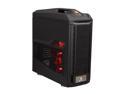
CM Storm Trooper - Gaming Full Tower Computer Case with Handle and External 2.5" Drive Dock
Pros: -Visually Pleasing -Well designed, I actually enjoy working on the hardware in this case. -Plenty of space, I'll be able to consolidate my media server RAID10 array (8 drives) into my desktop system, while keeping my SSD OS drive and space to add up to 4 more 2.5" drives (including "X-Dock") -Cable management holes (with rubber grommets!) keep my system looking clean and allow for maximum airflow to the parts that need it, without being hindered by cables. -Very sturdy case, I'm impressed by the build quality, you get what you pay for. -Lots of ventilation, heat shouldn't be an issue unless you're lacking fans.
Cons: The only real con I can think of is that the "toolbox" in the bottom of the case requires a screw to open. What kind of toolbox requires a tool to access? It's still fully functional as a spare parts box, so I do like it overall, but LAN-ers will need to keep a small screwdriver if they plan to put the rest of their tools in it.
Overall Review: The case is gigantic, people that come to my house for the first time comment on the size of it. Just make sure you measure if you have a space restriction. The power button is on the top which is fine, but if you have a cat or kid in the house you should be aware that it's both easy for cats to walk on if they jump on your case, and inviting for kids to push, because it's a big red button that looks cool. You may want to look for a different case or consider your options for covering the buttons if either of these apply to your situation. I've got some issues with some of the USB ports on the front panel. I haven't investigated them at all because they haven't stopped me from doing anything. I suspect it's simple, like the I forgot to plug in the header, but I'm mentioning it just in case anyone else starts complaining about the same thing in their review. If you are prone to spilling liquids on top or on the side of your case, this isn't the case for you. The top has ventilation holes that would allow liquid to pour right onto your hardware. Also, you may want to re-evaluate your drink placement... This case surprised and amazed me at every turn, it's by far the best case I've ever owned or worked on. I'd highly recommend it to any gamer or power-user that needs the space or regularly changes up their hardware. I almost forgot... the rubber coating that's on the handle and the top of the case is prone to "whitening" from grime or light scratches. Dust and dirt stick to it like a magnet which mildly annoys me. If you were regularly using the handle it would probably look pretty gross after a relatively short while, but it looks awesome out of the box.
8/9/2013See more detail
Meh...
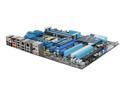
ASUS P8P67 DELUXE (REV 3.0) LGA 1155 Intel P67 USB 3.0 ATX Intel Motherboard with UEFI BIOS
Pros: Graphical BIOS is the nicest I've seen, but to be fair, the only other GUI-based BIOS I've used is Dell's. Comes with USB 3.0 front panel (floppy sized), but header works with my case (Cooler Master Storm Trooper), so I didn't use it. Loaded with plenty of I/O ports on the back panel, but that's the only real reason to buy deluxe, right?
Cons: Despite having the "EZ Flash" utility built into the BIOS, ASUS doesn't make a compatible BIOS, so you have to use the motherboard DVD and a USB jump drive to flash the BIOS. I consider this to be unacceptable for any higher-end motherboard made post 2000-ish. Refuses to POST with my SATA 1.5 Raptor drive connected to either the Intel (3 or 6Gb) or Marvell controllers, the drive works fine in my old system and when connected via USB enclosure. Other spare drives (SATA 1.5) work fine. Disconnected all but boot SSD and Raptor, still no go. Updated BIOS, tried different power and SATA cables, re-tested drive in old system. While writing this I came up with a couple other things to try/check, I'll update review if they work. ASUS support, despite claiming a 48-hour(ish) response, took a week to get back to me with a reply in Engrish asking me to try something I mentioned, in my original message, that I had already tried. I wish I could say this surprised me.
Overall Review: As with any additional on-board or add-in RAID controller, it takes a little longer to POST because of the additional BIOS. I didn't consider that when I bought it, not that it would have changed my mind, but some people may not need/want it. The BIOS flash method is pretty crude, but at least it didn't require a floppy like my old board, so I'm finally floppy-free. I have an ASUS router that works extremely well, but it's running Tomato. All of my experience with ASUS products leads me to conclude that ASUS makes decent hardware, but lacks the ability to write decent software. I realize this isn't a truly high-end board, but I expected a little more for my money. If your mouse and/or keyboard stop working during a Windows install, make sure you're not plugged into a USB 3.0 port.
2/3/2012See more detail
Good Product, REBATE IS A JOKE
Netgear ReadyNAS Duo 2-bay NAS Drive Enclosure w/ Gigabit & speeds up to 25MBps (Diskless)
Pros: I've had no problems with the device itself. To be honest, I haven't used it for much storage yet, I've just been using it as an FTP server to serve both files from this device and my Buffalo Linkstation which doesn't have an FTP server. I love that it's linux based and unlocked so you can do virtually anything with it. I had good luck with the support forum when I had questions. I've never called in, and as others have mentioned, I'm sure their phone support is useless like almost every other company (except Newegg).
Cons: The embedded torrent client doesn't quite meet my needs. Everything has to be downloaded to a single directory where I want to keep my files well organized, but still be able to seed almost indefinitely without keeping multiple copies.
Overall Review: Be willing to pay the full price for this thing because the rebate company is horrible. I'll never purchase another product with a ProSafe rebate. They said my rebate was invalid because of the postmark date, even though they said on the rebate tracking website that it was received by them PRIOR to the postmark-by date. Then when it was obvious I was right, they tried to tell me that it was because the MIR had to be postmarked within 30 days of the purchase date and I was like 4 days after. Fortunately, I had the printed promotion terms & conditions in front of me and it said nothing of the sort. Now my case is in review, but I'm not holding my breath. If I don't get the rebate it will be the last Netgear product I buy until they change the rebate company they use.
12/10/2009See more detail
Good Monitors
Acer 22" WSXGA+ LCD Monitor 5 ms D-Sub, DVI X223Wbd
Pros: Great inexpensive and sleek monitor. You can't beat the price for the size and picture on these. I'm considering picking up another for a dual display.
Cons: Can't think of any, Acer has always been a good brand, the monitor I had before this was an Acer 19" wide with 0 problems in 3 years.
Overall Review: To the person claiming Newegg's customer service is poor because they wouldn't take a product back without its packaging: That's standard among ANY electronics store online or elsewhere. If you aren't familiar with this policy then I fail to see how your understanding of the product is "High". They can't send it back to the manufacturer without the packaging, and they can't eat the cost of the monitor because it's not their product. Newegg's customer service is amazing. They've always been very good about taking care of me. Even paying the return shipping when it was their mistake. Thanks Newegg!!
4/28/2009See more detail