




 here!
here!
I’m your shopping assistant for PC builds, upgrades, and everything tech.
Got questions? Ask away!
Start a conversation
here!
I’m your shopping assistant for PC builds, upgrades, and everything tech.
Got questions? Ask away!
Start a conversation

Joined on 12/15/03
Overclockers Dream
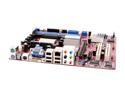
Pros: This is my updated review. Very solid board I gave it low marks before because of board lay out in first review. Other than that this board is an overclockers dream. If you just want a cheap fast computer this is the board to get. My AMD Athlon 4000+ scores the same as my X2 6000+ in 3Dmark 05 (6050) when I overclock the 4000+ to 3048 with this board and crucial Ballistic ddr-500 and 2.5 cas you have to set manually. Free lesson below for those that are just getting started in over clocking.
Cons: Poor board lay-out. Read below for OC settings
Overall Review: OC settings: Genie bios cpu fsb: 12X cpu north bridge: 3X cpu clock: 254 Dram clock: auto cpu volts:1.575 dram volts:2.9 NB-HT:1.2 NB-SB:1.8 Memory cas:2.5 trcd:2T trp:2T tras:7T Memory timing (T1) This is with crucial 2-512 sticks ddr-500 Ballistic. The ram timing is not rated at this, but it is what it can do with the sticks I got. Make baby steps on cpu clock the board does not like big steps. I was not able to go above 3048 with the tight ram settings stable. Benchmarks superpi:27.1-1 meg 3D mark05: cpu score 6050 Get a zalman 9700 or other cpu cooler. Watch cpu temps with software like cpu cool. Use Artic Silver 1 grain of rice.
crashes playing WOW
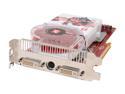
Pros: 3DMark 05 card, 12090 score with single core AMD 64 4000+ OC@3000.
Cons: Bought the card for my son but crashes playing World of Warcraft after about 45 minutes. Screen starts flickering at first then goes green. We spent two days trying to get the card to run right. Installing ATI tool and setting the fan settings low. Running without Catalyst and just video drivers. Swapped out power supply with a single rail 40amp from a dual 32 amp.
Overall Review: Before RMAing I decided to try card in my computer and have no issues at all. Runs great so far I played COD2 for 3 hours and not one flicker. I have not tried WOW because its not installed on my machine.
Stay away from CyberpowerPC products
Pros: It did arrive
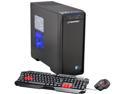
Cons: Ordered the CyberpowerPC Xtreme H400, had it even shipped next day, opened the package and immediately saw they packaged it with a 200 dollar downgraded video card. GTX 660. Not a happy camper to say the least. Newegg would not upgrade the video card because it was a prebuilt product. Really there's no telling what other surprises I would have found if I opened and inspected the computer. After I ordered I ran across several other threads even on there own forum saying they really cut corners and install junk power supplies that causes multitudes of problems down the road. Save yourself problems and build your own or shop elsewhere. Don't skimp on the power supply either. I ordered a good one and was going to replace the included one but never even opened the box after seeing the empty GTX 660 video card box.
Overall Review: I was being lazy and didn't feel like putting a gaming computer together so shopped around for a good priced computer with specs I wanted . Never again my mistake hope others learn by it.
HOT under load, the fix below
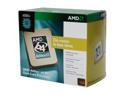
Pros: Works as expected. Price is finally in the ballpark of processor performance. Heat sink looks nice. I'm going to give the processor a 4 rating but if I could, I would give the heat sink and fan a 1 rating.
Cons: Heat sink looks impressive with 4 copper pipes coming out the side. Heat sink has a serious problem though it does not work. Looks like a heat transfer problem between the copper insert with pipes and aluminum block with the fins. Fix in other thoughts.
Overall Review: I recommend everyone install software to monitor the cpu temperature. CPU cool or PC Wizard is a couple of many. Then run super pi. You will be surprised at how hot it runs under load. Mine and many others that are installing software are reporting 68-72 C degrees. The fix is any aftermarket heat sink and fan. Even the old one you took off will work.
Great overclocker
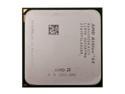
Pros: Cheap and great overclocker. I get a better cpu score on 3Dmark 05 than the recently purchased 6000+. I purchased this cpu just to overclock. Overclocked to 3084 and will go much higher but not stable.
Cons: none
Overall Review: DFI board 939 socket is great for over clocking. Leaving FSB divider at 12 and just getting some DDR 500 works the best. I tried all the other ways using the ram divider and lowering the FSB multiplier and none were as successful. Make sure you lower the cpu/ nb Bus to 3X or 4X. Raise clock frequency in small steps or it will fail.
Overclocking buy this
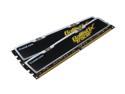
Pros: Great ram for overclockers. Very stable at tight timings. 2.5,2,2,7 1T, running at 510 ddr. Voltage 2.8. Stable with prime95
Cons: No real cons but I did have to manually set these timings in the bios on DFI INFINITY RS482 board. I have not pushed the ram past 510 ddr, but sure it will reach 550 with just a voltage increase.
Overall Review: CPU COOLER ZALMAN|9700 LED Price=$57.99) CPU THERMPASTE|ARCTIC SILVER5 Price=$5.99 CPU AMD|A64 4000+ 2.4G 939 OEM Price=$75.99 DFI RS482 INFINITY XPRESS200 939 Price=$74.99 CRUCIAL BL2KIT6464L505 R - Retail Price=$107.99 Athlon 4000+ @2922 MHZ, 510 DDR superpi 1 meg=:28 sec. superpi 32 meg= 26:41 prime95 stable 12 hrs so far and still running.


