


Your Browsing History


Philip R.
Joined on 04/14/08
0
0
product reviews
- 2
Nice Hub, But...
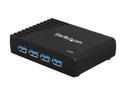
StarTech 4-Port USB 3.0 Hub, High-Speed USB Expansion Adapter, Plug & Play, Portable USB Hub for Laptop & Desktop
Pros: Small, USB 3.0 actually works on all ports
Cons: Wimpy power adapter detracts from a great product. I would have rated it a 5 otherwise.
Overall Review: This is a nice little hub that does indeed connect in USB 3.0 mode and supports USB 3.0 speeds on all ports. The more well known brand USB 3.0 hub I currently use that this hub is replacing only works in USB 3.0 on one or two of the four ports (it may be defective). However the StarTech engineers were obviously not thinking when they designed this one or else they got pressured into skimping on the power adapter to cut costs. The USB 3.0 standard specifies that each port is to supply 900 ma of supply current simultaneously as opposed to the USB 2.0 standard of 500 ma per port. But the power adapter provided with this hub is only a 2 amp adapter. Given the problems I had with my previous hub, the first thing I wanted to check when I took it out of the box was to see if it could support USB 3.0 on all ports simultaneously. So after connecting the hub and starting up the laptop it is to be used with, I connected four USB 3.0 portable hard drives in quick succession. All four showed they connect in USB 3.0 mode. As soon as I connected the third drive, the second drive unmounted with the usual "improper eject" warning. Then later it remounted on its own. This was the result of the power adapter not being able to provide sufficient current for all four drives going through their highest current activity (motor spin up from stop) all at one time. A quick speed test with all four connected seemed noticeably slower than USB 3.0 to me (68 GB was going to take 31 minutes to copy so I aborted it). With more typical use, this would be no problem except for devices which draw higher than typical current (motor activity: scanners with frequent motor reversals, disk drives during start, cameras with lens zooming, etc). Still the ports should be able to provide the full current specified by the USB 3.0 standard at all times. The hub itself does support full USB 3.0 speed with only one device connected and even seemed about 25% faster than the drive plugged directly into the laptop (9 GB test file copied in 1.5 to 2 minutes). What I am looking for right now is a substitute power adapter to use with this hub. The power adapter from my previous hub is indeed a 4 amp adapter that provides enough current to provide 900 ma per port so I may end up using the old power adapter with the StarTech hub, but it would have been so much easier if StarTech had provided a 4 amp adapter to begin with. Not quite plug and play. I think this hub is going to be worth it though. It is the best USB 3.0 hub I have seen so far.
5/12/2013See more detail
Time Waster
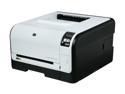
HP LaserJet Pro CP1525nw CE875A Workgroup Up to 12 ppm Color Ethernet (RJ-45) / USB / Wi-Fi Laser Printer
Pros: Good quality print on all media
Cons: User hostile firmware, time waster, poor customer support
Overall Review: I got an HP CP1518 (I think) to replace an 18 year old Apple Laserwriter Pro (B&W) and immediately had problems. Ethernet installation never worked and HP support (rude) told me to forget about it and use it via USB (or buy another one). I gave up on HP support and connected via USB. About a year later this printer died when I needed it badly. Online comments suggested this error required a return to the factory. HP CP1525 was on sale locally so I bought one as a quick replacement, expecting the worst. I was not disappointed. As with the CP1518, it does beautiful prints on all media, but the single sheet feed is a nightmare of waiting for Cleaning, Calibration and Initialization cycles to complete between sheets (1-3 minutes per cycle). It can literally take 30-40 minutes or more to print 6 envelopes. Its easier to use the standard tray than the shingle sheet slot. The clowns who wrote this printer's firmware should be required to use the printer. Next time I will look at other brands.
5/28/2012See more detail