
Your Browsing History


Jeffrey Y.
Joined on 11/06/06
0
0
product reviews
- 3
Great drive for an HTPC
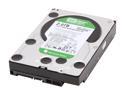
Western Digital WD Green WD20EADS 2TB 32MB Cache SATA 3.0Gb/s 3.5" Internal Hard Drive Bare Drive
Pros: Great drive for low-power PC's. I have a small form-factor HP HTPC with a 180-watt power supply, and this drive runs perfectly on low power. It's also very quiet, which is important for an HTPC.
Cons: None I can see.
Overall Review: This drive replaced a WD Green Power 1 TB that was filling up, and provides huge capacity with low power and quiet operation.
2/10/2009See more detail
Bought two, one died after 5 months
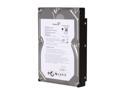
Seagate BarraCuda 7200.11 ST31500341AS 1.5TB 7200 RPM 32MB Cache SATA 3.0Gb/s 3.5" Internal Hard Drive Bare Drive
Pros: Great price, biggest drive until WD 2TB came out.
Cons: You know the drill - click, click, click, then no longer seen by Windows Vista. Luckily I have two backups of everything, wouldn't use these drives without it.
Overall Review: My Western Digital 2TB comes tomorrow to replace my dead Seagate. I'll gradually replace all 4 of these that I own with WD. Bought them when they first came out and never updated the firmware (SD17) because I never had any of the dropout problems that others did. But sudden death is NOT a firmware issue - something else is wrong with these drives.
2/5/2009See more detail
Great enclosure but only SATA I
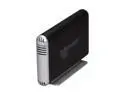
acomdata SMBXXXUFABS-BLK Aluminum 3.5" Silver / Black SATA USB2.0 & FireWire 400/800 & eSATA Enclosure Kit
Pros: Quad interface so it works on any PC or Mac. Assembly is relatively easy, and the vertical stand actually SCREWS IN to the enclosure so it stays on when I move the drive around and is very sturdy - no more worries about a drive tipping over.
Cons: It has a very odd limitation: the SATA interface is limited to SATA I with 1.5 Gbps and no NCQ or other SATA II enhancements. In fact, the manual tells you to jumper your drive so it only works at SATA I and doesn't have to "handshake" with the interface every time it's turned on. I've never had an external enclosure that required that, and I've had quite a few. And I had to hunt up those tiny jumpers, too, as I never saved them with new drives and they don't come with OEM drives!
Overall Review: I only use this for backup, so the SATA I limitation is not a problem. But if you want to use this for video editing, etc. over eSATA you will be limiting your drive access speeds. For Firewire 400/800 or USB 2, you'll never hit the limits of SATA I anyway, so doesn't matter.
6/24/2010See more detail