
Your Browsing History


Anthony H.
Joined on 06/29/04
0
0
product reviews
- 2
A nice update to a great product.
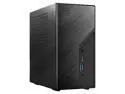
ASRock DESKMINI X600W/ USB4 Black Barebone System
Pros: Small, quiet, upgradeable
Cons: With a decent cooler, it can be difficult to get everything in the box. A few more USB ports out-of-the-box would be handy (without having to splurge for the upgrade kit).
Overall Review: I already own the DeskMini X600 (VGA model), but I found myself in the market for a new one. This version swaps out the VGA port for another USB C port. It's a small update, but probably more useful for the vast majority of users. Other than that, the device seems almost exactly the same, which isn't a bad thing. Most mini-pcs I've used are forced to use small blower fans for cooling, which can make them annoyingly loud. Paired with a Noctua NH-L9a-AM5, though, this device is almost as small, but it is *much* quieter. It also supports a variety of desktop-class Ryzen processors, which makes it more than fast enough for daily productivity use. Overall, I'm very pleased with my new DeskMini. This review for ASRock review rebate program.
9/23/2025See more detail
Great little daily driver.
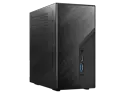
ASRock DeskMini X600 AMD Socket AM5 Barebone Mini PC
Pros: Compact. Low-footprint power supply. Quiet (at least with replacement fan). Easy to set up. Speedy 2.5Ghz ethernet. Packs a lot of storage. Supports S3 sleep.
Cons: Bright, leaky LEDs. Cheap, stiff power button. Too few USB ports. Creepy driver setup.
Overall Review: This is a great little machine. It sits silently on my desk, handling my daily-driver tasks (web-surfing and media playing, mainly) with nary a hiccup. To my mind, the biggest reason to upgrade from the x300 is that it properly supports S3 sleep states. The x300 has bugs that prevent it from reliably waking from sleep. ASRock eventually just pulled sleep support entirely from their firmware. Upon recommendation of the internet, I did also purchase the Noctua heatsink/fan. I didn't bother with the either the stock fan or the Wraith cooler bundled with the CPU, so I can't compare, but I can say that my setup is absolutely silent when used for web-surfing. The fan obviously gets louder when tackling more intensive work-loads, but crucially it doesn't emit the annoying, high-pitched whine common amongst other mini-pcs with laptop-style blowers. It supports up to 4 drives (two NVME and two 2.5" SSDs), which feels quite luxurious. I do wish it had more (fast) ports out-of-the box, though: 4 USB ports feels just a tad stingy. They're also only USB 3.2 Gen1. Thunderbolt 3 or 4 (or even USB 3.2 Gen 2) would have been nice. You can at least add a couple of optional USB 2.0 ports so your keyboard/mouse don't tie up any high-speed ports. I have found a few other (very) minor annoyances: The status LEDs are incredibly bright and leak out into the back of the case, making the box shine like a lantern even when asleep. A few pieces of electrical tape rectified this, though. The power button is a bit finnicky and quite stiff to operate as its just a little tab-cutout in the plastic case, not a dedicated push-button. Finally, I found it a bit creepy that after finishing the build, plugging it in, and doing a fresh install of a (retail) copy of Windows, I was greeted with a ASRock dialog asking if I wanted to install drivers. Apparently, ASRock sneaks in custom executables into the OS through the BIOS. Admittedly, this make installing the necessary graphics, network, chipset drivers a bit simpler, but its bit unnerving from a security standpoint. This review for ASRock review rebate program.
8/2/2024See more detail